Freedom251 › Audio Visualizer Software
Phosphor
What Phosphor is
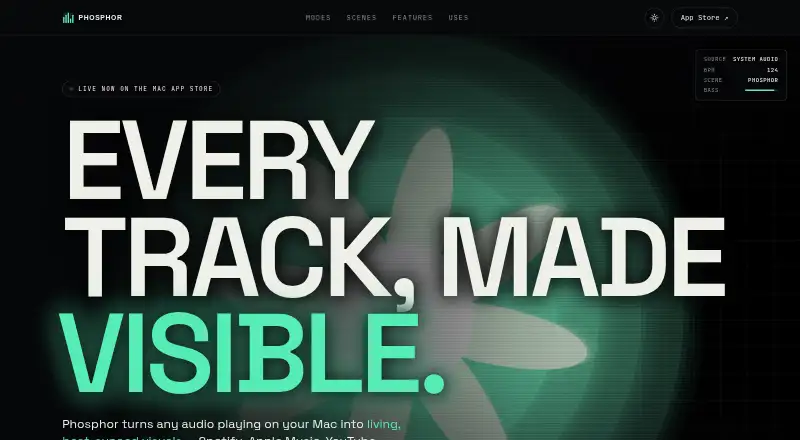
Phosphor is a macOS visualizer that turns computer audio into beat-synced graphics without a plugin, account, or setup. It can analyze system audio from Apple Music, Spotify, Safari, and YouTube, then display scenes in a floating window, fullscreen, or as animated wallpaper behind desktop items. Listed scenes include Phosphor, Bassdrop, Rainbow Bars, Tunnel, Nebula, Orbits, Supernova, Kaleido, Oscilloscope, and Terrain FFT. Users can stack effects such as CRT, bloom, vignette, grain, chroma, pixelation, and blur, save presets, and layer a second scene with blending and crossfade controls. Visuals with system audio can be recorded to H.264 MP4 or ProRes 422 LT MOV in the Movies folder, with export up to 4K. Metal rendering reaches 60 fps, or 30 fps in Low Power mode. The app runs locally, makes no network requests, and discards analyzed audio immediately. It costs 6.99 USD as a one-time purchase.
Who it suits
It suits Mac users who want music-reactive visuals, desktop wallpaper effects, or exported visual recordings. It requires an Apple Silicon Mac with macOS 14.4 or later.
What it does well
- Visualizes audio from common Mac apps
- Floating, fullscreen, and wallpaper viewing modes
- Many scenes and stackable effects
- Exports MP4 or ProRes video
- Local processing with no network requests
What to know first
- Intel Macs are unsupported
- Requires macOS 14.4 or later
- No free plan
- One-time price is 6.99 USD
Plans
| Plan | Billed and limits | Price |
|---|---|---|
| Phosphor | One-time purchase · macOS 14.4 or later · Apple Silicon · All scenes, effects, and updates included | $6.99, paid once |
As getphosphor.com lists them, read 8 Oct 2026. The maker's own page has the final word.
Verdict
Phosphor provides extensive scene, effect, layering, and recording controls for Apple Silicon Macs. Its platform requirement and paid-only model narrow the audience, but local processing may appeal to privacy-conscious users.
Facts from Phosphor's own pages
- Audio sources
- It visualizes system audio from apps such as Apple Music, Spotify, Safari, and YouTube using Core Audio Process Tap. · getphosphor.com, 8 Oct 2026
- Developer
- The site identifies the maker as Little Knife Labs LLC. · getphosphor.com, 8 Oct 2026
- Media controls
- It provides play, pause, and skip controls for Apple Music and Spotify in the visualizer and menu bar. · getphosphor.com, 8 Oct 2026
- Optional microphone mode
- Microphone access is off by default; the optional microphone input mode requests permission through macOS. · getphosphor.com, 8 Oct 2026
- Privacy
- The maker says the app runs locally, collects no data, makes no network requests, and immediately discards audio analyzed from Core Audio. · getphosphor.com, 8 Oct 2026
- Product
- Phosphor turns audio playing on a Mac into beat-synced visuals, without a plugin, account, or setup. · getphosphor.com, 8 Oct 2026
- Recording
- Phosphor records visuals with system audio to H.264 MP4 or ProRes 422 LT MOV files saved locally in the Movies folder. · getphosphor.com, 8 Oct 2026
- Rendering
- The app uses Metal GPU rendering, runs at up to 60 fps, drops to 30 fps in Low Power mode, and stops rendering when covered or when the screen sleeps. · getphosphor.com, 8 Oct 2026
- Scene layers
- Users can layer a second scene with normal, add, multiply, or screen blending and set a crossfade duration. · getphosphor.com, 8 Oct 2026
- Scenes
- The site lists scenes including Phosphor, Bassdrop, Rainbow Bars, Tunnel, Nebula, Orbits, Supernova, Kaleido, Oscilloscope, and Terrain FFT. · getphosphor.com, 8 Oct 2026
- Support
- The maker says it answers support emails, usually within a day, and Apple handles App Store refund requests. · getphosphor.com, 8 Oct 2026
- System requirements
- Support lists macOS 14.4 or later, Apple Silicon M1 or newer, at least 4 GB RAM, about 12 MB of disk space, and Metal 3; Intel Macs are unsupported. · getphosphor.com, 8 Oct 2026
- Viewing modes
- It can run as a floating window, fullscreen, or animated desktop wallpaper behind icons and windows. · getphosphor.com, 8 Oct 2026
- Visual effects
- Users can stack effects including CRT, bloom, vignette, grain, chroma, kaleidoscope fold, exposure, pixelation, and blur, then save presets. · getphosphor.com, 8 Oct 2026
Where Phosphor stands on Freedom251
- Audio Visualizer Software#35 of 35