Freedom251 › Travel and Expense Management Software

Perk
What Perk is
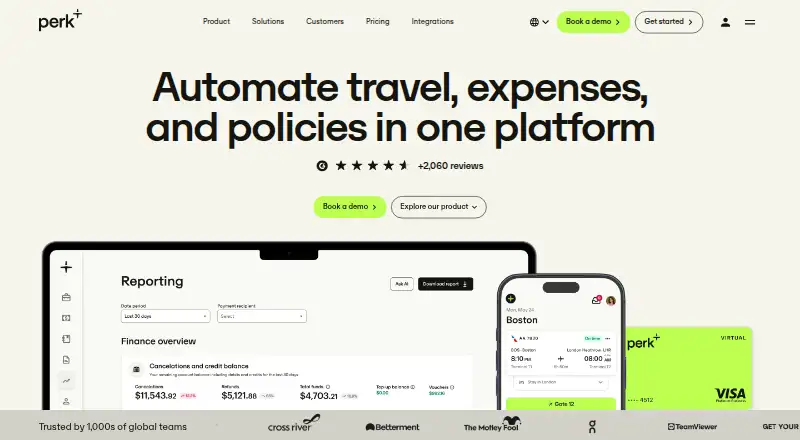
Perk brings business travel, expenses, policies, payments and events into one platform. Teams can book and manage flights, hotels, trains and cars across more than 178 countries. Perk AI can apply travel and expense policies, match receipts with transactions, route approvals and update ERP data in real time. Its MCP connection works with Claude, ChatGPT, Copilot and Gemini for reports, expense approvals and trip information. Payment options include existing corporate card feeds, ACH reimbursements and employees’ personal cards. The free mobile app for Android and iOS supports planning and managing travel, expenses and events. New invoices can be uploaded in the web app; invoice managers can also upload them from the approvals inbox. Perk lists a free plan and paid options from $6 a month per active user, with booking fees on some plans. It was founded in 2015 and is headquartered in London, United Kingdom.
Who it suits
Perk suits finance, travel and operations teams, as well as travelers who need travel booking and expense workflows together. It also fits organizations using ERP, HR or SSO integrations.
What it does well
- Books flights, hotels, trains and cars in 178+ countries.
- AI matches receipts and transactions and routes approvals.
- Supports corporate cards, ACH reimbursements and personal cards.
- 24/7 customer support is included at no extra cost.
- Free Android and iOS app for travel and expenses.
What to know first
- New invoices generally require the web app.
- Some plans charge an additional booking fee.
- Premium and Pro plan features and fees vary.
Limits
Travel and Spend Premium costs $6 a month per active user plus 3% per booking and includes 10 travel policies and approval processes, up to 4 legal entities, and ERP connectors except SAP and Open API. Spend Premium costs $9 a month per active user and includes a standard approval workflow, 4 legal entities, standard per diems, HR integrations and ERP connectors.
Plans
| Plan | Billed and limits | Price |
|---|---|---|
| Starter (Travel only) | +5% per booking; $2 minimum and $30 maximum booking fee · Global inventory · 1 travel policy · simplified reporting · cost objects · Perk Events | Free |
| Pro (Spend only) | per active user · Custom workflows · unlimited legal entities · custom per diems · advanced HR integrations · OpenAPI | $11 a month |
| Spend — Pro | per active user* · Customizable approval workflows · unlimited legal entities · custom per diems · OpenAPI | $11 a month |
| Pro (Travel only) | platform fee + 3% per booking; $2 minimum and $30 maximum booking fee · Unlimited policies · unlimited entities · custom reporting · custom integrations · corporate rates | $299 a month |
| Travel — Pro | +3% /booking* · Unlimited travel policies and approval processes · custom travel reporting · unlimited entities or companies | $299 a month |
| Premium (Travel and Spend, North America) | per active user + 3% per booking · 10 travel policies · 4 legal entities · US per diems · ERP connectors except SAP/Open API | $6 a month |
| Travel and Spend — Premium | per active user* + 3% / booking** · 10 travel policies and approval processes · up to 4 legal entities · ERP connectors except SAP & Open API | $6 a month |
| Pro (Travel and Spend, North America) | per active user + 3% per booking · Unlimited policies · unlimited legal entities · custom workflows/per diems · SAP connector · Open API | $8 a month |
The first 8 of 14 plans, as perk.com lists them, read 21 Oct 2026. The maker's own page has the final word. Every plan
Getting started
- Open perk.com.
- Choose a plan that fits your travel and spend workflows.
- Use the web app to upload new invoices, or the approvals inbox if you are an invoice manager.
- Install the free Perk app from Apple’s App Store or Google Play to manage travel, expenses and events on Android or iOS.
- Use the free sandbox to explore fake bookings and Pro features.
Verdict
Perk combines travel booking and expense workflows with policy controls, payments and event management. Check each plan’s active-user pricing and booking fees, and note the invoice-upload limitation if your team relies on mobile workflows.
Questions
Is there a free plan?
Yes. Perk lists a free plan and a free developer sandbox with fake booking capabilities and access to Pro features.
How much do paid plans cost?
Paid plans start at $6 a month per active user. Travel and Spend plans also charge 3% per booking; Travel Starter lists a 5% per booking fee.
What platforms does Perk support?
Perk is available on the web, Android and iOS. The mobile app is free.
Can Perk handle both travel and expenses?
Yes. It supports travel booking, expense reporting, travel policy controls, receipt capture, reimbursement workflows and corporate card support.
Which integrations does Perk list?
HR integrations include Paylocity, SAP SuccessFactors, Workday, Personio and Lucca. SSO integrations include Okta, Google and OneLogin; Perk MCP connects to Claude, ChatGPT, Copilot and Gemini.
Who makes Perk, and where is it based?
Perk was founded in 2015 and is headquartered in London, United Kingdom.
Facts from Perk's own pages
- AI assistants
- Perk MCP connects to Claude, ChatGPT, Copilot and Gemini for reports, expense approvals and trip information. · perk.com, 30 Sept 2026
- AI automation
- Perk AI applies travel and expense policies, matches receipts to transactions, routes approvals and updates ERP data in real time. · perk.com, 30 Sept 2026
- API documentation depth
- Developer docs include quickstarts, API reference pages, data-model guides, SCIM provisioning guidance and cURL examples. · developers.perk.com, 21 Oct 2026
- Browser requirements
- The supported web browsers are Chrome, Firefox, Safari and Microsoft Edge; other browsers are not guaranteed. · support.perk.com, 21 Oct 2026
- Company identity
- Crunchbase lists the legal name as Perk USA Inc., also known as TravelPerk. · crunchbase.com, 21 Oct 2026
- Customer care
- Perk says its customer care team works around the clock and provides 24/7 support at no extra cost. · perk.com, 30 Sept 2026
- Developer access limitation
- Partner API applications require Perk-issued client credentials after submitting project details and requested endpoints. · developers.perk.com, 21 Oct 2026
- Developer tools
- Perk provides a free sandbox with fake booking capabilities and access to all Pro features, and its Spend API can retrieve expenses, trips and invoices and export journal entries. · support.perk.com, 30 Sept 2026
- ERP and spend integrations
- Documented connectors include Oracle NetSuite, Microsoft Dynamics 365, Spendesk, Soldo, Rydoo, Ramp, Pleo and Payhawk. · support.perk.com, 21 Oct 2026
- Events
- Perk offers group travel and corporate event logistics covering meeting rooms, group discounts and team activities. · perk.com, 21 Oct 2026
- Expense automation
- Perk captures, matches, codes and pre-fills expenses automatically, including AI receipt processing. · perk.com, 21 Oct 2026
- Founded
- 2015 · perk.com, 23 Sept 2026
- Founded and headquarters
- LinkedIn lists Perk as founded in 2015 with headquarters in Boston, Massachusetts, and company size of 1,001–5,000 employees. · linkedin.com, 21 Oct 2026
- Funding news (2025)
- On January 28, 2025, Cinco Días reported a $200 million round valuing Perk at $2.7 billion and the acquisition of Swiss expense company Yokoy. · cincodias.elpais.com, 21 Oct 2026
- Funding news (2026)
- On June 3, 2026, Cinco Días reported that Perk closed a $300 million private credit line led by Neuberger Specialty Finance, Blue Owl Capital, Hercules Capital and Liquidity. · cincodias.elpais.com, 21 Oct 2026
- Headquarters
- London, United Kingdom · perk.com, 23 Sept 2026
- Integrations
- Help documentation lists SSO integrations for Okta, Google Workspace and OneLogin plus HR connections including Workday, Personio, Paylocity and SAP SuccessFactors. · support.perk.com, 21 Oct 2026
- Intended users
- Perk describes separate workflows for finance teams, travel managers, operations teams and travelers. · perk.com, 30 Sept 2026
- License
- Perk terms reserve platform intellectual property to Perk or its licensors and grant no ownership rights, indicating proprietary software rather than an open-source license. · perk.com, 21 Oct 2026
- Limit: customer service failures
- TrustRadius and Trustpilot reviews describe careless support mistakes, slow chat responses, failed bookings and unresolved itinerary problems. · trustradius.com, 21 Oct 2026
- Limit: integration and confirmation issues
- GetApp reviewers report occasional booking glitches, delayed confirmations, navigation delays and difficulties with changes or integrations. · getapp.com, 21 Oct 2026
- Limit: mobile UX
- App Store reviewers report slow receipt capture, missing electric-vehicle charging filters and booking cancellations triggered by swipe gestures. · apps.apple.com, 21 Oct 2026
- Limit: pricing and value
- Reviewers mention unexpected fees, limited flexibility on lower tiers, prices that can exceed direct offers and occasional search-to-checkout discrepancies. · getapp.com, 21 Oct 2026
- MCP extensibility
- Perk offers an MCP server that lets compatible AI clients query travel, spend, invoice and event data and perform supported actions. · developers.perk.com, 21 Oct 2026
Where Perk stands on Freedom251
- Travel and Expense Management Software#4 of 28
- Travel Management#2 of 13