Freedom251 › Penetration Testing Software
PenPeeper
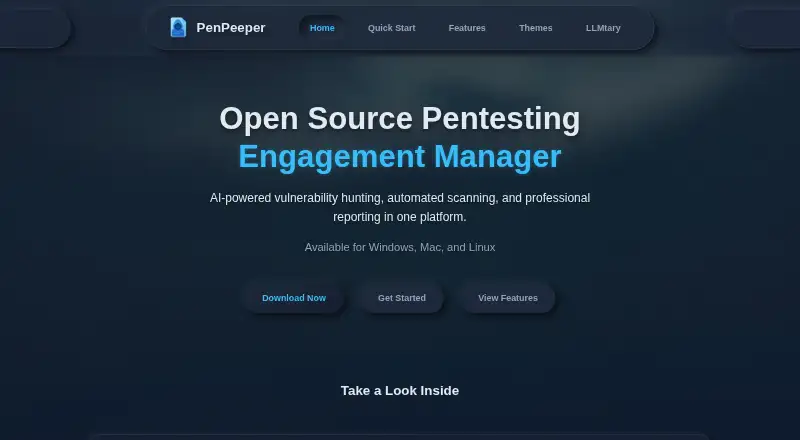
What PenPeeper is
PenPeeper is an open-source engagement manager for security professionals who organize penetration tests and prepare client reports. Its workflow runs through Gather, Search, Findings, and Report, with tools to manage multiple clients and engagements, tag devices, and filter assets. Users can import scans, screenshots, and notes, then create PDF reports from guided templates with customizable summary graphics. Built-in automation supports Nmap, Nikto, SearchSploit, WhatWeb, Enum4Linux, FFUF, and SNMP. PenPeeper also retrieves CVE details, severity scores, and descriptions from the National Vulnerability Database. AI features support vulnerability hunting, evidence examination, remediation recommendations, and executive summaries, with local and cloud LLM providers including LM Studio, Ollama, OpenRouter, Claude, Gemini, ChatGPT, and custom providers. Projects can be exported as encrypted files for sharing or backup. The software is free for personal and professional use under its stated license terms, but selling it or hosting it as a paid SaaS requires permission or is prohibited by those terms. It runs on Linux, macOS, and Windows; Windows users need Windows Subsystem for Linux. Vulnerability testing is passive and flags potential issues for manual review.
Who it suits
PenPeeper suits security professionals managing penetration-testing engagements, evidence, and client-ready reports. Windows users need Windows Subsystem for Linux, and its passive vulnerability checks are intended to flag issues for manual review.
What it does well
- Organizes engagements through four workflow stages.
- Integrates with seven named scanning tools.
- Retrieves CVE data from the National Vulnerability Database.
- Generates PDF reports with guided templates.
- Exports projects as encrypted files.
What to know first
- Vulnerability testing is passive and requires manual review.
- Windows users need Windows Subsystem for Linux.
- Paid SaaS hosting or resale requires permission or is prohibited.
Limits
The free plan covers personal or professional use. Selling the software or hosting it as a paid SaaS requires permission, and vulnerability testing is passive and flags potential issues for manual review.
Plans
| Plan | Billed and limits | Price |
|---|---|---|
| Free | Free to use for personal or professional work · Cannot sell the software or host it as a paid SaaS without permission | Free |
As penpeeper.com lists them, read 8 Oct 2026. The maker's own page has the final word.
Getting started
- Visit https://www.penpeeper.com/ to get started.
- Choose the Linux, macOS, or Windows environment; Windows requires Windows Subsystem for Linux.
- Use the software for personal or professional work under its free license terms.
- Organize an engagement through Gather, Search, Findings, and Report.
PenPeeper is an open-source engagement manager for security professionals running penetration tests and preparing client deliverables. It suits practitioners who want scans, evidence, findings, and reporting kept in one on-premises workflow. Choose it for broad engagement coordination and flexible AI connections, but treat its automated vulnerability results as leads for manual validation.
Overview
PenPeeper divides an engagement into Gather, Search, Findings, and Report stages. You can manage multiple clients and projects, tag devices, filter assets, and bring in scans, screenshots, and notes. That structure is useful for consultants and internal teams that need to turn varied evidence into consistent findings instead of juggling separate scanner outputs and report files.
The application covers web and network testing, finding management, and evidence capture. It is deployed on-premises, which fits organizations that want project data kept within their own environment. Windows users need Windows Subsystem for Linux; the quick-start guidance notes testing with Kali Linux and Ubuntu, so Windows deployment is less direct than its platform label alone suggests.
Key features
Scanning and vulnerability context
Built-in automation connects Nmap, Nikto, SearchSploit, WhatWeb, Enum4Linux, FFUF, and SNMP. Concurrent-scan controls let operators trade turnaround time against network impact, an important option during sensitive client work. PenPeeper pulls CVE descriptions and severity scores from the National Vulnerability Database, adding recognizable context to findings.
The boundary is significant: vulnerability testing is passive and flags potential issues for review. PenPeeper can help prioritize investigation, but it does not establish that an issue is exploitable or confirmed. Teams expecting active validation need complementary tools and manual work.
AI assistance
Local and cloud providers are supported, including LM Studio, Ollama, OpenRouter, Claude, Gemini, ChatGPT, and custom providers. AI functions cover vulnerability hunting, evidence examination, remediation recommendations, and executive-summary generation. Local-provider support can suit teams that want to keep analysis within their environment, while cloud connections offer provider choice; either way, reviewers should verify generated conclusions before they enter a client report.
Reporting and sharing
Guided templates generate PDF reports with customizable summary graphics, helping turn project data into client-ready output. Entire projects can be exported as encrypted files for backup or sharing. That is practical for handoffs between assessors, although the product does not make security certification or compliance claims.
Pricing
PenPeeper has one Free plan at no cost. It is open source and free for personal or professional work, with no trial period because the product is already free to use. The license has an important commercial restriction: selling the software or hosting it as a paid SaaS requires explicit permission or is prohibited by its stated terms. That makes the plan a strong fit for consultants and security teams using their own deployment, not for vendors planning to resell PenPeeper as a hosted service.
Platforms
PenPeeper supports Linux, macOS, and Windows and is delivered as an on-premises application. Windows operation requires Windows Subsystem for Linux, with Kali Linux and Ubuntu identified in the quick-start guidance. It supports web and network testing alongside finding management and evidence capture.
Who it's for
PenPeeper is aimed at security professionals coordinating multiple penetration-testing engagements and producing reports for clients. It is a particularly good match for independent testers and teams that value encrypted project exchange, configurable scan concurrency, and a choice of local or cloud AI providers. It is less suitable as a stand-alone vulnerability scanner, for organizations requiring active automated confirmation, or for businesses whose model depends on paid SaaS hosting without obtaining permission under the license.
Pros and cons
Pros
- End-to-end engagement workflow: Gather, Search, Findings, and Report keep collection, analysis, and deliverables in one project structure.
- Wide scanner coverage: Integrations span network discovery, web checks, enumeration, fuzzing, and SNMP.
- Flexible AI deployment: Local, cloud, and custom LLM providers support different privacy and workflow requirements.
- Useful report and exchange tools: PDF templates, customizable graphics, and encrypted project exports support client delivery and handoff.
Cons
- Passive vulnerability testing: Potential issues still require manual review and validation.
- Windows setup overhead: Windows Subsystem for Linux is required.
- License limits resale: Paid SaaS hosting or selling the software needs permission or is disallowed by the stated terms.
Alternatives
Caido is a better fit when you want a freemium security platform with a free tier limited to two projects, seven workflows, three plugins, five filter presets, and one pipeline session at a time.
Dradis suits teams seeking a freemium reporting-focused option with a free Community Edition, one project at a time, and community-forum support, plus a free trial for its broader offering.
Pentesterra is worth choosing when a free plan with one project, three scans per month, CLI, IDE plugin, and web console matches your workload.
Kali Linux is the choice for a free open-source distribution rather than an engagement-management workspace.
OWASP Amass is an alternative when you need a focused open-source reconnaissance framework under the Apache License 2.0.
RedAmon provides a free MIT-licensed, Docker-based self-hosted option for commercial or personal use.
w3af is preferable for a dedicated open-source web application security scanner.
Aircrack-ng is the simpler choice for a no-license-fee wireless security software suite.
Verdict
PenPeeper is a strong choice for security professionals who need an on-premises hub for engagements, evidence, scanner integrations, AI-assisted analysis, and client-ready PDFs at no software cost. Look elsewhere if you need active vulnerability verification, a simpler Windows installation, or unrestricted rights to resell the platform as a paid SaaS.
Verdict
PenPeeper combines engagement organization, scanning integrations, vulnerability information, and reporting in an on-premises tool. Its passive checks and license terms are important considerations for teams planning how they will use it.
Questions
Is PenPeeper free?
Yes. The Free plan costs nothing for personal or professional work.
Can I use PenPeeper for paid client work?
The stated license allows personal and professional work. Selling the software or hosting it as a paid SaaS requires permission.
Which platforms does PenPeeper support?
It supports Linux, macOS, and Windows. Windows users need Windows Subsystem for Linux.
What scanning tools does PenPeeper integrate?
Built-in automation supports Nmap, Nikto, SearchSploit, WhatWeb, Enum4Linux, FFUF, and SNMP.
Which AI providers can I connect?
It supports local and cloud providers including LM Studio, Ollama, OpenRouter, Claude, Gemini, ChatGPT, and custom providers.
What reports can PenPeeper produce?
It generates PDF reports using guided templates and customizable summary graphics.
Facts from PenPeeper's own pages
- AI analysis
- AI features include vulnerability hunting, evidence examination, remediation recommendations, and executive summary generation. · penpeeper.com, 8 Oct 2026
- AI features
- AI features include vulnerability hunting, evidence examination, remediation recommendations, and report executive summaries. · penpeeper.com, 8 Oct 2026
- AI integrations
- It supports local and cloud LLM providers including LM Studio, Ollama, OpenRouter, Claude, Gemini, ChatGPT, and custom providers. · penpeeper.com, 8 Oct 2026
- AI providers
- It supports local and cloud LLM integrations including LM Studio, Ollama, OpenRouter, Claude, Gemini, ChatGPT, and custom providers. · penpeeper.com, 8 Oct 2026
- Audience
- The maker describes PenPeeper as built for security professionals and intended to organize pentesting engagements and client-ready reports. · penpeeper.com, 8 Oct 2026
- Import and export
- Users can import scans, screenshots, and notes, and export projects as encrypted files for sharing or backup. · penpeeper.com, 8 Oct 2026
- License and use
- The repository states that personal and professional use is free, while selling the software or hosting it as a paid SaaS requires explicit permission or is prohibited by its stated license terms. · github.com, 8 Oct 2026
- License terms
- The repository says it can be used free for personal or professional work, but cannot be sold or hosted as a paid service without permission. · github.com, 8 Oct 2026
- Limits
- The maker describes PenPeeper's vulnerability testing as passive and says it flags potential issues for manual review. · penpeeper.com, 8 Oct 2026
- Notable limitation
- PenPeeper's vulnerability testing is described as passive and flags potential issues for manual review. · penpeeper.com, 8 Oct 2026
- NVD integration
- PenPeeper pulls CVE information from the National Vulnerability Database, including severity scores and descriptions. · penpeeper.com, 8 Oct 2026
- Platform requirement
- The quick-start page says Windows users need Windows Subsystem for Linux and notes testing with Kali Linux and Ubuntu. · penpeeper.com, 8 Oct 2026
- Product
- PenPeeper is an open source penetration testing engagement manager for security professionals. · penpeeper.com, 8 Oct 2026
- Project organization
- Users can manage multiple engagements and clients, tag devices, filter assets, and generate targeted reports. · penpeeper.com, 8 Oct 2026
- Project sharing
- Users can export entire projects as encrypted files for sharing or backup. · penpeeper.com, 8 Oct 2026
- Purpose
- PenPeeper is an open source pentesting engagement management system built for security professionals. · penpeeper.com, 8 Oct 2026
- Reporting
- It generates PDF reports with guided templates and customizable summary graphics. · penpeeper.com, 8 Oct 2026
- Scanning
- Built-in automation supports Nmap, Nikto, SearchSploit, WhatWeb, Enum4Linux, FFUF, and SNMP. · penpeeper.com, 8 Oct 2026
- Scanning limits
- Users can configure how many scans run concurrently to balance speed with network impact. · penpeeper.com, 8 Oct 2026
- Scanning tools
- Built-in scanning integrations include Nmap, Nikto, SearchSploit, WhatWeb, Enum4Linux, FFUF, and SNMP. · penpeeper.com, 8 Oct 2026
- Security scope
- The site describes encrypted project export for sharing, but the reviewed pages do not state security certifications or compliance claims. · penpeeper.com, 8 Oct 2026
- Vulnerability data
- PenPeeper integrates with the National Vulnerability Database to retrieve CVE details, severity scores, and descriptions. · penpeeper.com, 8 Oct 2026
- Workflow
- It organizes engagements into a Gather, Search, Findings, and Report workflow. · penpeeper.com, 8 Oct 2026
Where PenPeeper stands on Freedom251
- Penetration Testing Software#10 of 34