Freedom251 › PDF Converter Software

PDFCreator
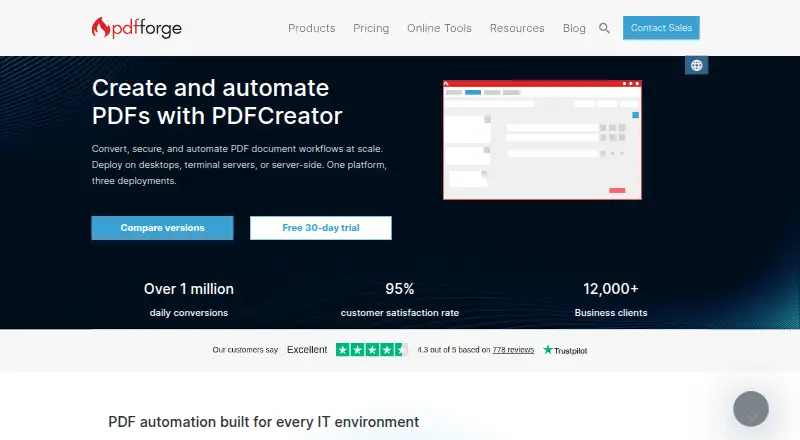
What PDFCreator is
PDFCreator is a Windows document conversion tool from pdfforge, headquartered in Hamburg, Germany. Its Free edition installs as a virtual printer, allowing users to create PDFs from programs that offer printing. Printable documents can also be converted to PDF/A, PDF/X, PNG, JPEG, TIFF and TXT, with batch conversion supported. Document workflows include merging files, rearranging pages, adding watermarks and automatic saving. Automation options include adding cover pages, sending files by email, uploading through FTP and running custom scripts. Integration options include a COM interface, C# scripts, FTP uploads and email actions; API access is available. Free includes 128-bit AES encryption, while Professional adds 256-bit AES encryption, digital signatures and user restrictions. PDFCreator is open source, and users may download and modify its code under the stated license terms. Server runs as a Windows service and processes print jobs through shared virtual printers and queues; Terminal Server is designed for Windows RDS and Citrix. Starting with version 6.0, the software supports only 64-bit operating systems, and Free does not include an MSI installer. Free is for personal use; commercial use requires a business edition.
Who it suits
The Free edition suits personal use of PDF conversion and print-to-PDF workflows. Professional targets business and professional users, while Server editions are intended for shared or centralized environments.
What it does well
- Converts printable documents to multiple image and PDF formats.
- Supports batch conversion and automatic saving.
- Free includes 128-bit AES encryption.
- Paid editions have a 30-day trial without a credit card.
What to know first
- Free is for personal use; commercial use requires a business edition.
- Starting with version 6.0, only 64-bit operating systems are supported.
- Free does not include an MSI installer.
Limits
PDFCreator Free costs nothing and is for personal use; commercial use requires a business edition. It includes 128-bit AES encryption, and Free does not include an MSI installer. Starting with version 6.0, the product supports only 64-bit operating systems.
Plans
| Plan | Billed and limits | Price |
|---|---|---|
| PDFCreator Free | Free for personal use · commercial use requires a business edition · 128-bit AES encryption | Free |
| PDFCreator Terminal Server | Yearly per server; auto-renews annually · For Windows RDS and Citrix · unlimited users per licensed server · volume discounts from 10 units | On request |
| PDFCreator Server | Yearly per server; auto-renews annually · Centralized Windows service · unlimited queues | On request |
| PDFCreator Professional | Yearly per workstation; auto-renews annually · For 1–100 users on individual Windows desktops · volume discounts from 10 units | On request |
As pdfforge.org lists them, read 8 Oct 2026. The maker's own page has the final word.
Getting started
- Visit https://www.pdfforge.org/pdfcreator.
- Choose the Free edition for personal use or review the business editions for commercial needs.
- Install PDFCreator on a supported 64-bit Windows system.
- Print a document from a program with a print option to create a PDF.
- Use the trial to access paid editions for 30 days without a credit card.
Verdict
PDFCreator combines print-based conversion with batch processing, document editing workflows and automation. The Free edition is limited to personal use, and version 6.0 onward requires a 64-bit operating system.
Questions
Is PDFCreator free?
PDFCreator Free costs nothing and is for personal use. Commercial use requires a business edition.
Is there a free trial?
Yes. The maker offers full access to paid editions for 30 days without requiring a credit card.
What platforms does PDFCreator support?
It supports Windows desktop and Windows Server, as well as command line and COM interface. Starting with version 6.0, it supports only 64-bit operating systems.
Is PDFCreator open source?
Yes. Users may download and modify its code under the stated license terms.
What do the paid editions add?
Professional includes 256-bit AES encryption, digital signatures and user restrictions. Terminal Server is designed for Windows RDS and Citrix, while Server runs as a Windows service for centralized processing.
Facts from PDFCreator's own pages
- Automation
- PDFCreator supports automated actions such as adding cover pages, uploading via FTP, emailing files, and running custom scripts. · pdfforge.org, 8 Oct 2026
- Deployment limits
- Starting with version 6.0, PDFCreator supports only 64-bit operating systems, and Free does not include an MSI installer. · support.pdfforge.org, 8 Oct 2026
- Headquarters
- Hamburg, Germany · pdfforge.org, 28 Sept 2026
- Integrations
- The product offers a COM interface, C# scripts, FTP uploads, and email actions; its Terminal Server edition is designed for Citrix and Windows RDS. · pdfforge.org, 8 Oct 2026
- Intended users
- The Free edition is for personal use, while Professional targets business and professional users and the Server editions target shared or centralized environments. · pdfforge.org, 8 Oct 2026
- License updates
- Updates are included while a business license is active, and the maker says releases arrive several times a year. · pdfforge.org, 8 Oct 2026
- Open source
- PDFCreator is open source, and pdfforge says users may download and modify its code under the stated license terms. · pdfforge.org, 8 Oct 2026
- PDF editing workflows
- Users can merge documents, rearrange pages, add watermarks, and automatically save files. · pdfforge.org, 8 Oct 2026
- Purpose
- PDFCreator converts printable documents to PDF and other formats including PNG, JPEG, and TIF. · download.pdfforge.org, 8 Oct 2026
- Security
- The Free edition includes 128-bit AES encryption; Professional includes 256-bit AES encryption, digital signatures, and user restrictions. · pdfforge.org, 8 Oct 2026
- Server deployment
- PDFCreator Server runs as a Windows service and processes print jobs through shared virtual printers and queues. · pdfforge.org, 8 Oct 2026
- Support
- Business editions include priority support, while the support site also provides a user guide, knowledge base, and community forum. · pdfforge.org, 8 Oct 2026
- Trial
- The maker offers full access to its paid editions for 30 days without requiring a credit card. · pdfforge.org, 8 Oct 2026
- Virtual printer
- The Free edition installs as a virtual printer and creates PDFs from programs with a print option. · pdfforge.org, 8 Oct 2026
Where PDFCreator stands on Freedom251
- PDF Converter Software#14 of 47
- PDF Creation Software#19 of 46