PDFCraftPro
What PDFCraftPro is
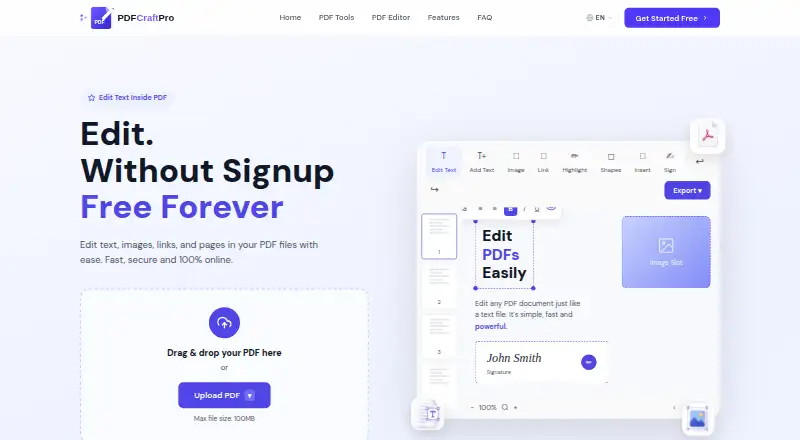
PDFCraftPro is a free web tool for editing and managing PDF files in a browser. Users can change text, images, links, and pages, add annotations, and preserve original fonts when editing existing text. Additional tools merge, split, compress, rotate, organize, convert, number, and watermark PDFs. The workflow is upload, edit, preview changes in real time, then download or share the result. The homepage says processing runs inside the browser so files stay on the device, while the privacy policy says uploads may also be handled temporarily on servers. Server copies are deleted within one hour, not permanently stored or shared with third parties, and transfers use TLS/SSL encryption. PDF contents are not read, analyzed, sold, shared, or used to train machine-learning models, according to the policy. The Free plan costs nothing, requires no signup, adds no watermark, and allows files up to 100MB. PDF is the only supported format, and scanned PDFs cannot be edited because OCR is unavailable.
Who it suits
PDFCraftPro suits people who need browser-based PDF edits and utility tools without installing software or creating an account. It is intended for PDF files rather than scanned documents or other formats.
What it does well
- Free access to all listed tools
- No signup and no watermark
- Edits text, images, links, and pages
- Real-time preview before download or sharing
- Files up to 100MB
What to know first
- PDF is the only supported format
- Scanned PDFs cannot be edited
- Maximum file size is 100MB
- OCR is unavailable
Plans
| Plan | Billed and limits | Price |
|---|---|---|
| Free | All tools free · no signup · no watermark · 100MB max file size | Free |
As pdfcraftpro.com lists them, read 11 Oct 2026. The maker's own page has the final word.
Verdict
PDFCraftPro covers common PDF editing and organization tasks at no listed cost. Its format, file-size, and OCR limits matter for scanned or non-PDF workflows.
Facts from PDFCraftPro's own pages
- Annotation tools
- Yes · pdfcraftpro.com, 20 Sept 2026
- Browser processing
- The homepage says every tool runs inside the browser so files never leave the device. · pdfcraftpro.com, 11 Oct 2026
- Cookies and ads
- The privacy policy describes essential, analytics, and advertising cookies and says the site uses Google Analytics and Google AdSense. · pdfcraftpro.com, 11 Oct 2026
- Data use
- The privacy policy says PDF contents are not read, analyzed, sold, shared, or used to train machine learning models. · pdfcraftpro.com, 11 Oct 2026
- Device requirements
- PDFCraftPro works in a browser without software installation, according to its homepage FAQ. · pdfcraftpro.com, 11 Oct 2026
- Editing
- The editor supports adding text and images, editing links, adding annotations, and preserving original fonts when editing existing text. · pdfcraftpro.com, 11 Oct 2026
- Encryption
- The privacy policy says file transfers use TLS/SSL encryption. · pdfcraftpro.com, 11 Oct 2026
- Free plan
- Yes · pdfcraftpro.com, 20 Sept 2026
- Input limit
- The homepage lists a 100MB maximum file size. · pdfcraftpro.com, 11 Oct 2026
- Integrations
- The PDF-to-Markdown tool describes output ready for Obsidian, Notion, or a repository. · pdfcraftpro.com, 11 Oct 2026
- OCR
- No · pdfcraftpro.com, 20 Sept 2026
- PDF conversion
- Yes · pdfcraftpro.com, 20 Sept 2026
- PDF tools
- Its tools include merging, splitting, compressing, rotating, organizing, converting, adding page numbers, and watermarking PDFs. · pdfcraftpro.com, 11 Oct 2026
- Privacy policy
- The privacy policy says uploaded PDFs may be processed in the browser or temporarily on servers, are not permanently stored or shared with third parties, and are deleted from servers within one hour of processing. · pdfcraftpro.com, 11 Oct 2026
- Purpose
- PDFCraftPro lets users edit PDF text, images, links, and pages online. · pdfcraftpro.com, 11 Oct 2026
- Scanned PDFs
- The homepage FAQ says scanned PDFs are not yet editable because the service does not currently use OCR. · pdfcraftpro.com, 11 Oct 2026
- Supported files
- The homepage FAQ says PDF files are currently the only supported file format. · pdfcraftpro.com, 11 Oct 2026
- Supported platforms
- web · pdfcraftpro.com, 20 Sept 2026
- Text editing
- Yes · pdfcraftpro.com, 20 Sept 2026
- Workflow
- Users can upload a PDF, edit it, preview changes in real time, then download or share the result. · pdfcraftpro.com, 11 Oct 2026
Where PDFCraftPro stands on Freedom251
- PDF editors#72 of 102