PDFApps
What PDFApps is
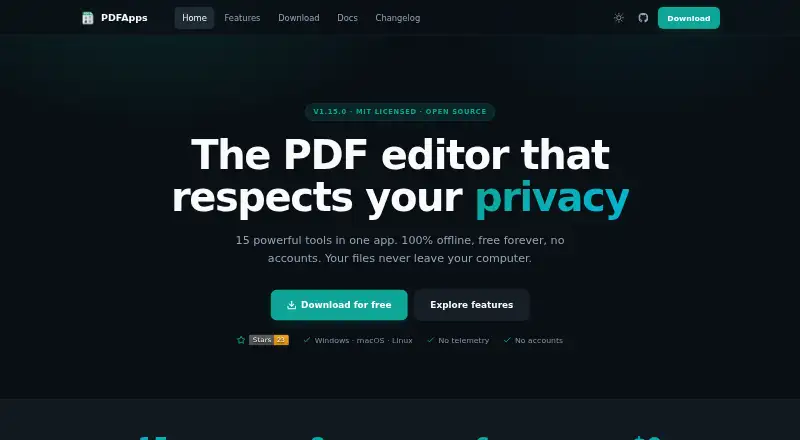
PDFApps is an offline desktop PDF editor for Windows, macOS, and Linux. Its 15 tools include splitting, merging, rotating, extracting, reordering, compressing, encrypting, watermarking, OCR, conversion, importing, N-up layout, page numbering, and document information. The visual editor adds redaction, text and image insertion, highlighting, notes, form filling, editing existing text, signatures, and selection. PDFs can be exported to PNG, JPG, DOCX, TXT, PPTX, XLSX, HTML, or EPUB, and several of those formats can also be imported to PDF. The maker says processing happens locally and files are never uploaded to a server. It also says the app collects no personal information, file contents, telemetry, analytics, or automatic crash reports. The signature tool adds a visual signature, not a cryptographic one. OCR requires Tesseract, while the extreme compression setting requires Ghostscript; the Microsoft Store package includes both. The Free plan costs nothing, billed forever, and includes 15 PDF tools under an MIT license, with no premium tier, upsells, or ads.
Who it suits
PDFApps suits people who want a free desktop toolkit for editing, converting, annotating, and organizing PDFs on Windows, macOS, or Linux. Users who need OCR or extreme compression should note the dependencies or use the Microsoft Store package.
What it does well
- Includes 15 PDF tools in the free plan.
- Processes files locally, according to the maker.
- Supports Windows, macOS, and Linux.
- Exports to image, office, text, web, and ebook formats.
What to know first
- Signatures are visual, not cryptographic.
- OCR requires Tesseract outside the Microsoft Store package.
- Extreme compression requires Ghostscript outside the Microsoft Store package.
Plans
| Plan | Billed and limits | Price |
|---|---|---|
| Free | Forever · 15 PDF tools · MIT licensed · no premium tier, upsells, or ads | Free |
As pdf-apps.com lists them, read 11 Oct 2026. The maker's own page has the final word.
Verdict
PDFApps covers a broad set of PDF editing and document tasks in an offline desktop app with a free plan. Its signature tool is visual only, and some functions depend on additional software.
Facts from PDFApps's own pages
- Annotation tools
- Yes · pdf-apps.com, 20 Sept 2026
- Data collection
- The maker says the app collects no personal information, file contents, telemetry, analytics, or automatic crash reports. · pdf-apps.com, 11 Oct 2026
- Dependencies
- OCR requires Tesseract, and the extreme compression level requires Ghostscript; the Microsoft Store package bundles both. · pdf-apps.com, 11 Oct 2026
- Digital signatures
- The signature tool adds a visual signature and does not perform cryptographic signing. · pdf-apps.com, 11 Oct 2026
- File conversions
- PDFs can be exported to PNG, JPG, DOCX, TXT, PPTX, XLSX, HTML, or EPUB, and several of those formats can also be imported to PDF. · pdf-apps.com, 11 Oct 2026
- Form creation
- Yes · pdf-apps.com, 20 Sept 2026
- Free plan
- Yes · pdf-apps.com, 20 Sept 2026
- Local processing
- The maker says PDF processing runs locally and files are never uploaded to a server. · pdf-apps.com, 11 Oct 2026
- Network requests
- Direct installs check GitHub Releases for updates at launch, while system-managed installs skip the in-app update check. · pdf-apps.com, 11 Oct 2026
- OCR
- OCR uses Tesseract and supports English, Portuguese, Spanish, French, and German. · pdf-apps.com, 11 Oct 2026
- PDF conversion
- Yes · pdf-apps.com, 20 Sept 2026
- PDF operations
- Tools include splitting, merging, rotating, extracting, reordering, compressing, encrypting, watermarking, OCR, conversion, import, N-up layout, page numbering, and document information. · pdf-apps.com, 11 Oct 2026
- Platforms
- The download page lists Windows 10/11 64-bit, macOS 10.14 or later, and Linux packages including AppImage. · pdf-apps.com, 11 Oct 2026
- Product
- PDFApps is an offline desktop PDF editor with 15 tools and an integrated viewer. · pdf-apps.com, 11 Oct 2026
- Support
- The documentation directs users to report bugs through the GitHub issue tracker. · pdf-apps.com, 11 Oct 2026
- Supported platforms
- Windows,macOS,Linux · pdf-apps.com, 20 Sept 2026
- Text editing
- Yes · pdf-apps.com, 20 Sept 2026
- Visual editor
- The visual editor supports redaction, text and image insertion, highlighting, notes, form filling, editing existing text, signatures, and selection. · pdf-apps.com, 11 Oct 2026
Where PDFApps stands on Freedom251
- PDF editors#33 of 104