Freedom251 › File Repair Software
PDF Repair Toolbox
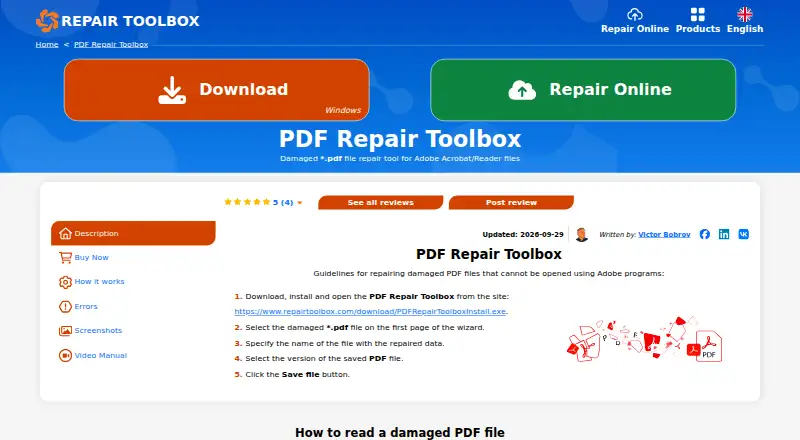
What PDF Repair Toolbox is
PDF Repair Toolbox is software for recovering information from corrupted PDF files and saving it to a new file for Adobe Reader or Adobe Acrobat. It is available as a Windows desktop program and through an online recovery option. The desktop wizard guides users through selecting a PDF, repairing it and saving the result. The maker says the program works with all PDF versions, including complex structures, and can restore pages that are no longer linked in a damaged file. It also scans for links to media objects obscured by corruption or file deletion. Users can preview recovered content, select an output PDF version, and save as compressed or uncompressed. A detailed recovery log appears at the end of the process. A freeware version is available without additional restrictions; the maker asks users to donate. Paid licenses are listed at $25, paid once for personal use, $39, paid once for business use, and $49, paid once for up to 100 devices. Online recovery is listed at $101, paid once, billed per 1 Gb. Password-protected and encrypted PDFs are not supported.
Who it suits
It suits people who need to recover information from damaged PDFs using Windows or an online recovery option. It is not suitable for password-protected or encrypted PDFs.
What it does well
- Handles all PDF versions, including complex structures.
- Can restore pages that are no longer linked.
- Offers preview and compressed or uncompressed output.
- Freeware version has no additional restrictions.
What to know first
- Cannot recover password-protected PDFs.
- Cannot repair encrypted PDFs.
- Personal License costs $25, paid once.
Limits
The freeware version is described as having no additional restrictions. Recovery does not cover password-protected PDFs, and encrypted PDFs cannot be repaired.
Plans
| Plan | Billed and limits | Price |
|---|---|---|
| Online file recovery | Per 1 Gb · Online file recovery | $101, paid once |
| Personal License | For personal use for noncommercial purposes | $25, paid once |
| Business License | For legal use in enterprise, commercial and governmental environments | $39, paid once |
| Site License | Up to 100 electronic devices in one or several buildings | $49, paid once |
As repairtoolbox.com lists them, read 5 Oct 2026. The maker's own page has the final word.
Getting started
- Visit https://www.repairtoolbox.com/pdfrepair.html.
- Choose the Windows installer or the listed online file recovery option.
- In the desktop wizard, select the PDF to repair.
- Review the recovery result and choose an output PDF version.
- Save the recovered PDF as compressed or uncompressed.
Verdict
PDF Repair Toolbox offers several recovery and output options, including a free desktop version. Check the file restrictions before choosing it, and note that the paid licenses have one-time listed prices.
Questions
Is PDF Repair Toolbox free?
The maker says a freeware version is available without additional restrictions and asks users to donate to its community.
What do the licenses cost?
The Personal License is $25, paid once, the Business License is $39, paid once, and the Site License is $49, paid once. Online file recovery is listed at $101, paid once, billed per 1 Gb.
Which platforms does it support?
The desktop program is for Windows, and online file recovery is also listed. Stated Windows requirements range from Windows 98/Me through Windows 11 and include Windows Server 2003/2008/2012/2016 and above.
Can it recover encrypted or password-protected PDFs?
No. The software does not recover password-protected PDFs or repair encrypted PDFs.
What can users choose when saving a recovered file?
Users can select the output PDF version and save the file as compressed or uncompressed. A preview and recovery log are also provided.
What is the Site License for?
It is listed for up to 100 electronic devices in one or several buildings.
Facts from PDF Repair Toolbox's own pages
- Freeware
- The maker says a freeware version is distributed without additional restrictions and asks users to donate to its community. · repairtoolbox.com, 5 Oct 2026
- Headquarters
- Vancouver, British Columbia, Canada · repairtoolbox.com, 28 Sept 2026
- Installation
- The product page provides a Windows installer and describes a desktop wizard workflow for selecting, repairing, and saving a PDF. · repairtoolbox.com, 5 Oct 2026
- Limitations
- The software does not recover password-protected PDFs or repair encrypted PDFs. · repairtoolbox.com, 5 Oct 2026
- Media objects
- The program scans pages for links to media objects hidden by document corruption or file deletion. · repairtoolbox.com, 5 Oct 2026
- Online option
- The maker lists online PDF file recovery at $ 10 - per - 1 Gb. · repairtoolbox.com, 5 Oct 2026
- Output options
- Recovered files can be saved as compressed or uncompressed PDFs, and the user can select the output PDF version. · repairtoolbox.com, 5 Oct 2026
- Page recovery
- The tool can find and restore non-linked pages in corrupted files. · repairtoolbox.com, 5 Oct 2026
- PDF versions
- The program says it reads and restores all PDF file versions, including files with complex structures. · repairtoolbox.com, 5 Oct 2026
- Purpose
- PDF Repair Toolbox reads corrupted PDF files and saves recovered information to a new file for Adobe Reader or Adobe Acrobat. · repairtoolbox.com, 5 Oct 2026
- Recovery algorithms
- The maker says the tool uses recovery algorithms intended to maximize recovery effectiveness. · repairtoolbox.com, 5 Oct 2026
- Recovery log
- The program displays a detailed log of the recovery process on its final page. · repairtoolbox.com, 5 Oct 2026
- Support
- The maker's contact page directs users with discount, voucher, and other non-technical questions to its contact address. · repairtoolbox.com, 5 Oct 2026
- Supported Windows
- The stated requirements list Windows 98/Me/2000/XP/Vista/7/8/10/11 and Windows Server 2003/2008/2012/2016 and above. · repairtoolbox.com, 5 Oct 2026
Where PDF Repair Toolbox stands on Freedom251
- File Repair Software#7 of 34
- File repair tools#9 of 33