Freedom251 › PDF Creation Software

pdf-lib
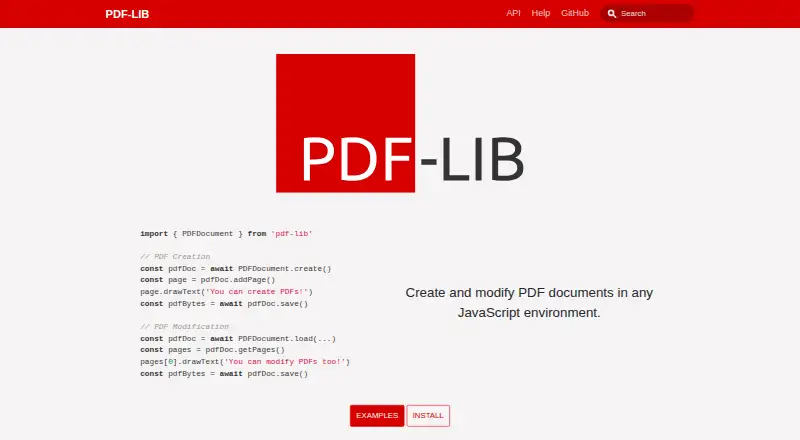
What pdf-lib is
pdf-lib is a free, MIT-licensed JavaScript library for creating and modifying PDF documents. It can add, insert, remove, and copy pages, and create, fill, read, or flatten forms with fields such as check boxes, radio groups, and dropdowns. For page content, it draws text, images, PDF pages, vector graphics, and SVG paths, and can embed fonts with UTF-8 and UTF-16 support. It also reads and sets document metadata and viewer preferences, and can add attachments. The project says it works in browsers, Node, Deno, and React Native. Written in TypeScript and compiled to pure JavaScript, it has no native dependencies. Developers can install it using npm or Yarn, or use UMD modules from unpkg and jsDelivr. It accepts text, vector graphics, PNG and JPEG images, fonts, and existing PDF pages. Its limits matter: it does not support encrypted PDFs, extracting plain page text, editing page text outside form fields, or adding content with HTML or CSS.
Who it suits
It suits developers building JavaScript workflows that create or modify PDFs, work with forms, or add graphics and images. It is not suited to tasks requiring encrypted-document support or editing and extracting ordinary page text.
What it does well
- Creates, modifies, and rearranges PDF pages
- Creates, fills, reads, and flattens forms
- Runs in browsers, Node, Deno, and React Native
- Embeds fonts and draws images, vectors, and SVG paths
What to know first
- Does not support encrypted PDFs
- Cannot extract plain page text
- Cannot edit page text outside form fields
- Does not add PDF content using HTML or CSS
Limits
The library has no paid plans and no free trial because it is free and open source. It cannot process encrypted PDFs, extract ordinary page text, edit non-form page text, or use HTML and CSS for added content.
Plans
| Plan | Billed and limits | Price |
|---|---|---|
| pdf-lib | MIT-licensed JavaScript library · no paid plans listed | Free |
As pdf-lib.js.org lists them, read 11 Oct 2026. The maker's own page has the final word.
Getting started
- Open https://pdf-lib.js.org/
- Install the library with npm or Yarn
- Alternatively load its UMD module from unpkg or jsDelivr
- Use the browser, Node, Deno, or React Native runtime
- Follow the documentation examples for your environment
- Ask questions through GitHub Discussions
Verdict
pdf-lib offers a broad set of PDF creation and modification tools across several JavaScript runtimes, with no native dependencies. Check its text-handling and encrypted-document limits against your project before choosing it.
Questions
Is pdf-lib free?
Yes. The listed plan is free, and the project is MIT licensed with no paid plans listed.
Which runtimes does it support?
It works in browsers, Node, Deno, and React Native.
How can it be installed?
Installation is documented through npm and Yarn. UMD modules are also provided through unpkg and jsDelivr.
Can it create and fill PDF forms?
Yes. It can create, fill, read, and flatten forms with text fields, check boxes, radio groups, dropdowns, and option lists.
Can it extract or edit PDF page text?
It can extract text from form fields, but not ordinary page text, and it cannot edit page text outside form fields.
Does it support encrypted PDFs?
No. The project says encrypted documents are not currently supported and warns against using them.
Facts from pdf-lib's own pages
- Distribution
- The project documents installation through npm or Yarn and provides UMD modules through unpkg and jsDelivr CDNs. · pdf-lib.js.org, 11 Oct 2026
- Drawing and fonts
- It can draw text, images, PDF pages, vector graphics, and SVG paths, and embed fonts with UTF-8 and UTF-16 character set support. · github.com, 11 Oct 2026
- Forms
- It can create, fill, read, and flatten PDF forms, including text fields, check boxes, radio groups, dropdowns, and option lists. · github.com, 11 Oct 2026
- Help
- The project identifies GitHub Discussions as the best place to ask questions and learn more about pdf-lib. · github.com, 11 Oct 2026
- HTML and CSS limitation
- It does not support using or embedding HTML or CSS when adding content to PDFs. · github.com, 11 Oct 2026
- Integrations
- The documentation includes JSFiddle demos and shows browser use with an iframe and fetch, plus Deno usage. · pdf-lib.js.org, 11 Oct 2026
- License
- The GitHub repository identifies the project as MIT licensed. · github.com, 11 Oct 2026
- Metadata and attachments
- It can set and read document metadata and viewer preferences, and add attachments. · github.com, 11 Oct 2026
- PDF editing
- It can create PDFs, modify existing PDFs, and add, insert, remove, or copy pages. · github.com, 11 Oct 2026
- Purpose
- pdf-lib creates and modifies PDF documents in JavaScript environments. · pdf-lib.js.org, 11 Oct 2026
- Runtime support
- The project says it works in browsers, Node, Deno, and React Native, and is written in TypeScript compiled to pure JavaScript with no native dependencies. · pdf-lib.js.org, 11 Oct 2026
- Security limitation
- pdf-lib does not currently support encrypted documents and warns against using it with them. · github.com, 11 Oct 2026
- Text editing limitation
- It does not provide APIs to remove or edit page text outside of form fields. · github.com, 11 Oct 2026
- Text extraction limitation
- It can extract text from form fields but cannot extract plain page text outside form fields. · github.com, 11 Oct 2026
Where pdf-lib stands on Freedom251
- PDF Creation Software#20 of 46
- PDF SDKs#19 of 31