PDF Chisel
What PDF Chisel is
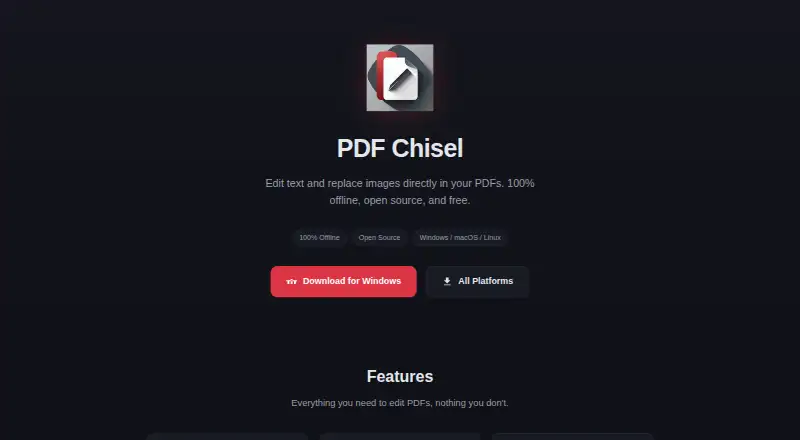
PDF Chisel is a free, open-source desktop PDF editor for Windows, macOS, and Linux. It edits PDF text and replaces embedded images with PNG or JPEG files. Page navigation, zoom controls, and a thumbnail sidebar help with multi-page documents, while undo and redo are available through Ctrl+Z and Ctrl+Shift+Z. The maker says files stay on your computer and the application needs no internet connection; the project README says there are no network calls and automatic updates are disabled by default. No account or subscription is required. Native versions support Windows, macOS with Intel or Apple Silicon, and Linux, with downloads provided as a Windows installer, macOS DMG files, and Linux AppImage. The MIT License makes the source open. README security details include disabled Node integration, context isolation, sandboxing, a content security policy, and typed validation for inter-process communication. GitHub is provided for bug reports.
Who it suits
It suits people who need local PDF text or image edits without accounts, subscriptions, or network access. It also fits users seeking an open-source editor for the listed desktop systems.
What it does well
- Free under the MIT License
- Works without an internet connection
- Edits text and replaces images
- Runs on Windows, macOS, and Linux
- Includes undo and redo
What to know first
- Desktop-focused platform support
- Automatic updates are disabled by default
- Image replacement accepts PNG or JPEG files
Plans
| Plan | Billed and limits | Price |
|---|---|---|
| Free | Edit text · Replace images · Multi-page navigation · Windows, macOS, Linux | Free |
As kudosscience.github.io lists them, read 12 Oct 2026. The maker's own page has the final word.
Verdict
PDF Chisel provides local PDF editing with no account or subscription requirement. Its open-source code, offline operation, and three desktop platforms make it a focused option for basic text and image changes.
Facts from PDF Chisel's own pages
- Accounts and subscriptions
- The maker says PDF Chisel requires no account and has no subscriptions. · github.com, 12 Oct 2026
- Download formats
- The maker provides a Windows installer, macOS DMG files, and a Linux AppImage. · kudosscience.github.io, 12 Oct 2026
- Edit history
- The app supports undo and redo, with Ctrl+Z and Ctrl+Shift+Z keyboard shortcuts. · kudosscience.github.io, 12 Oct 2026
- Free plan
- Yes · github.com, 20 Sept 2026
- Image replacement
- Users can replace embedded images with PNG or JPEG files. · kudosscience.github.io, 12 Oct 2026
- License
- PDF Chisel is open source under the MIT License. · kudosscience.github.io, 12 Oct 2026
- Network behavior
- The README says there are no network calls and auto-update is disabled by default. · github.com, 12 Oct 2026
- Offline use
- The maker says files stay on the user's computer and the app needs no internet connection. · github.com, 12 Oct 2026
- Operating systems
- The app runs natively on Windows, macOS with Intel or Apple Silicon, and Linux. · kudosscience.github.io, 12 Oct 2026
- Page navigation
- The app supports navigating and zooming across pages, with a thumbnail sidebar for previews. · kudosscience.github.io, 12 Oct 2026
- Product
- PDF Chisel is an offline desktop PDF editor for editing text and replacing images in PDFs. · kudosscience.github.io, 12 Oct 2026
- Security model
- The project README describes disabled Node integration, enabled context isolation and sandboxing, enforced CSP, and typed IPC validation. · github.com, 12 Oct 2026
- Support
- The product site links to GitHub to report a bug. · kudosscience.github.io, 12 Oct 2026
- Supported platforms
- Windows,macOS,Linux · github.com, 20 Sept 2026
- Text editing
- Users can double-click text in a PDF and type changes in place. · kudosscience.github.io, 12 Oct 2026
Where PDF Chisel stands on Freedom251
- PDF editors#55 of 102