egPDF
What egPDF is
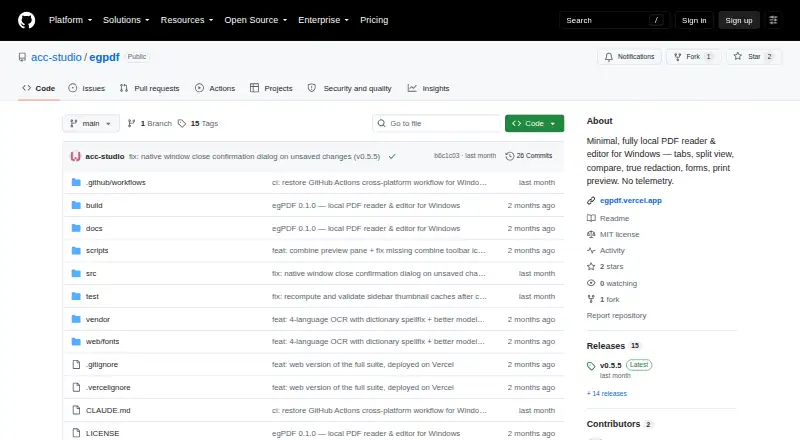
egPDF is a free PDF reader and editor for Windows, macOS, Linux, and browser use. Its viewer offers tabs, split view, word-by-word comparison, search, and page thumbnails. Editing tools include redaction, whiteout, highlighting, text and image insertion, comments, fillable fields, and OCR. Saving a redaction re-renders the page as an image with the covered text removed from the file. Users can combine documents by dragging page copies or extract selected page ranges into a new PDF or tab. The desktop app has printing settings and live preview; browser printing uses the browser dialog. The project says files stay on the user’s machine, with no accounts or telemetry. The browser edition is a static site with no server component and uses browser file APIs. Desktop releases include Windows, macOS, and Linux downloads under the MIT license. Builds are unsigned and may trigger operating-system warnings. Desktop launches check GitHub for releases using only a version check.
Who it suits
It suits people wanting local PDF viewing and editing on desktop systems or in a browser. Users handling unsigned installers should be prepared to bypass operating-system warnings or settings.
What it does well
- Free on desktop and browser
- OCR, redaction, annotations, and form fields
- Local files with no accounts or telemetry
- Document comparison and page extraction
- Windows, macOS, and Linux downloads
What to know first
- Desktop builds are unsigned
- Desktop checks GitHub on launch
- Browser printing uses browser controls
Verdict
egPDF offers broad PDF viewing and editing while keeping document processing local. Its unsigned installers and release-check behavior are important considerations before deployment.
Facts from egPDF's own pages
- Annotation tools
- Yes · github.com, 20 Sept 2026
- Browser implementation
- The browser version is described as a static site with no server component and uses browser file APIs to open documents. · github.com, 11 Oct 2026
- Browser version
- A browser version provides the same viewer, editing tools, and OCR as the desktop app through a static site with no server component. · github.com, 12 Oct 2026
- Desktop platforms
- The README offers downloads for Windows, macOS, and Linux. · github.com, 12 Oct 2026
- Downloads
- The project lists a Windows installer, macOS DMG, and Linux AppImage on its releases page. · github.com, 11 Oct 2026
- Editing
- Editing tools include redaction, whiteout, highlighting, text and image insertion, comments, and fillable form fields. · github.com, 12 Oct 2026
- Free plan
- Yes · github.com, 20 Sept 2026
- Integrations
- The project describes release checks and updates through GitHub and browser deployment through Vercel; it lists no other integrations on the pages reviewed. · github.com, 11 Oct 2026
- License
- The repository identifies the project as MIT-licensed. · github.com, 12 Oct 2026
- Local processing
- The desktop app says it has no network access, accounts, or telemetry, and that files stay on the user’s machine. · github.com, 12 Oct 2026
- Network behavior
- The desktop app checks GitHub for a newer release on launch; the README describes this as sending only a version check. · github.com, 12 Oct 2026
- Network use
- The desktop app contacts GitHub to check for releases and download updates, and the project says the check sends only a version check. · github.com, 11 Oct 2026
- OCR
- On-device OCR supports Turkish, English, German, and Arabic, and can add a searchable text layer to scanned pages. · github.com, 12 Oct 2026
- PDF operations
- Users can combine documents, extract pages, reorder or rotate pages, and undo page changes. · github.com, 12 Oct 2026
- Printing
- The desktop app provides a print screen with settings and a live preview; the browser version uses the browser's print dialog. · github.com, 11 Oct 2026
- Privacy
- The project says documents stay on the user's machine and that the app has no accounts or telemetry. · github.com, 11 Oct 2026
- Product
- egPDF is a minimal, fully local PDF reader and editor. · github.com, 12 Oct 2026
- Redaction
- The README says saved redactions burn a rendered image into the page so the underlying text is removed from the file. · github.com, 12 Oct 2026
- Supported platforms
- web,windows,macos,linux · github.com, 20 Sept 2026
- Text editing
- Yes · github.com, 20 Sept 2026
- Unsigned builds
- The README says the Windows installer is not code-signed and that macOS and Linux builds are also unsigned. · github.com, 12 Oct 2026
- Unsigned installers
- The project says Windows, macOS, and Linux builds are unsigned and may require users to bypass operating-system warnings or settings. · github.com, 11 Oct 2026
- Viewing
- Features include tabs, split view, word-by-word document comparison, page thumbnails, and text search. · github.com, 12 Oct 2026
- Web printing
- In the browser version, printing uses the browser’s print dialog. · github.com, 12 Oct 2026
Where egPDF stands on Freedom251
- PDF editors#53 of 102