Payoneer Payer
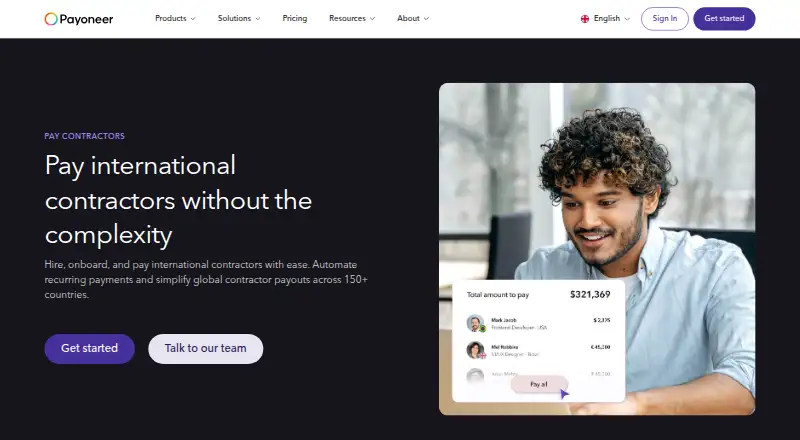
What Payoneer Payer is
Payoneer Payer helps businesses hire, onboard, and pay international contractors across 150+ countries. Businesses can send one-time payments, schedule recurring payments weekly or monthly, or make batch payouts of up to 150 recipients in one click. Recipients must already be added to the Payoneer account before a batch payment. A dashboard helps monitor spending and track contractor payouts and supplier payments, and payments can be made in 70 currencies. The page lists credit card fees of 3%-3.99%, depending on the receiver’s country, and ACH bank debit fees of up to 1% for the US; direct bank payments are free for the UK and EU. Payment transactions can sync with QuickBooks, Xero, NetSuite, and Zoho Books. The Payer page describes built-in AML and KYC support. Payoneer says it is PCI DSS Level 1 certified and that independent assessments covered SOC 2 Type II and SOC 1 Type II. Its mobile app supports payment tracking, sending and receiving money, currency management, and withdrawals to a local bank account. Availability varies by jurisdiction and customer eligibility, and pricing for businesses with higher payment volumes is custom.
Who it suits
Payoneer Payer suits businesses paying contractors across countries and currencies, especially those needing scheduled or batch payouts. It may also suit teams that want payment tracking and accounting integrations.
What it does well
- Pays contractors across 150+ countries.
- Supports weekly and monthly recurring schedules.
- Batch payouts can include up to 150 recipients.
- Integrates with four listed accounting platforms.
What to know first
- Batch recipients must already be added.
- Credit card fees depend on receiver country.
- Availability varies by jurisdiction and eligibility.
- Higher-volume business pricing is custom.
Limits
The page lists custom pricing for businesses with higher payment volumes, while payment fees vary by method and location. Batch payments require recipient accounts to be added in advance and are limited to up to 150 global contractor payouts in one click.
Plans
| Plan | Billed and limits | Price |
|---|---|---|
| Payoneer Payer | custom pricing for businesses with higher payment volumes; payment fees vary by method and location | On request |
As payoneer.com lists them, read 8 Oct 2026. The maker's own page has the final word.
Getting started
- Visit the Payoneer Payer website.
- Check whether the product is available in your jurisdiction and whether your business is eligible.
- Review payment methods and the fees that apply to your locations.
- Add contractor or supplier recipient accounts before sending batch payments.
- Use the dashboard to monitor spending and track payouts.
Payoneer Payer is a business service for hiring, onboarding, and paying contractors across borders. It suits companies handling repeat international payouts and supplier payments; its scheduled and batch workflows are useful, but fees vary by method and location.
Overview
Businesses can pay contractors in 70+ currencies across 150+ countries, using one-time transfers, weekly or monthly recurring payments, or batches. A dashboard brings spending, contractor payouts, and supplier payments into view, making the service more compelling for ongoing finance operations than for an occasional transfer.
Batches can cover up to 150 global contractor payouts in one click. Recipients must already be added to the Payoneer account, so teams need to prepare their payee list before a batch run; this is not a way to onboard and pay a new group in one step.
Key features
Payment operations and accounting
Weekly and monthly schedules suit businesses that pay contractors on a regular cycle. QuickBooks, Xero, NetSuite, and Zoho Books integrations sync payment transactions, which can reduce the gap between payout activity and accounting workflows. Connected platforms receive only transaction data the user authorized, and shared data is encrypted in transit.
Compliance, security, and support
Payoneer describes built-in AML and KYC support for global contractor payments. It also says it is PCI DSS Level 1 certified and has undergone SOC 2 Type II and SOC 1 Type II assessments by an independent audit firm. Account safeguards include two-step verification, CAPTCHA, RSA adaptive authentication, and account-takeover prevention measures. A global support team offers help in 22+ languages, alongside online support, how-to videos, and guides.
Mobile access
The Android and iOS app supports payment tracking, sending and receiving money, currency management, and withdrawals to a local bank account. That extends account access beyond the web dashboard, though the stated mobile capabilities do not replace the Payer service's business payment setup.
Pricing
Payoneer Payer has custom pricing for businesses with higher payment volumes. Payment fees vary by method and location: credit card payments cost 3%-3.99%, with the rate depending on the receiver’s country; ACH bank debit costs up to 1% for the US; direct bank payments are free for the UK and EU.
Those payment-method charges matter more than a headline plan price for businesses estimating payout costs. Card fees can vary with recipient location, and product availability is subject to jurisdiction and customer eligibility, so confirm both before building a workflow around Payoneer.
Platforms
Payoneer Payer is available on web, Android, and iOS. Its multi-country coverage and support for 70+ currencies suit businesses paying internationally, but availability varies by jurisdiction and is subject to customer eligibility.
Who it's for
Payoneer Payer is a strong fit for businesses coordinating regular contractor payouts across borders, especially when they need weekly or monthly schedules, batches for an established recipient list, and accounting transaction syncing. It is less suited to businesses that need guaranteed access in every jurisdiction, want to pay new recipients immediately in a batch, or cannot budget around method- and country-dependent fees.
Pros and cons
- Pros: Multiple payment workflows—one-time, scheduled, and batch—support both occasional and recurring payouts.
- Pros: The batch option handles up to 150 payouts in one click, useful for larger runs once recipients are on the account.
- Pros: Connections to four named accounting platforms can sync transactions into existing workflows.
- Cons: Batch recipients must already be added, which adds preparation for newly onboarded contractors.
- Cons: Payment fees depend on method and, for cards, the receiver’s country, making costs less uniform across a global payee list.
- Cons: Eligibility and availability vary by jurisdiction, so it may not work for every business or recipient location.
Alternatives
Wise is worth considering for readers seeking a freemium personal account and transfers model, with free registration and pay-for-what-you-use transfers rather than subscriptions or plans.
Payouts.com offers a free-to-start, usage-based approach with no contract and white-glove migration, making it an alternative for businesses that prefer costs to scale with usage.
Plane Contractor Management may suit teams that want hiring and onboarding tasks, a contractor and employee directory, reports, holidays, and time tracking in a free HRIS plan.
Tremendous is a free platform option for gift cards, prepaid cards, and donations at face value; some monetary payout methods may incur 4–6% fees.
PayQuicker is another paid payout service to compare if you want to discuss pricing with an advisor.
Arbonum offers pay-as-you-go pricing from 5.0% per payout, quoted by corridor, with no per-seat fee, setup fee, minimums, or per-contractor subscription.
Ontop provides a paid contractor-management alternative with a $14.90/month Ontop Reserve plan; cashback and transfer benefits depend on category eligibility and monthly caps.
Cashfree Payouts is an API and web-based paid option with transfer charges that vary by payment mode and amount.
Browse more options in Payout Software and Contractor Payment Software.
Verdict
Choose Payoneer Payer if your business needs recurring cross-border contractor payments, larger batches, and accounting transaction syncing in one payment workflow. Its main advantage is the combination of flexible payout scheduling and a 150-payment batch cap; look elsewhere if variable payment fees or jurisdiction-dependent eligibility make costs or access too uncertain for your operation.
Verdict
Payoneer Payer covers one-time, scheduled, and batch contractor payments, with dashboard tracking and accounting integrations. Review the payment-method fees and local availability before relying on it for a payment workflow.
Questions
What does Payoneer Payer do?
It helps businesses hire, onboard, and pay international contractors across 150+ countries.
What payment types and schedules are available?
Businesses can make one-time payments, schedule recurring payments weekly or monthly, or send batch payments.
What fees does the page list?
Credit card fees are 3%-3.99%, depending on the receiver’s country. ACH bank debit fees are up to 1% for the US, while direct bank payments are free for the UK and EU.
Which accounting integrations are available?
Payoneer lists QuickBooks, Xero, NetSuite, and Zoho Books integrations for syncing payment transactions.
Does Payoneer Payer have a mobile app?
Payoneer’s mobile app supports payment tracking, sending and receiving money, managing currencies, and withdrawing funds to a local bank account.
Is Payoneer Payer available everywhere?
Availability varies by jurisdiction and is subject to customer eligibility.
Facts from Payoneer Payer's own pages
- Accounting integrations
- Payoneer lists integrations with QuickBooks, Xero, NetSuite, and Zoho Books for syncing payment transactions. · payoneer.com, 7 Oct 2026
- Account protection
- Payoneer describes using two-step verification, CAPTCHA, adaptive authentication, and real-time fraud monitoring to help protect accounts and transactions. · payoneer.com, 8 Oct 2026
- Batch limit
- The Payer page says businesses can send up to 150 contractor payouts in one click. · payoneer.com, 8 Oct 2026
- Batch requirements
- Contractor or supplier recipient accounts must already be added to the Payoneer account before batch payment. · payoneer.com, 8 Oct 2026
- Company
- Payoneer describes itself as a platform for cross-border commerce and says it has teams in 35 countries; the opened About page does not state its headquarters or founding year. · payoneer.com, 7 Oct 2026
- Compliance
- The Payer page says the service includes AML and KYC support for global contractor payments. · payoneer.com, 8 Oct 2026
- Currencies
- The page says businesses can pay contractors in 70+ currencies. · payoneer.com, 8 Oct 2026
- Dashboard
- Users can monitor spending, manage supplier payments, and track contractor payouts from a dashboard. · payoneer.com, 8 Oct 2026
- Eligibility and availability
- Payoneer says product availability varies by jurisdiction and is subject to customer eligibility. · payoneer.com, 7 Oct 2026
- Fee variability
- The listed credit card fee depends on the receiver’s country. · payoneer.com, 8 Oct 2026
- Founded
- 2005 · payoneer.com, 28 Sept 2026
- Headquarters
- New York, NY · payoneer.com, 28 Sept 2026
- Integrations
- Payoneer lists QuickBooks, Xero, NetSuite, and Zoho Books integrations for syncing payment transactions into accounting workflows. · payoneer.com, 8 Oct 2026
- Integration security
- The integrations page says shared data is encrypted in transit and connected platforms receive only transaction data the user authorized. · payoneer.com, 8 Oct 2026
- Mobile app
- Payoneer offers a mobile app for tracking payments, sending and receiving money, managing currencies, and withdrawing funds to a local bank account. · payoneer.com, 7 Oct 2026
- Payment fees
- The Payer page lists credit card fees of 3%–3.99%, ACH bank debit fees up to 1% for the US, and free direct bank payments in the UK and EU. · payoneer.com, 8 Oct 2026
- Payment options
- Businesses can send one-time payments, schedule recurring payments, or make batch payments to contractors. · payoneer.com, 7 Oct 2026
- Payment tracking
- A dashboard lets businesses monitor spending and track contractor payouts and supplier payments. · payoneer.com, 7 Oct 2026
- Payment types
- Businesses can send one-time payments, schedule weekly or monthly recurring payments, or send batch payments. · payoneer.com, 8 Oct 2026
- Purpose
- Payoneer Payer lets businesses hire, onboard, and pay international contractors, including recurring payouts across 150+ countries. · payoneer.com, 8 Oct 2026
- Recurring schedule
- Recurring contractor payments can be scheduled weekly or monthly. · payoneer.com, 7 Oct 2026
- Security certifications
- Payoneer’s Security Center states that it is PCI DSS Level 1 certified and has SOC 2 Type II and SOC 1 Type II assessments conducted by an independent audit firm. · payoneer.com, 8 Oct 2026
- Support
- The Payer page says support is available in 22+ languages and lists online support, videos and guides, and a community. · payoneer.com, 8 Oct 2026
Where Payoneer Payer stands on Freedom251
- Payout Software#3 of 29
- Payment Software#4 of 29
- Contractor Payment Software#4 of 26