Freedom251 › Legal Payments Software
PayMyAttorney
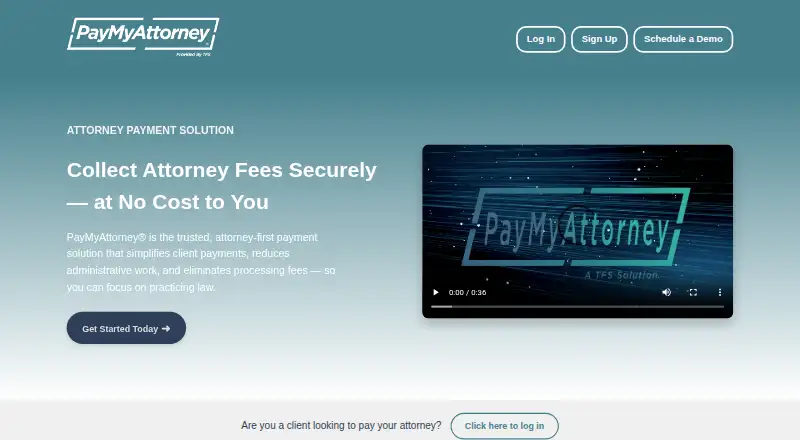
What PayMyAttorney is
PayMyAttorney is a web-based payment service for law firms collecting client payments. Attorneys can take debit card, ACH, and third-party credit card payments, with both one-time and recurring payment options. Automated client onboarding and a branded client-facing portal support the payment process; firms can add their logo and preferred color palette to the portal.
A dashboard lets attorneys follow payments in real time and view monthly transaction reports, and the service provides real-time transaction monitoring. PayMyAttorney lists a free plan for attorneys at no cost, with processing fees passed on to clients at rates the company describes as competitive. The site describes payment handling as secure but does not name a security certification or compliance standard. Support is available by phone at 866-726-1806 and email at [email protected].
Who it suits
PayMyAttorney is for law firms and their clients, particularly attorneys who need to collect payments and reduce administrative work. It is available on the web.
What it does well
- Accepts debit card, ACH, and third-party credit cards
- Supports one-time and recurring payments
- Automated client onboarding
- Branded client payment portal
- Real-time tracking and monthly transaction reports
What to know first
- Processing fees are passed on to clients
- No security certification or compliance standard is named
Limits
The Free for attorneys plan costs nothing, with processing fees passed on to clients.
Plans
| Plan | Billed and limits | Price |
|---|---|---|
| Free for attorneys | Free for attorneys · processing fees are passed on to clients | Free |
As paymyattorney.com lists them, read 9 Oct 2026. The maker's own page has the final word.
Getting started
- Visit the PayMyAttorney website
- Choose the Free for attorneys plan
- Set up the client-facing portal with the firm's logo and colors
- Select one-time or recurring payments and the accepted payment methods
- Use automated onboarding to bring clients into the payment process
Overview
PayMyAttorney is a web-based payment service for law firms collecting money from clients. It suits attorneys who want payment collection and transaction oversight without a subscription charge. Its focus is payment administration, not a broad law-practice management suite.
Key features
Firms can accept debit cards, ACH, and third-party credit card payments, and offer either one-time payments or recurring schedules. That flexibility suits both single invoices and ongoing client payment arrangements. Payment plans are supported, but the service does not publish their terms, so firms should confirm how they work before relying on them for a particular billing arrangement.
Automated client onboarding and a payment portal bring clients into the payment process with less manual coordination. Firms can customize the portal with their logo and preferred colors, which helps maintain a consistent client-facing experience. Real-time monitoring and payment tracking provide visibility into transactions, while monthly reports and a dashboard give attorneys a way to review activity over time. The tool is centered on payments rather than wider legal practice workflows.
PayMyAttorney describes payment handling as secure, but does not identify a security certification or compliance standard. Firms that require a named standard should verify this point before adopting it. Support is available by phone at 866-726-1806 and by email at [email protected].
Pricing
The “Free for attorneys” plan costs nothing. It includes a client payment portal, ACH payments, card payments, and payment plans. There is no attorney subscription charge, but processing fees are passed on to clients; PayMyAttorney describes those rates as competitive without giving a rate in the available plan details. That arrangement can keep a firm's software cost down, but clients bear an added transaction cost.
No paid tier, seat limit, transaction quota, or trial term is provided. The plan is a fit for firms seeking payment tools without a recurring attorney fee, provided they are comfortable passing processing costs to clients. Firms that need predictable all-in payment costs should compare actual processing rates before choosing it.
Platforms
PayMyAttorney runs on the web, making it accessible through a browser. No mobile app platform is identified.
Who it's for
PayMyAttorney is best suited to law firms that need a dedicated way to collect client payments, support recurring arrangements, and monitor transactions without adding a subscription expense. It is less compelling for firms seeking a broader case-management system or for practices that need a clearly identified security certification as part of their selection criteria.
Pros and cons
- Pros: Attorneys pay no subscription charge, while clients can use debit cards, ACH, or third-party credit cards.
- Pros: One-time and recurring payments, payment plans, and automated onboarding support different collection workflows.
- Pros: Real-time monitoring plus monthly reports give firms both immediate transaction visibility and a periodic overview.
- Cons: The product focuses on payment collection rather than broader legal practice management.
- Cons: Firms are asked to rely on a general security assurance without a named certification or compliance standard.
Alternatives
Legal Payments Software is a useful starting point for comparing payment tools aimed at legal practices.
Consider Clio Payments if your firm already uses Clio Manage: online payments are included in its subscriptions, though transaction fees apply. Choose 8am MyCase if you want a broader case and contact management package with time entry, invoicing, and trust accounting; its MyCase Basic plan is $50 a month when billed annually.
CaseFox is worth considering if you need case-management features alongside billing: its free Solo plan is capped at 4 cases and 2 users, while Professional costs $45 a month. FeeWise may suit firms seeking another web-based payment option with no monthly subscription or setup charge; its free plan applies transaction fees, including 1.85% + $1.85 per transaction for Visa, Mastercard, and other major cards.
Orion ePay is another option for legal payments, with pricing available by contacting Orion. Bill4Time may be a better fit when time tracking and task management matter alongside billing; its Time & Billing plan costs $49 a month, billed monthly. Centerbase offers a payments product at $19 a month, with processing fees also applying. Choose LEAP if your firm wants a broader legal platform spanning case management, document automation, accounting and billing, and legal AI; its subscription is tailored to firm needs.
Verdict
PayMyAttorney is a sound fit for law firms that want a focused payment portal, recurring and one-time collection options, and transaction reporting without an attorney subscription. Its main advantage is cost structure; its main drawback is that clients absorb processing fees, with no specific rate provided in the plan details. Look elsewhere if your firm needs broader practice-management tools or a named security certification as a selection requirement.
Verdict
PayMyAttorney combines payment options, onboarding, and transaction reporting for law firms, with no listed fee for attorneys. Firms should account for processing fees passed to clients and the absence of a named security certification or compliance standard.
Questions
How much does PayMyAttorney cost?
Its Free for attorneys plan costs nothing. Processing fees are passed on to clients.
What payment methods does it accept?
Attorneys can accept debit card, ACH, and third-party credit card payments.
Can clients make recurring payments?
Yes. PayMyAttorney supports recurring as well as one-time payment options.
What platform is PayMyAttorney available on?
The listed platform is web.
How can I contact support?
Support is listed by phone at 866-726-1806 and email at [email protected].
Facts from PayMyAttorney's own pages
- Branding
- Firms can add their logo and preferred color palette to the client-facing payment portal. · paymyattorney.com, 9 Oct 2026
- Client onboarding
- The service offers automated client onboarding. · paymyattorney.com, 9 Oct 2026
- Fees
- PayMyAttorney says it is free for attorneys and passes processing fees to clients at competitive rates. · paymyattorney.com, 9 Oct 2026
- Intended users
- The product is presented as an attorney-first payment solution for law firms and their clients. · paymyattorney.com, 9 Oct 2026
- Monitoring
- The service provides real-time transaction monitoring. · paymyattorney.com, 9 Oct 2026
- Payment methods
- Attorneys can accept debit card, ACH, and third-party credit card payments. · paymyattorney.com, 9 Oct 2026
- Payment schedules
- The service supports recurring payments and one-time payment options. · paymyattorney.com, 9 Oct 2026
- Purpose
- PayMyAttorney is an attorney-first payment solution for collecting client payments and reducing administrative work. · paymyattorney.com, 9 Oct 2026
- Reporting
- Attorneys can track payments in real time and access monthly transaction reports through a dashboard. · paymyattorney.com, 9 Oct 2026
- Security
- The site describes payment handling as secure but does not name a security certification or compliance standard on the page. · paymyattorney.com, 9 Oct 2026
- Support
- The site lists support by phone at 866-726-1806 and by email at [email protected]. · paymyattorney.com, 9 Oct 2026
Where PayMyAttorney stands on Freedom251
- Legal Payments Software#6 of 43