
Payload CMS
by Payload CMS
What Payload CMS is
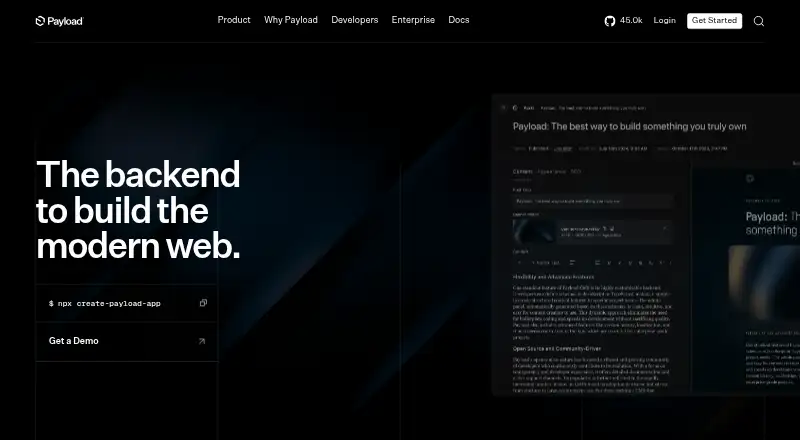
Payload CMS is an open-source, Next.js full-stack framework and backend for building websites and applications. A Payload configuration brings together an admin panel, database migrations, REST and GraphQL APIs, authentication, access control, file storage, and live preview. Its use cases include headless CMS projects, internal tools, commerce, and digital asset management. Content teams can work with localization, custom role permissions, webhooks, content previews, and asset transformations. The TypeScript codebase is released under the MIT License, and the self-hosted plan costs nothing with community support. It can run wherever a Node.js app can run; starter templates are available for Vercel and Cloudflare. Official database adapters are available for MongoDB, Postgres, and SQLite. Official plugins cover areas such as forms, search, SEO, and ecommerce, and the plugin system can also support additions such as custom admin views or third-party file hosting. Payload is available through API, self-hosted, and web platforms. Its requirements include Node.js 20.9.0 or later, a JavaScript package manager, and a compatible database. The Enterprise option lists additional features and dedicated support.
Who it suits
Payload suits developers and teams building websites, applications, internal tools, commerce, or digital asset management workflows. It is a fit for teams that want an open-source TypeScript codebase, self-hosting, and configurable content and access-control capabilities.
What it does well
- MIT-licensed open-source TypeScript codebase.
- Provides REST and GraphQL APIs.
- Supports localization, previews, and asset transformations.
- Official adapters cover MongoDB, Postgres, and SQLite.
- Plugins extend the system with integrations and custom functionality.
What to know first
- Self-hosting requires Node.js 20.9.0 or later.
- A compatible MongoDB, Postgres, or SQLite database is required.
- The self-hosted free option includes community support.
Limits
The self-hosted plan is free and includes community support.
Plans
| Plan | Billed and limits | Price |
|---|---|---|
| Self-hosted | MIT licensed · host yourself · community support · Node.js 20.9.0+ · MongoDB, Postgres, or SQLite | Free |
| Enterprise | Self-hosted or hosted · unlimited custom domains · white-labeled email service · dedicated support · enterprise features | On request |
As payloadcms.com lists them, read 11 Oct 2026. The maker's own page has the final word.
Getting started
- Visit https://payloadcms.com/.
- Prepare Node.js 20.9.0 or later and a JavaScript package manager.
- Set up a compatible MongoDB, Postgres, or SQLite database.
- Choose a self-hosted deployment, or use a starter template for Vercel or Cloudflare.
- Configure Payload and select the needed APIs, plugins, and content capabilities.
Payload CMS is an open-source, TypeScript framework and backend built on Next.js for websites and applications. It is best suited to developers and teams that want a configurable content system alongside application APIs, authentication, and backend services. The trade-off is operational: the free route is self-hosted, so your team owns deployment, database administration, and ongoing maintenance.
Overview
Payload combines a CMS and application backend in one codebase released under the MIT License. A configuration delivers an admin panel, database migrations, REST and GraphQL APIs, authentication, access control, file storage, and live preview. That combination is valuable for headless sites, internal tools, commerce projects, and digital asset management where content and application logic need to work together rather than live in separate products.
Payload can run anywhere a Node.js application runs, with starter templates for Vercel and Cloudflare. Official database adapters cover MongoDB, Postgres, and SQLite. This flexibility suits teams with existing hosting preferences, but it also means choosing and operating the infrastructure yourself. The project says it has joined Figma, which has committed to investing in Payload's open-source core.
Key features
Localization, custom role permissions, webhooks, content preview, and asset transformations address the practical needs of multi-region publishing and structured editorial workflows. REST and GraphQL support lets teams select the API style that fits their front end or integrations, while migrations and access control keep backend changes within the same configuration-driven project.
Official plugins include Form Builder, MCP, Multi-Tenant, Search, Sentry, SEO, Stripe, Import/Export, and Ecommerce. Plugins can also add HubSpot synchronization, custom admin views, and third-party file hosting. This is a strong extensibility story for development teams willing to shape their own implementation; it is less compelling if you want a narrowly scoped, turnkey hosted editor.
Security controls include SSO through SAML or OAuth 2.0, HttpOnly-cookie authentication, field-level access control, CSRF prevention, and configurable CORS. Enterprise-only capabilities listed by Payload include visual editing, publishing workflows, AI auto-embedding, and static A/B testing, so organizations needing those functions must budget beyond the free self-hosted option.
Pricing
Self-hosted
free. The MIT-licensed plan lets you host Payload yourself and includes community support. It requires Node.js 20.9.0 or later, a JavaScript package manager, and a compatible MongoDB, Postgres, or SQLite database. There are no published seat or usage quotas, but infrastructure, operations, and support remain your responsibility. This is the natural choice for individuals and engineering teams that can run Node.js services and want full control without a software license fee.
Enterprise
Custom pricing. Enterprise may be self-hosted or hosted and adds unlimited custom domains, a white-labeled email service, dedicated support, and enterprise features. Choose it when a production organization needs vendor-backed assistance or the listed visual editing, workflow, AI embedding, or A/B-testing capabilities. Teams that only need the open-source core gain little from moving up.
Platforms
Payload supports web and API projects through a Node.js runtime and can be self-hosted. Its documented database choices are MongoDB, Postgres, and SQLite, with deployment starters for Vercel and Cloudflare. It is therefore a fit for teams comfortable assembling a JavaScript application stack rather than buyers seeking a platform limited to a managed web dashboard.
Who it's for
Choose Payload for headless CMS builds, internal tools, commerce, or digital asset management where developers need content models and backend capabilities together. It also suits organizations that require custom permissions, localization, integrations, and control over hosting. Look elsewhere if your priority is a fully managed service with dedicated support included from the start, or if your team cannot take on Node.js and database operations.
Pros and cons
- Pro: The MIT-licensed self-hosted plan removes license cost and permits deployment wherever Node.js runs.
- Pro: Admin, REST and GraphQL APIs, authentication, storage, migrations, and preview arrive in one configurable backend.
- Pro: Official plugins and extension points cover commerce, search, SEO, forms, multi-tenancy, payments, and custom integrations.
- Con: The free option provides community rather than dedicated support, and your team operates the application and database.
- Con: Visual editing, publishing workflows, AI auto-embedding, and static A/B testing require the Enterprise tier.
Alternatives
For a hosted headless CMS with a free tier offering 20 user seats, two permission roles, two public datasets, and 10,000 documents, choose Sanity. Prismic is a better fit for a personal site or proof of concept when its free plan's one-user repository model and 4 million monthly API calls suit the project. Pick dotCMS when you need a platform with unlimited users and roles across development and production environments. Directus offers a hosted Core tier with three seats, 25 collections, and five flows, while Team costs $499 a month with an annual commitment. Storyblok suits testing and personal projects through a no-credit-card Starter plan. ButterCMS is aimed at freelancers and small MVPs, with Android, iOS, and web support. Contentful provides a managed free tier with 10 users, two roles, two locales, and 100,000 API calls per month. DatoCMS is another hosted option, with a free plan covering three projects, one collaborator per project, 300 records, and 100,000 monthly CDA API calls.
Verdict
Payload CMS is a strong recommendation for developers who want an open-source, Next.js-based backend they can extend and host on their own terms. Its broad built-in backend, database choices, and plugin ecosystem make it more than a basic content editor. The main reason to look elsewhere is operational and commercial: teams wanting managed hosting, dedicated support, or enterprise publishing features without taking on a custom plan should choose a hosted alternative.
Verdict
Choose Payload CMS if you want an open-source framework and backend with APIs, an admin panel, and self-hosting flexibility. Look elsewhere if you need dedicated support or Enterprise features without moving beyond the free self-hosted option.
Questions
Is Payload CMS open source?
Yes. Its TypeScript codebase is released under the MIT License.
Which databases does Payload support?
Official database adapters are listed for MongoDB, Postgres, and SQLite.
Can Payload CMS be self-hosted?
Yes. It can be self-hosted wherever a Node.js app can run.
What does Enterprise include?
Listed Enterprise features include SSO, visual editing, publishing workflows, AI auto-embedding, and static A/B testing. The plan also lists dedicated support.
Facts from Payload CMS's own pages
- Admin and APIs
- A Payload configuration provides an admin panel, database migrations, REST and GraphQL APIs, authentication, access control, file storage, and live preview. · payloadcms.com, 11 Oct 2026
- API types
- both · payloadcms.com, 20 Sept 2026
- Asset transformations
- Yes · payloadcms.com, 20 Sept 2026
- Code and license
- Payload is an open-source TypeScript codebase released under the MIT License. · payloadcms.com, 11 Oct 2026
- Company ownership
- Payload’s getting-started page says it has joined Figma and that Figma is committed to investing in Payload’s open-source core. · payloadcms.com, 11 Oct 2026
- Database support
- The documentation lists official database adapters for MongoDB, Postgres, and SQLite. · payloadcms.com, 11 Oct 2026
- Deployment
- Payload says it can be self-hosted anywhere a Node.js app can run, and provides starter templates for Vercel and Cloudflare. · payloadcms.com, 11 Oct 2026
- Enterprise features
- The site lists SSO, visual editing, publishing workflows, AI auto-embedding, and static A/B testing as enterprise features. · payloadcms.com, 11 Oct 2026
- Extensibility
- Payload plugins can add functionality such as HubSpot synchronization, e-commerce, custom admin views, and third-party file hosting integrations. · payloadcms.com, 11 Oct 2026
- Headquarters
- United States · payloadcms.com, 28 Sept 2026
- Integrations
- Official plugins include Form Builder, MCP, Multi-Tenant, Search, Sentry, SEO, Stripe, Import/Export, and Ecommerce. · payloadcms.com, 11 Oct 2026
- Content localization
- Yes · payloadcms.com, 20 Sept 2026
- Content preview
- Yes · payloadcms.com, 20 Sept 2026
- Product
- Payload describes itself as an open-source, Next.js full-stack framework and backend for building websites and applications. · payloadcms.com, 11 Oct 2026
- Requirements
- The getting-started page specifies Node.js 20.9.0 or later, a JavaScript package manager, and a compatible MongoDB, Postgres, or SQLite database. · payloadcms.com, 11 Oct 2026
- Role permissions
- custom · payloadcms.com, 20 Sept 2026
- Security
- Payload’s security page describes SSO with SAML or OAuth 2.0, HttpOnly-cookie authentication, field-level access control, CSRF prevention, and configurable CORS. · payloadcms.com, 11 Oct 2026
- Support
- The self-hosted free option includes community support, while the Enterprise option includes dedicated support. · payloadcms.com, 11 Oct 2026
- Use cases
- Payload lists headless CMS, internal tools, commerce, and digital asset management among its use cases. · payloadcms.com, 11 Oct 2026
- Webhooks
- Yes · payloadcms.com, 20 Sept 2026
Where Payload CMS stands on Freedom251
- Headless CMS#5 of 34
- Website Development tools#13 of 30
- CMS Tools#15 of 31