Freedom251 › Parental control apps
ParentProof
What ParentProof is
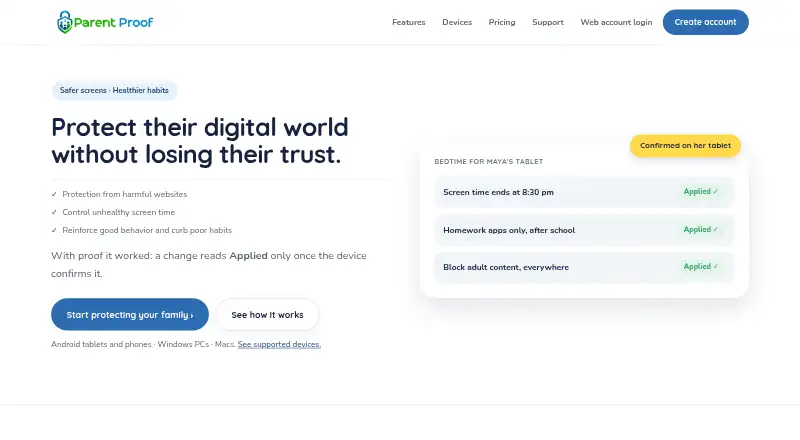
ParentProof is a parental-control service for supervising compatible children’s devices. Parents manage settings from a web dashboard that works in a browser on a phone or computer. The service supports Android phones and tablets, Windows PCs, and Macs, while children’s iPhones and iPads, Amazon Fire tablets, and Linux desktops are unsupported. Android and macOS provide schedules, per-app limits, and a whole-day budget; Windows provides scheduled pauses without per-app limits or a whole-day budget. On Android, only apps a parent has allowed can open. The Android tablet filter uses Cloudflare or AdGuard and a daily-refreshed blocklist, although private lookups and numeric web addresses can bypass it. Parents can remotely pause Android devices and see confirmation. Android setup requires a Windows PC or Mac, a USB cable, and usually a factory reset for an already-used tablet. A free account is offered, while plan prices are not displayed.
Who it suits
It suits parents or legal guardians supervising their own minor child’s compatible Android, Windows, or Mac device. It is less suitable when children use iPhones, iPads, Fire tablets, or Linux desktops.
What it does well
- Web dashboard works on phones and computers
- Android apps use an allow-only model
- Android and macOS offer detailed time controls
- Remote Android pause shows confirmation
- No message-content collection stated
What to know first
- Children’s iPhones and iPads are unsupported
- Amazon Fire tablets and Linux desktops are unsupported
- Android setup may require a factory reset
- Web filtering has stated bypasses
Verdict
ParentProof combines app, website, and screen-time controls across Android, Windows, and macOS. Check device compatibility and the Android setup requirements before choosing it; plan prices were not shown.
Facts from ParentProof's own pages
- Activity reports
- Yes · parentproof.com, 22 Sept 2026
- App blocking
- Yes · parentproof.com, 22 Sept 2026
- App controls
- On Android, apps are allow-only: an app the parent has not allowed will not open. · parentproof.com, 12 Oct 2026
- Billing behavior
- A lapsed payment does not disable restrictions already running on a child’s device, though changing settings may be suspended until payment is resolved. · parentproof.com, 12 Oct 2026
- Checkout and card data
- Checkout is hosted by Stripe, and ParentProof says its apps do not ask for or store the full card number. · parentproof.com, 12 Oct 2026
- Compatibility limits
- Amazon Fire tablets and Linux desktops are unsupported, and the maker says iPhones and iPads cannot be supervised by ParentProof. · parentproof.com, 12 Oct 2026
- Content filtering
- Yes · parentproof.com, 22 Sept 2026
- Core product
- ParentProof lets parents set children's screen time limits, control app and website access, and manage supported devices from a dashboard. · parentproof.com, 12 Oct 2026
- Device coverage
- Children’s supervised devices can be Android tablets or phones, Windows PCs, or Macs; iPhones and iPads are not supported for supervision. · parentproof.com, 12 Oct 2026
- Device exclusions
- Amazon Fire tablets are unsupported because Fire OS does not provide the protected management role ParentProof requires. · parentproof.com, 12 Oct 2026
- Device setup
- Setting up Android supervision requires a Windows PC or Mac, a USB cable, and usually a factory reset if an account is already signed in on the tablet. · parentproof.com, 12 Oct 2026
- Free access
- The homepage offers a “Get started, free” account signup, but the opened pricing page did not display plan details or prices. · parentproof.com, 12 Oct 2026
- Integrations
- The privacy policy lists Cloudflare and AdGuard filtering options and an optional connection to the maker's Poopy Duck game. · parentproof.com, 12 Oct 2026
- Intended user
- The privacy policy describes the product as designed for a parent or legal guardian supervising a device belonging to their own minor child. · parentproof.com, 12 Oct 2026
- Location tracking
- No · parentproof.com, 22 Sept 2026
- Parent controls
- Parents manage settings through a web dashboard that works in a browser on a phone or computer. · parentproof.com, 12 Oct 2026
- Payment behavior
- The maker says a lapsed or cancelled subscription does not remove restrictions already running on a child's device, though it can suspend changes to settings. · parentproof.com, 12 Oct 2026
- Plans
- The pricing page says every plan includes every protection and differs by device capacity, but current plan names, prices, and billing periods require JavaScript and are not shown in the opened page. · parentproof.com, 12 Oct 2026
- Privacy
- The FAQ says ParentProof does not collect message content, and browsing history is limited to blocked host denials from its kid browser, retained for 30 days. · parentproof.com, 12 Oct 2026
- Purpose
- ParentProof lets parents set screen-time limits, control accessible apps and websites, and manage supported child devices. · parentproof.com, 12 Oct 2026
- Remote pause
- Parents can remotely pause Android devices and see when the device confirms the change; the remote pause control is Android-only. · parentproof.com, 12 Oct 2026
- Screen time
- Android supports schedules, per-app limits, and a whole-day budget; Windows supports scheduled pauses, while macOS supports all three. · parentproof.com, 12 Oct 2026
- Screen-time schedules
- Yes · parentproof.com, 22 Sept 2026
- Security and checkout
- Subscription checkout is hosted by Stripe, and ParentProof says its apps do not ask for or store the full card number. · parentproof.com, 12 Oct 2026
Where ParentProof stands on Freedom251
- Parental control apps#20 of 107