Freedom251 › Reference Management Software
Papis
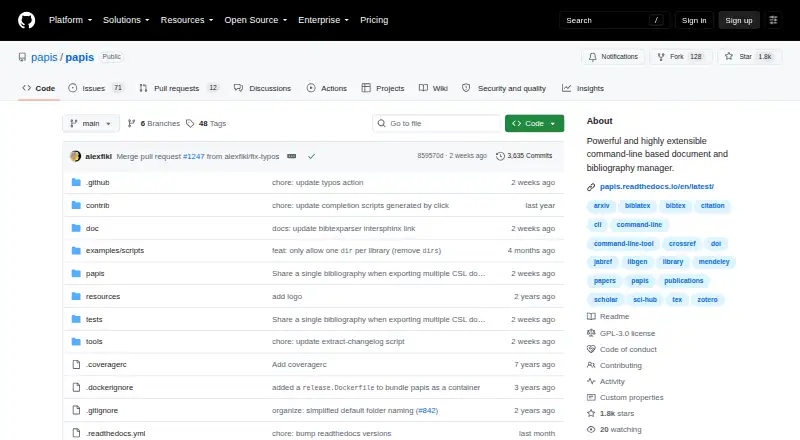
What Papis is
Papis is a free, open-source command-line tool for managing documents and bibliographic records. It keeps bibliographic details in human-readable YAML files, which users can search by fields such as author, title, and tags. It can import records from other bibliography managers, retrieve document metadata automatically, and export to BibTeX and other formats. Importers can obtain information from online sources including arXiv and Crossref. The project lists plugins for Vim, Neovim, and Emacs, as well as integrations with rofi, dmenu, Zotero, and Firefox. Python package entry points let third parties add plugins such as importers and downloaders, and a Python API is available for scripting. Papis also includes a web app that can be run locally with `papis serve`; the documented address is `http://localhost:8888`. Installation options include pip, source, Arch Linux AUR, Nix, and a Guix recipe. Records are stored locally, and the project describes sharing documents without a proprietary service. If a website lacks an importer, users may need to download its PDF and enter the metadata manually.
Who it suits
Papis suits people managing books and papers who are comfortable with a command-line interface. Its local web app may also suit users who want to access a library from a tablet.
What it does well
- Stores bibliographic records in readable YAML files.
- Searches by author, title, and tags.
- Imports metadata from sources including arXiv and Crossref.
- Exports to BibTeX and other formats.
- Python API supports scripting.
What to know first
- A missing website importer may mean manual metadata entry.
- The main interface is command-line based.
Limits
When Papis has no importer for a website, users may need to download the PDF and enter its metadata manually.
Plans
| Plan | Billed and limits | Price |
|---|---|---|
| Papis | Open-source CLI document and bibliography manager | Free |
As github.com lists them, read 4 Oct 2026. The maker's own page has the final word.
Getting started
- Install Papis with pip, from source, through Arch Linux AUR or Nix, or using the Guix recipe.
- Use the command-line interface to manage documents and bibliographic records.
- Import records from another bibliography manager or use an importer for an online source.
- Start the web app locally with `papis serve` and open `http://localhost:8888`.
Verdict
Papis offers local document and bibliography management with import, export, search, and extension options. Check importer coverage for the sites you use, since some records may require manual entry.
Questions
Is Papis free?
Yes. Papis is free and open source; its listed plan is free.
Which platforms does Papis support?
Its listed platforms are API, Linux, self-hosted, and web.
Can Papis export to BibTeX?
Yes. It can export to BibTeX and other formats.
Can I use Papis with an editor?
The project lists plugins for Vim, Neovim, and Emacs.
Does Papis have a web app?
Yes. Run `papis serve` to start it locally; the documented address is `http://localhost:8888`.
What if a website has no importer?
The quick guide says users may need to download the PDF and enter its metadata manually.
Facts from Papis's own pages
- API
- Papis provides a Python API intended for users to create scripts. · papis.readthedocs.io, 4 Oct 2026
- Audience
- The project presents Papis for people managing books and papers, and its web app is suggested for cases such as using a tablet. · github.com, 4 Oct 2026
- Editor integrations
- The project lists plugins for Vim, Neovim, and Emacs. · github.com, 4 Oct 2026
- Extensibility
- Papis supports third-party plugins through Python package entry points, including importers and downloaders. · papis.readthedocs.io, 4 Oct 2026
- Import and export
- Papis can import from other bibliography managers and export to BibTeX and other formats. · github.com, 4 Oct 2026
- Installation
- The documentation describes installation with pip, from source, and through Arch Linux AUR, Nix, and a Guix recipe. · papis.readthedocs.io, 4 Oct 2026
- Limit
- The quick guide says that if Papis lacks an importer for a website, users may need to download the PDF and enter metadata manually. · papis.readthedocs.io, 4 Oct 2026
- Metadata
- It stores bibliographic data in human-readable YAML files. · github.com, 4 Oct 2026
- Metadata retrieval
- Papis can automatically fetch document metadata, and its importers retrieve data from online sources such as arXiv and Crossref. · papis.readthedocs.io, 4 Oct 2026
- Other integrations
- The project ecosystem lists integrations including rofi, dmenu, Zotero, and Firefox. · papis.readthedocs.io, 4 Oct 2026
- Purpose
- Papis manages documents and bibliographic records through a command-line interface. · github.com, 4 Oct 2026
- Search
- Users can search their library by fields such as author, title, and tags. · github.com, 4 Oct 2026
- Security and privacy
- The project describes storing records in local YAML files and sharing documents without requiring a proprietary service; the pages opened do not state security certifications or compliance claims. · github.com, 4 Oct 2026
- Support
- The project directs users to GitHub Discussions for questions and GitHub Issues for bugs. · github.com, 4 Oct 2026
- Web app
- Papis includes a web app that can be started locally with `papis serve`, with the README showing `http://localhost:8888` as the address. · github.com, 4 Oct 2026
Where Papis stands on Freedom251
- Reference Management Software#14 of 26