Freedom251 › Business VPN Software
OpenVPN Community Edition
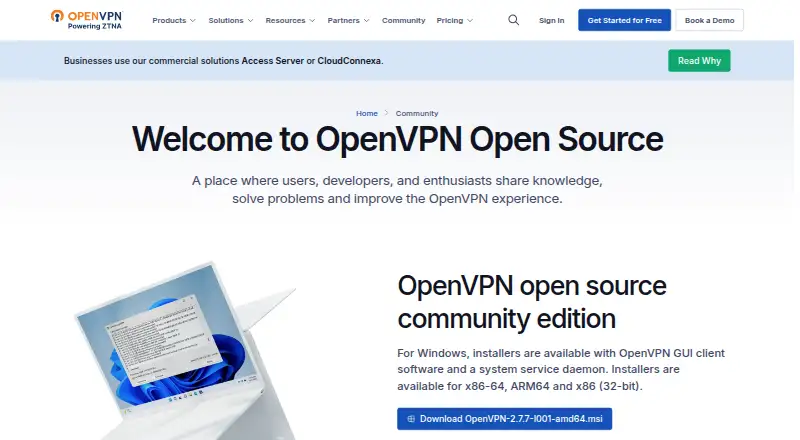
What OpenVPN Community Edition is
OpenVPN Community Edition is a free, open-source SSL VPN for extending networks at Layer 2 or Layer 3 through SSL/TLS. OpenVPN 2.x uses a scalable client/server model, allowing multiple clients to connect to one server over TCP or UDP. Authentication supports certificates, smart cards, and username/password credentials. User- or group-specific access policies can be applied with firewall rules on the VPN virtual interface. Documentation covers routed and bridged VPNs, routing traffic through the VPN, and client-specific rules. Authentication plugins can connect with PAM and, through it, shadow passwords, RADIUS, or LDAP. The tls-auth directive adds an HMAC signature to TLS handshake packets to help guard against denial-of-service attacks, port scanning, and unauthorized handshake attempts. Official source packages and Windows installers are signed with the project security mailing list GPG key. Community help is available through IRC, a mailing list, forums, a wiki, and GitHub issues. Community Edition is manually configured and CLI-only, with no web GUI or API listed.
Who it suits
It also suits administrators who can manage manual, command-line configuration across supported platforms.
What it does well
- Free and open-source project
- Supports Layer 2 and Layer 3 VPN extension
- Certificate, smart-card, and password authentication
- User and group firewall policies
- TCP or UDP client/server connections
- Community support channels are available
What to know first
- Manual setup is required
- CLI-only management
- No web GUI or API is listed
- No free trial
Limits
The Community Edition plan is free and requires manual setup with CLI access. Management is described as CLI-only, with no web GUI or API listed.
Plans
| Plan | Billed and limits | Price |
|---|---|---|
| OpenVPN Community Edition | Free, open-source project · manual setup · CLI required | Free |
As openvpn.net lists them, read 11 Oct 2026. The maker's own page has the final word.
Getting started
- Visit the OpenVPN Community website
- Choose the platform: Android, iOS, Linux, macOS, self-hosted, or Windows
- Install the Community Edition package or Windows installer
- Configure a client/server connection over TCP or UDP
- Set authentication and VPN firewall policies
- Use community support resources if needed
Verdict
Pick OpenVPN Community Edition for a free, open-source VPN when manual setup and command-line administration are acceptable. Its authentication, routing, and access-policy options support controlled network extension. Look elsewhere if you need a web interface, API, or managed setup.
Questions
What does it cost?
The OpenVPN Community Edition plan is listed as free and is free and open source.
Which platforms are supported?
Platforms listed are Android, iOS, Linux, macOS, self-hosted, and Windows. The supported-platforms list also names Windows, Linux, and macOS.
Is there a free trial?
No. The listing says there is no free trial because the plan itself is free.
How is it managed?
Community Edition is manually set up and CLI-only; no web GUI or API is listed.
What authentication integrations are available?
Authentication plugins can connect to PAM, which can use shadow passwords, RADIUS, or LDAP.
Facts from OpenVPN Community Edition's own pages
- Access control
- It allows user- or group-specific access policies using firewall rules on the VPN virtual interface. · openvpn.net, 11 Oct 2026
- Access model
- vpn · openvpn.net, 22 Sept 2026
- Admin control level
- basic · openvpn.net, 22 Sept 2026
- Authentication
- It supports authentication using certificates, smart cards, and username/password credentials. · openvpn.net, 11 Oct 2026
- Authentication integrations
- Authentication plugins can connect to PAM, which can in turn use shadow passwords, RADIUS, or LDAP. · openvpn.net, 11 Oct 2026
- Client and server
- OpenVPN 2.x supports a scalable client/server mode in which multiple clients connect to one server process over a TCP or UDP port. · openvpn.net, 11 Oct 2026
- Free plan
- Yes · openvpn.net, 22 Sept 2026
- Intended users
- OpenVPN describes Community Edition as a fit for hobbyists, developers, and small projects that want hands-on control. · openvpn.net, 11 Oct 2026
- Management limitation
- The Community Edition comparison describes it as manually set up and CLI-only, with no web GUI or API listed. · openvpn.net, 11 Oct 2026
- Package verification
- Official Community Edition source packages and Windows installers are signed using the project's security mailing list GPG key. · openvpn.net, 11 Oct 2026
- Purpose
- OpenVPN is an SSL VPN for secure Layer 2 or Layer 3 network extension using SSL/TLS. · openvpn.net, 11 Oct 2026
- Related clients
- The Community page links to an open-source Android client and an open-source macOS client, Tunnelblick. · openvpn.net, 11 Oct 2026
- Routing
- The project documentation covers routed and bridged VPNs, routing traffic through the VPN, and client-specific rules. · openvpn.net, 11 Oct 2026
- Security
- The tls-auth directive adds an HMAC signature to TLS handshake packets to help protect against denial-of-service attacks, port scanning, and unauthorized handshake attempts. · openvpn.net, 11 Oct 2026
- Support
- Community support resources include IRC, a user mailing list, forums, a wiki, and GitHub issues. · openvpn.net, 11 Oct 2026
- Supported platforms
- Windows,Linux,macOS · openvpn.net, 22 Sept 2026
- Windows availability
- The Community Edition Windows installer includes OpenVPN GUI client software and a system service daemon, and supports Windows 10 onward, including Windows Server editions. · openvpn.net, 11 Oct 2026
Where OpenVPN Community Edition stands on Freedom251
- Business VPN Software#23 of 94