Freedom251 › AI Screenshot-to-Code Tools
OpenStitch
What OpenStitch is
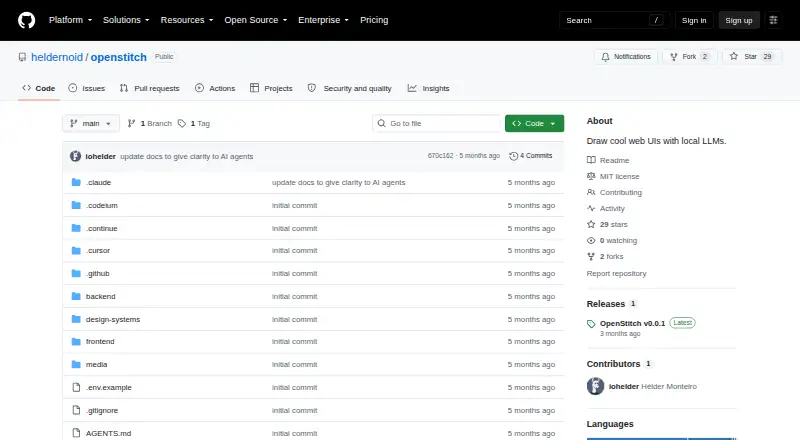
OpenStitch is a free, open-source, locally runnable tool for drawing web interfaces with local or optional cloud AI models. It turns text prompts, screenshots, and wireframe sketches into rendered frontend code, including working HTML and responsive code using HTML or Tailwind CSS. Users can select from more than 50 brand design systems or ask the AI to create one from a description. An infinite canvas holds screens that can be connected into flows and previewed in Play Mode with simulated click navigation. Screens can be exported as a ZIP containing DESIGN.md and individual HTML files. The documented setup uses Docker, Docker Compose, and Ollama, with the app opened in a browser at localhost:3000. Ollama and OpenRouter are supported; OpenAI, Anthropic, and Gemini integrations are wired up but described as untested. OpenStitch stores data in SQLite through a Docker volume and is licensed under MIT.
Who it suits
It suits people designing web UIs who want local LLM workflows, visual prototyping, and generated frontend files. It is intended for local or private-network use rather than public deployment.
What it does well
- Accepts text, screenshots, and wireframe sketches
- Offers more than 50 brand design systems
- Infinite canvas supports connected screen flows
- Exports screens as a ZIP of HTML files
- Supports HTML, Tailwind CSS, and responsive code
What to know first
- Requires Docker, Docker Compose, and local Ollama
- No authentication and not intended for public internet exposure
- Single-user with no collaboration support
- Play Mode does not generate real router code
Limits
Play Mode only simulates click navigation and does not create real router code; some browser APIs fail inside its preview iframe. The app is single-user, and its SQLite storage is not designed for concurrent access.
Getting started
- Install Docker and Docker Compose
- Run Ollama locally
- Start OpenStitch using the documented quick start
- Open the app at localhost:3000
- Provide a prompt, screenshot or wireframe sketch
- Arrange screens and preview the flow in Play Mode
Verdict
OpenStitch combines AI-generated interface code with canvas-based flow prototyping and local model support. Its setup, single-user design, and simulated preview navigation are important considerations for teams evaluating it.
Questions
Is OpenStitch free and open source?
Yes. It is free, open source and licensed under the MIT License.
What can I use as input?
OpenStitch accepts text prompts, screenshots and sketches or wireframes.
Which AI providers are supported?
Ollama and OpenRouter are supported. OpenAI, Anthropic and Gemini are wired up but described as untested.
What does the export contain?
A screen export is a ZIP containing DESIGN.md and individual HTML files.
Does it support Figma or GitHub sync?
No. The listed capabilities do not include Figma import or GitHub synchronization.
How is it run locally?
The documented quick start requires Docker, Docker Compose and Ollama. You then open the app in a browser at localhost:3000.
Facts from OpenStitch's own pages
- AI integrations
- Ollama and OpenRouter are supported; OpenAI, Anthropic, and Gemini are wired up but described as untested. · github.com, 4 Oct 2026
- Canvas and prototyping
- Its infinite canvas lets users arrange screens and connect them into flows, which can be previewed in Play Mode with click navigation. · github.com, 4 Oct 2026
- Cloud model use
- Cloud models are optional, used on demand rather than by default, and API keys can be set in the environment or app settings. · github.com, 4 Oct 2026
- Collaboration and storage
- OpenStitch is single-user with no collaboration, and its SQLite database is described as unsuitable for concurrent access. · github.com, 4 Oct 2026
- Data storage
- The app uses a SQLite database persisted through a Docker volume. · github.com, 5 Oct 2026
- Deployment
- The quick-start requirements are Docker, Docker Compose, and Ollama running locally; the app is opened in a browser at localhost:3000. · github.com, 5 Oct 2026
- Design systems
- The project offers more than 50 brand design systems, including Linear, Stripe, Vercel, and ElevenLabs, or can generate one from a description. · github.com, 5 Oct 2026
- Export
- Users can download screens as a ZIP containing DESIGN.md and per-screen HTML files. · github.com, 5 Oct 2026
- Integrations
- Ollama runs models locally; OpenRouter is the only cloud provider the README says has been tested, while OpenAI, Anthropic, and Gemini are wired up but untested. · github.com, 5 Oct 2026
- Intended users
- The project describes itself as a tool for drawing web UIs with local LLMs. · github.com, 4 Oct 2026
- License
- The repository is licensed under the MIT License. · github.com, 5 Oct 2026
- Limitations
- Play Mode simulates click navigation without generating real router code, and some browser APIs do not work in the preview iframe. · github.com, 4 Oct 2026
- Limits
- The README says the app has no multi-user collaboration and SQLite is not designed for concurrent access. · github.com, 5 Oct 2026
- Local setup
- The documented quick start requires Docker with Docker Compose and Ollama running locally. · github.com, 4 Oct 2026
- Preview limits
- Play Mode simulates click navigation without generating real router code, and some browser APIs do not work in the iframe preview. · github.com, 5 Oct 2026
- Privacy
- The README describes OpenStitch as requiring no cloud, while also allowing optional cloud model providers. · github.com, 4 Oct 2026
- Prototyping
- Screens can be arranged on an infinite canvas, connected into flows, and previewed in Play Mode with simulated click navigation. · github.com, 5 Oct 2026
- Purpose
- OpenStitch is an open-source, locally runnable AI UI design tool that generates interactive frontend code on an infinite canvas. · github.com, 5 Oct 2026
- Screenshot and sketch input
- Users can provide screenshots or rough wireframes and generate code replicas with a vision model. · github.com, 5 Oct 2026
- Security
- OpenStitch has no authentication and is intended for local or private-network use; the README warns not to expose ports 3000 or 7001 to the public internet. · github.com, 5 Oct 2026
- Text to UI
- Users can describe a screen in natural language and generate working HTML files. · github.com, 5 Oct 2026
- What it does
- OpenStitch is an open-source, locally runnable AI UI design tool that generates rendered, interactive frontend code from text descriptions, screenshots, or wireframe sketches. · github.com, 4 Oct 2026
Where OpenStitch stands on Freedom251
- AI Screenshot-to-Code Tools#22 of 24