Freedom251 › AI Screenshot-to-Code Tools

NexusUI
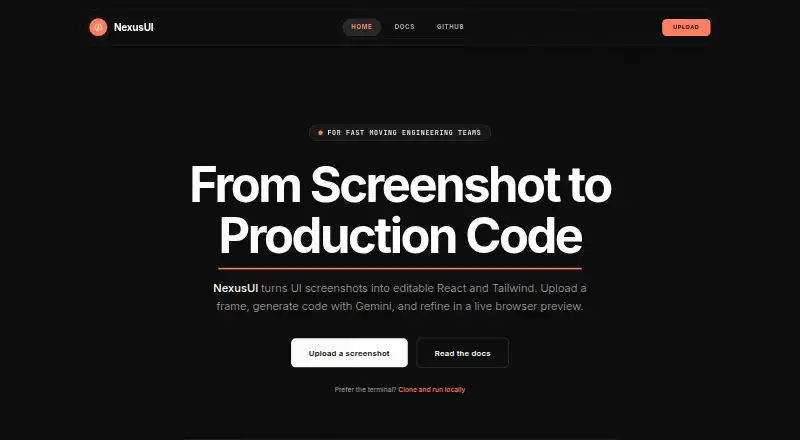
What NexusUI is
NexusUI is a free, open-source web tool that turns screenshots, mockups, and wireframes into editable React code with Tailwind CSS styling. It produces TypeScript components and can organize code for frameworks such as Next.js, including splitting components automatically. The generated interface has an interactive preview powered by Sandpack, where users can edit TSX in the browser with Monaco and Sandpack. The preview can be resized for mobile, tablet, and desktop, and the tool describes its output as using responsive flex and grid layouts. Uploads accept PNG, JPG, and WEBP images up to 10 MB. Users can copy or export generated code to their own repository. NexusUI supports React, Next.js, Tailwind CSS, and TypeScript. Its site links to local setup instructions; running it locally requires Node.js 18 or later and a valid Gemini API key. The documentation says API routes use the key server-side only, and advises checking quotas and key validity if generation fails.
Who it suits
NexusUI suits builders and engineering teams who want to turn visual interface references into editable React and Tailwind code, then inspect and adjust the result in a browser preview.
What it does well
- Accepts screenshots, mockups, and wireframes.
- Includes an interactive, resizable preview.
- Allows in-browser TSX editing.
- Exports code to a user's repository.
- Open source and free.
What to know first
- Uploads are limited to 10 MB.
- Local setup requires Node.js 18 or later.
- Local setup requires a valid Gemini API key.
Limits
Each uploaded image can be up to 10 MB. Local operation requires Node.js 18 or later and a valid Gemini API key. If generation fails, the documentation advises checking API quotas and key validity.
Getting started
- Open the NexusUI website
- Upload a PNG, JPG, or WEBP image up to 10 MB
- Generate the React and Tailwind code
- Inspect the result in the Sandpack preview
- Resize the preview for mobile, tablet, or desktop views
- Edit TSX in the browser or export the code to your repository
Verdict
NexusUI brings image-to-code generation, previewing, and editing into a web workflow. Local use depends on Node.js 18 or later and a valid Gemini API key.
Questions
Is NexusUI free?
Yes. NexusUI is described as free and open source.
What can I upload?
You can upload PNG, JPG, and WEBP screenshots, mockups, or wireframes up to 10 MB.
What code does it generate?
NexusUI generates functional React with TypeScript components and Tailwind CSS styling. It can structure projects for frameworks such as Next.js.
Can I edit the generated code?
Yes. The live preview supports TSX editing in the browser with Monaco and Sandpack.
Can I run it locally?
Yes. Local setup requires Node.js 18 or later and a valid Gemini API key. The project links to repository-based setup instructions.
How is the API key handled?
The documentation says API routes use GEMINI_API_KEY on the server side only.
Facts from NexusUI's own pages
- Accepted image formats
- The upload area accepts PNG, JPG, and WEBP files up to 10MB. · sstocode.vercel.app, 8 Oct 2026
- API key handling
- The docs say API routes use GEMINI_API_KEY server-side only. · sstocode.vercel.app, 8 Oct 2026
- API key requirement
- Local setup requires Node.js 18+ and a valid Gemini API key. · sstocode.vercel.app, 4 Oct 2026
- Audience
- The homepage describes NexusUI as built for fast-moving engineering teams and builders. · sstocode.vercel.app, 8 Oct 2026
- Code architecture
- Its agent pipeline structures code for frameworks such as Next.js and can split components automatically. · sstocode.vercel.app, 4 Oct 2026
- Code editing
- The preview workflow supports editing TSX in the browser with Monaco and Sandpack. · sstocode.vercel.app, 4 Oct 2026
- Component architecture
- The docs say NexusUI automatically structures code and splits components for modern frameworks such as Next.js. · sstocode.vercel.app, 8 Oct 2026
- Export
- The docs say users can copy generated code or export it into their own repository. · sstocode.vercel.app, 8 Oct 2026
- Image formats and limit
- The upload accepts PNG, JPG, and WEBP images up to 10 MB. · sstocode.vercel.app, 4 Oct 2026
- Key handling
- The documentation says API routes use the Gemini API key server-side only. · sstocode.vercel.app, 4 Oct 2026
- Live preview
- Generated code has an interactive preview powered by Sandpack. · sstocode.vercel.app, 4 Oct 2026
- Local setup
- Local installation requires Node.js 18 or later and a Gemini API key. · sstocode.vercel.app, 8 Oct 2026
- Open source
- The site describes NexusUI as open source and links to its GitHub repository. · sstocode.vercel.app, 8 Oct 2026
- Preview and editing
- The docs describe a live interactive preview via Sandpack and editing TSX in the browser. · sstocode.vercel.app, 8 Oct 2026
- Purpose
- NexusUI turns UI screenshots into editable React and Tailwind code using Gemini, with a live browser preview. · sstocode.vercel.app, 8 Oct 2026
- React output
- The site describes its output as functional React with TypeScript components. · sstocode.vercel.app, 8 Oct 2026
- Responsive layouts
- The site says the model infers layout intent and generates flex and grid patterns for different screen sizes. · sstocode.vercel.app, 8 Oct 2026
- Responsive preview
- The preview can be resized for mobile, tablet, and desktop. · sstocode.vercel.app, 4 Oct 2026
- Support
- The docs link to GitHub Discussions and GitHub Issues for community support. · sstocode.vercel.app, 8 Oct 2026
- Tailwind styling
- Generated styles map to Tailwind utilities. · sstocode.vercel.app, 8 Oct 2026
- Usage limitation
- The docs advise checking API quotas and key validity if generation fails. · sstocode.vercel.app, 8 Oct 2026
- What it does
- NexusUI turns UI screenshots, mockups, and wireframes into editable React code with Tailwind CSS styling. · sstocode.vercel.app, 4 Oct 2026
Where NexusUI stands on Freedom251
- AI Screenshot-to-Code Tools#24 of 24