OpenSpace
What OpenSpace is
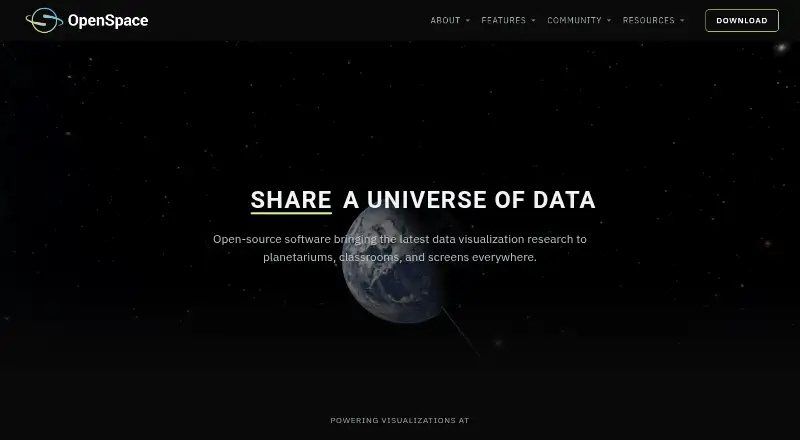
OpenSpace is free, open-source software for interactively visualizing astronomy and space-science data from NASA, ESA, and research institutions. It is designed to work in settings ranging from planetarium domes to personal computers, with the project identifying museums, planetariums, teachers, citizens, and researchers as users. Globe Browsing combines spacecraft images with elevation data, while presenters can blend imagery, overlays, and labels live.
Mission views draw on NASA and ESA trajectory data, instrument footprints, and observation timelines. Controls let users play, rewind, scrub, or accelerate through mission histories. Heliophysics visualizations show live and historical space weather using ENLIL and BATS-R-US model data developed with NASA CCMC scientists. Catalogs include exoplanets, galaxies, quasars, the cosmic microwave background, asteroids, and comets, with dataset toggles and blending for presentations. Display features include fisheye rendering, MPCDI mesh warping, multi-projector blending, tiled walls, and synchronized rendering across machines. Version 0.22.0 offers a precompiled binary for Windows 10 or newer and Linux source code; macOS is no longer supported going forward. Full functionality, including the interface and live data, requires internet access.
Who it suits
OpenSpace is suited to educators, researchers, museums, and planetariums that need interactive views of space data. Its presentation and multi-display features also suit users working with planetarium domes or other large display setups.
What it does well
- Visualizes NASA, ESA, and research-institution data.
- Mission controls support playback, rewinding, scrubbing, and acceleration.
- Includes live and historical space-weather views.
- Catalogs cover planets, galaxies, quasars, and other datasets.
- Supports multi-projector blending and synchronized rendering across machines.
- Images and visualizations may be used freely for educational, editorial, and research purposes with appropriate credit.
What to know first
- Full functionality requires internet access.
- macOS is no longer supported going forward.
- Minimum requirements include an NVIDIA GTX 1060 or comparable GPU.
Limits
The minimum listed system requirements are an Intel Core i5 or equivalent, NVIDIA GTX 1060 or comparable GPU, 8 GB RAM, and 4 GB VRAM. Full functionality, including the interface and live data features, requires internet access.
Plans
| Plan | Billed and limits | Price |
|---|---|---|
| OpenSpace | Open-source astrovisualization software; Windows precompiled binary; Linux source code | Free |
As openspaceproject.com lists them, read 9 Oct 2026. The maker's own page has the final word.
Getting started
- Visit https://www.openspaceproject.com/.
- Use the precompiled binary for Windows 10 or newer, or obtain the Linux source code.
- Check that the system meets the listed minimum requirements: Intel Core i5 or equivalent, NVIDIA GTX 1060 or comparable GPU, 8 GB RAM, and 4 GB VRAM.
- Connect to the internet for the interface and live data features.
- Consult the documentation or Slack community for help getting started.
Verdict
Choose OpenSpace if you need free, open-source interactive space visualizations for education, research, or presentations, especially with planetarium and multi-display capabilities. Look elsewhere if you need macOS support or offline access to the full feature set.
Questions
How much does OpenSpace cost?
OpenSpace is free, with a listed plan price of $0.
Which operating systems are supported?
Version 0.22.0 offers a precompiled binary for Windows 10 or newer and Linux source code. The project says macOS is no longer supported going forward.
Is OpenSpace open source?
Yes. It is released under the MIT License.
Does OpenSpace work without an internet connection?
Internet access is required for full functionality, including the user interface and live data features.
Who is OpenSpace for?
The project names museums, planetariums, teachers, citizens, and researchers as audiences.
Can its images and visualizations be used elsewhere?
The site says they may be used freely for educational, editorial, and research purposes with appropriate credit.
Facts from OpenSpace's own pages
- API and documentation
- The official documentation includes sections for getting started, using OpenSpace, profiles, content, building content, and reference material. · docs.openspaceproject.com, 9 Oct 2026
- Display support
- Display capabilities include fisheye rendering, MPCDI mesh warping, multi-projector blending, tiled walls, and synchronized rendering across multiple machines. · openspaceproject.com, 9 Oct 2026
- License
- OpenSpace is released under the MIT License, and its site says images and visualizations may be used freely for educational, editorial, and research purposes with appropriate credit. · openspaceproject.com, 9 Oct 2026
- Mission visualization
- Mission visualizations use NASA and ESA trajectory data, instrument footprints, observation timelines, and controls to play, rewind, scrub, or accelerate through mission history. · openspaceproject.com, 9 Oct 2026
- Network requirement
- Internet access is required for full functionality, including the user interface and live data features. · openspaceproject.com, 9 Oct 2026
- Planetary surfaces
- Globe Browsing combines spacecraft imagery and elevation data, with live blending of imagery, overlays, and labels. · openspaceproject.com, 9 Oct 2026
- Purpose
- OpenSpace is open-source interactive astrovisualization software for exploring data from NASA, ESA, and research institutions, from planetarium domes to personal computers. · openspaceproject.com, 9 Oct 2026
- Scientific catalogs
- Catalogs include exoplanets, galaxies, quasars, the cosmic microwave background, and asteroids and comets, with options to toggle and blend datasets during presentations. · openspaceproject.com, 9 Oct 2026
- Space weather
- Heliophysics visualizations include live and historical space weather using ENLIL and BATS-R-US model data developed with NASA CCMC scientists. · openspaceproject.com, 9 Oct 2026
- Support
- The project directs users to its documentation and Slack community for help getting started, and invites institutions to contact the team about display configuration. · openspaceproject.com, 9 Oct 2026
- Supported operating systems
- Version 0.22.0 offers a precompiled Windows 10-or-newer binary and Linux source code; the project says macOS is no longer supported going forward. · openspaceproject.com, 9 Oct 2026
- System requirements
- The minimum listed requirements are an Intel Core i5 or equivalent, NVIDIA GTX 1060 or comparable GPU, 8 GB RAM, and 4 GB VRAM. · openspaceproject.com, 9 Oct 2026
- Users
- The project describes its audiences as museums, planetariums, teachers, citizens, and researchers. · openspaceproject.com, 9 Oct 2026
Where OpenSpace stands on Freedom251
- Astronomy Apps#15 of 35