Freedom251 › AI Email Writing Tools

OpenReply
What OpenReply is
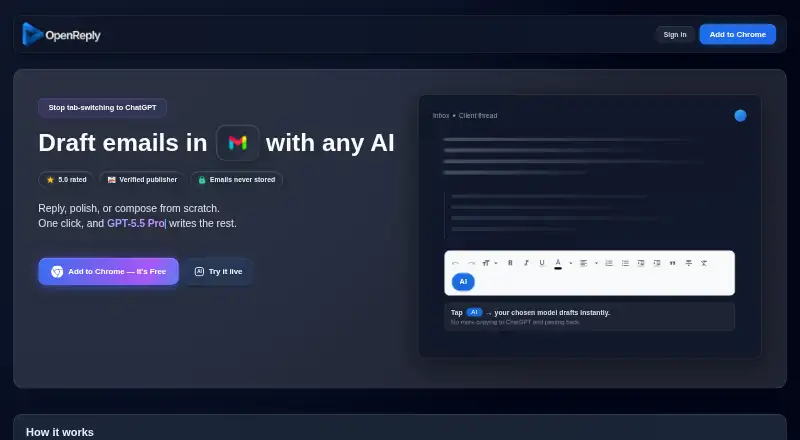
OpenReply is a browser extension that adds AI writing tools to Gmail. It reads an email thread and places a contextual draft in Gmail's compose box for the user to review and send. Users can click AI to draft or shift-click for an automatic draft; Draft and More controls add detail or change the model. The homepage says OpenReply supports 40+ AI models and automatically adds new ones. The Starter plan is free and includes credits described as enough for 200+ replies to start, with no card required. After those credits, it uses pay-as-you-go credits, with generation costs varying by model. Custom team pricing and features are available, and the site states a 24-hour response time after inquiry. The maker says email content is processed in memory and immediately discarded. Thread content is sent to AI providers through OpenReply's API, without the user's identity being shared with them. The extension requests storage, activeTab, scripting, identity, and access to mail.google.com; the maker says access is limited to Gmail. Bring-your-own API key support is described as coming soon. Support is available by email, and refunds within 14 days are offered for unused credits, technical issues, or accidental purchases.
Who it suits
OpenReply suits Gmail users who want AI help drafting replies, polishing drafts, or composing from scratch using the email thread as context. Teams can inquire about custom pricing and features.
What it does well
- Contextual drafts use the email thread
- Supports 40+ AI models
- Starter credits require no card
- Maker says email content is immediately discarded
- Refunds available within 14 days for listed cases
What to know first
- Credits beyond Starter are pay-as-you-go
- Costs vary by selected model
- Bring-your-own API key support is not yet available
- Thread content is sent to AI providers
Limits
The Starter plan includes initial free credits described as enough for 200+ replies. Further generations use pay-as-you-go credits, with costs varying by model.
Plans
| Plan | Billed and limits | Price |
|---|---|---|
| Starter | Free credits to get going · Enough for 200+ replies to start · No card required | Free |
As openreply.ai lists them, read 8 Oct 2026. The maker's own page has the final word.
Getting started
- Visit https://www.openreply.ai/.
- Install the browser extension.
- Use it with Gmail and grant the requested browser permissions.
- Start with the Starter plan at no cost; no card is required.
- Use the included credits, then pay for additional generations with credits if needed.
Verdict
OpenReply puts model-based drafting controls inside Gmail and offers free starter credits before pay-as-you-go use. Consider that thread content goes to AI providers, even though the maker says it does not share the user's identity with them.
Questions
Does OpenReply have a free plan?
Yes. Starter costs nothing and includes initial credits described as enough for 200+ replies, with no card required.
How does OpenReply work with email?
It works with Gmail, reading the thread and placing a contextual draft in the compose box for review and sending.
Which AI models does it support?
The homepage says it supports 40+ models and automatically adds new ones. Generation costs vary by selected model.
How is email content handled?
The maker says content is processed in memory in real time and immediately discarded. Thread content is sent to AI providers through OpenReply's API without sharing the user's identity.
Can teams use OpenReply?
Custom pricing and features are available for teams. The stated response time after inquiry is 24 hours.
Does it support bring-your-own API keys?
That support is described as coming soon.
Facts from OpenReply's own pages
- Credit pricing
- OpenReply uses pay-as-you-go credits, with generation costs varying by selected model; the homepage shows example per-reply prices. · openreply.ai, 8 Oct 2026
- Data shared
- Email thread content is sent to AI providers through the OpenReply API, and the maker says it does not share the user's identity with those providers. · openreply.ai, 8 Oct 2026
- Draft controls
- Users can click AI to draft or shift-click to auto-draft, then use Draft or More to add detail and change the model. · openreply.ai, 8 Oct 2026
- Email retention
- The maker says email content is processed in memory in real time and immediately discarded rather than stored. · openreply.ai, 8 Oct 2026
- Gmail permissions
- The extension requests storage, activeTab, scripting, identity, and access to mail.google.com; the maker says access is limited to Gmail. · openreply.ai, 8 Oct 2026
- Integrations
- The service integrates with Gmail and third-party AI model providers; Stripe handles payment processing. · openreply.ai, 8 Oct 2026
- Model selection
- The homepage says OpenReply supports 40+ AI models and that new models are automatically added. · openreply.ai, 8 Oct 2026
- Not yet available
- Bring-your-own API key support is described as coming soon. · openreply.ai, 8 Oct 2026
- Purpose
- OpenReply adds AI to Gmail for replying, polishing drafts, or composing emails from scratch. · openreply.ai, 8 Oct 2026
- Refunds
- The support page offers refunds within 14 days for unused credits, technical issues, or accidental purchases. · openreply.ai, 8 Oct 2026
- Security
- The maker says browser-to-server data is encrypted with TLS 1.3 and identifies Fly.io hosting, PostgreSQL, JWT authentication, bcrypt password hashing, and Stripe payments. · openreply.ai, 8 Oct 2026
- Support
- Support is available at [email protected], and the site says inquiries receive a response within 24 hours. · openreply.ai, 8 Oct 2026
- Team offering
- Custom pricing and features are available for teams, with a stated response time of 24 hours after inquiry. · openreply.ai, 8 Oct 2026
- Thread context
- It reads the email thread and generates a contextual draft in the Gmail compose box for the user to review and send. · openreply.ai, 8 Oct 2026
Where OpenReply stands on Freedom251
- AI Email Writing Tools#19 of 28