Freedom251 › Job Scheduler Software
OpenPBS
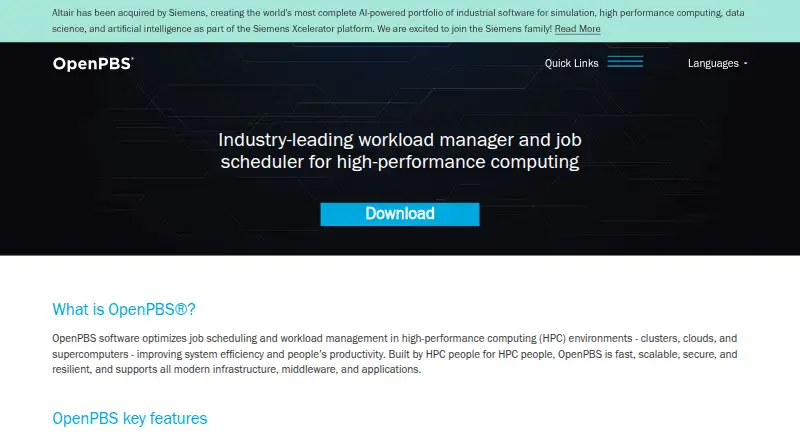
What OpenPBS is
OpenPBS schedules jobs and manages workloads in high-performance computing environments. It supports HPC clusters, clouds, and supercomputers, and is designed to handle millions of cores; it has been tested beyond 50,000 nodes. Its policy-driven scheduling balances job turnaround time and system utilization when placing jobs. Administrators can use a plugin framework for visibility and extensions tailored to their implementations. Health checks monitor faults and can mitigate them automatically, while fail-over architecture is designed to keep jobs running through failures without a single point of failure. OpenPBS is self-hosted and available under the AGPL 3.0 open-source license at no charge. PBS Pro is also offered under commercial licensing. Public-sector organizations such as academic and research facilities generally choose the open-source license. Community help is available through a volunteer forum, but responses and bug fixes are not guaranteed. OpenPBS is integrated into the OpenHPC software stack. Its installation guide states that SELinux is not supported.
Who it suits
OpenPBS suits organizations running HPC clusters, clouds, or supercomputers that need policy-driven scheduling and workload management. It may suit academic and research organizations seeking an open-source license.
What it does well
- Free under the AGPL 3.0 open-source license
- Designed to scale to millions of cores
- Health checks can automatically mitigate faults
- Fail-over architecture has no single point of failure
What to know first
- Community forum support has no guarantees
- Installation guide says SELinux is unsupported
Limits
The free OpenPBS open-source edition costs nothing and is self-hosted. Community forum support has no guarantee that questions will be answered or bugs addressed.
Plans
| Plan | Billed and limits | Price |
|---|---|---|
| OpenPBS open-source edition | AGPL 3.0 license · community forum support has no guarantees | Free |
As openpbs.org lists them, read 1 Oct 2026. The maker's own page has the final word.
Getting started
- Visit the OpenPBS website and review the project’s installation guide.
- Prepare a self-hosted deployment for an HPC cluster, cloud, or supercomputer.
- Choose the open-source AGPL 3.0 edition.
- Use the project’s contributor portal, source repository, or issue tracker as needed.
- For community help, use the volunteer forum.
OpenPBS is open-source software for scheduling jobs and managing workloads across high-performance computing environments. It best suits research and public-sector teams running self-hosted clusters that need large-scale scheduling and fault recovery. Its scale and resiliency make it a compelling HPC choice, but unsupported SELinux and volunteer-only support are significant constraints.
Overview
OpenPBS targets HPC clusters, clouds and supercomputers, with support for millions of cores and testing beyond 50,000 nodes. Policy-driven scheduling balances job turnaround with system utilization, while placement rules help direct work across available resources. This focus is valuable for complex computing estates; it is not a general-purpose scheduler for teams that need a managed service or guaranteed support.
The software is dual-licensed as commercial software and under AGPL 3.0. Public-sector organizations, including academic and research facilities, generally choose the open-source license. OpenPBS is integrated into OpenHPC, a Linux Foundation Collaborative Project, and provides a plugin framework for administration visibility and customization.
Key features
- Policy-driven scheduling: Balances turnaround time and utilization, making it useful when administrators need to shape how cluster capacity is allocated.
- Health checks and recovery: The health-check framework monitors faults and can mitigate them automatically. Retry and recovery, monitoring and alerts, and agent-based execution support operational oversight.
- Resilient architecture: Automatic fail-over has no single point of failure, and jobs can continue running despite failures. That is a meaningful advantage for workloads where interruption is costly.
- Extensible administration: A flexible plugin framework provides visibility and allows customized implementations, trading a degree of administrative flexibility for the work of tailoring and maintaining extensions.
- Security and compatibility: Security updates are primarily delivered as minor-version patches; known critical and high issues are fixed in the next major release. OpenPBS does not support SELinux, which can rule it out for environments that require SELinux.
Pricing
OpenPBS open-source edition: free. The plan uses the AGPL 3.0 license and includes community forum support with no guarantees. It suits organizations able to operate the software themselves and accept volunteer support. The community forum, contributor portal, source code repository and issue tracker provide ways to seek help or engage with the project, but there is no assurance that questions will be answered or bugs addressed.
OpenPBS is self-hosted. The free plan removes software cost, not the responsibility of running and maintaining the deployment; teams that need dependable support should weigh that limitation before adopting it.
Platforms
OpenPBS supports API, Linux, macOS and self-hosted deployment. It is designed for HPC clusters, clouds and supercomputers, rather than a hosted scheduling service.
Who it's for
OpenPBS is a strong fit for academic, research and public-sector organizations managing substantial HPC workloads, especially those with administrators who can operate a self-hosted system and adapt it through plugins. Its scale, scheduling controls and fail-over capabilities address demanding cluster operations.
It is a weaker choice for teams that require SELinux, guaranteed support, or a managed deployment. The volunteer forum may be sufficient for experienced operators, but organizations relying on timely answers or fixes should consider that support risk directly.
Pros and cons
- Pros: Scale for large HPC environments. Support for millions of cores and testing beyond 50,000 nodes suit very large deployments.
- Pros: Fault monitoring and fail-over. Automatic mitigation and an architecture without a single point of failure help keep jobs running through failures.
- Pros: Flexible scheduling and plugins. Policy-driven placement and an extensible framework give administrators control over workload behavior and customization.
- Cons: No SELinux support. Environments that depend on SELinux cannot use OpenPBS as-is.
- Cons: No guaranteed community help. Volunteer forum support carries no promise of responses or bug fixes, leaving operational teams to manage that uncertainty.
- Cons: Self-hosted operation. Teams must take responsibility for deployment and administration rather than relying on a managed service.
Alternatives
For a cloud-managed batch workflow, consider AWS Batch: Batch itself has no additional charge, but compute and storage resources are billed separately and AWS resource charges apply. Google Cloud Batch likewise has no additional charge for the batch service, while jobs use billable Google Cloud resources and are subject to quotas.
If you want another self-hosted, open-source scheduler, Slurm Workload Manager is a no-cost cluster software option under GNU GPL v2. HTCondor offers software, source code and complete documentation freely under an open-source license, with Linux, macOS, self-hosted and Windows platforms. schedulix is another free open-source option under GNU AGPL.
JS7 JobScheduler may suit readers seeking a free GPLv3 open-source option across self-hosted and web platforms, but its open-source license excludes high-availability clustering. For an Apache-licensed open-source framework, consider PowerJob. System Scheduler is a Windows-only alternative whose free version has limited features and requires the user to remain logged in.
Browse more options in Job Scheduler Software or GPU Cluster Management Software.
Verdict
Choose OpenPBS if you run a self-hosted HPC environment and need scheduling controls, substantial scale and automatic fault recovery without a software fee. Look elsewhere if SELinux compatibility or dependable support is essential: those constraints can outweigh its strong cluster capabilities.
Verdict
OpenPBS combines large-scale job scheduling with fault monitoring and fail-over capabilities. Consider the unsupported SELinux and the limits of volunteer forum support when evaluating it.
Questions
How much does OpenPBS cost?
The OpenPBS open-source edition costs nothing.
Is OpenPBS open source?
Yes. The open-source edition is licensed under AGPL 3.0. PBS Pro is also dual licensed as commercial software.
Where can OpenPBS be deployed?
OpenPBS is self-hosted and supports HPC clusters, clouds, and supercomputers.
Does OpenPBS support SELinux?
No. The installation guide states that OpenPBS does not support SELinux.
What support is available?
Community support is provided through a volunteer forum, with no guarantee of answers or bug fixes. The project also provides a contributor portal, source code repository, and issue tracker.
How are security updates delivered?
Security updates are primarily delivered as minor-version patches. Known critical and high issues are fixed in the next major release.
Facts from OpenPBS's own pages
- Audience
- Public-sector organizations such as academia and research facilities generally opt for the open-source license. · openpbs.atlassian.net, 1 Oct 2026
- Community support
- Community support is provided through a volunteer forum with no fee and no guarantee that questions will be answered or bugs addressed. · openpbs.atlassian.net, 1 Oct 2026
- Deployment environments
- OpenPBS supports HPC clusters, clouds, and supercomputers. · openpbs.org, 1 Oct 2026
- Health checks
- The health-check framework monitors and automatically mitigates faults. · openpbs.org, 1 Oct 2026
- Integration
- OpenPBS is integrated into the OpenHPC software stack, a Linux Foundation Collaborative Project. · github.com, 1 Oct 2026
- Licensing
- The PBS Pro software is dual licensed as commercial software and under the AGPL 3.0 open-source license. · openpbs.atlassian.net, 1 Oct 2026
- Plugin framework
- Its flexible plugin framework provides administration visibility and extensibility for customized implementations. · openpbs.org, 1 Oct 2026
- Project support channels
- The project provides a community forum, contributor portal, source code repository, and issue tracker. · openpbs.org, 1 Oct 2026
- Purpose
- OpenPBS optimizes job scheduling and workload management in high-performance computing environments. · openpbs.org, 1 Oct 2026
- Resiliency
- Automatic fail-over architecture has no single point of failure, and jobs continue running despite failures. · openpbs.org, 1 Oct 2026
- Scalability
- OpenPBS supports millions of cores and has been tested beyond 50,000 nodes. · openpbs.org, 1 Oct 2026
- Scheduling
- Policy-driven scheduling balances job turnaround time and utilization with optimal job placement. · openpbs.org, 1 Oct 2026
- Security updates
- Security updates are primarily delivered as minor-version patches, and known critical and high issues are fixed in the next major release. · openpbs.atlassian.net, 1 Oct 2026
- SELinux limitation
- The OpenPBS installation guide states that OpenPBS does not support SELinux. · github.com, 1 Oct 2026
Where OpenPBS stands on Freedom251
- Job Scheduler Software#6 of 26
- GPU Cluster Management Software#8 of 21