Freedom251 › AI Diagram Generators

OpenFlowKit
What OpenFlowKit is
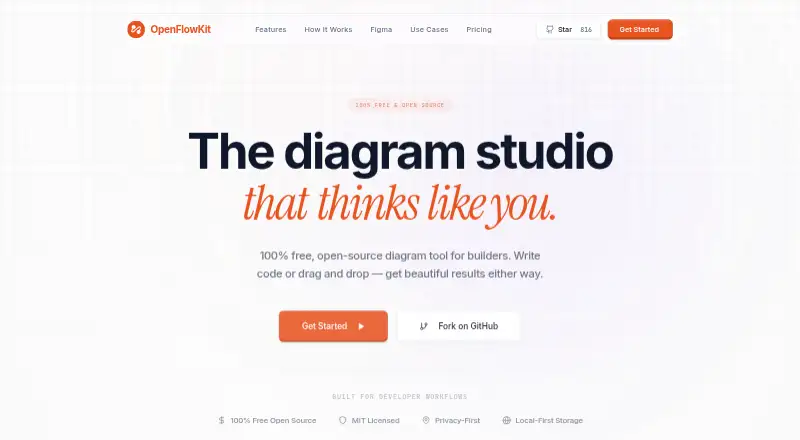
OpenFlowKit is a free, open-source diagram tool for the web. It supports both drag-and-drop editing and code-based diagram creation, so builders can work visually or define diagrams with its type-safe DSL or Mermaid.js syntax. It can parse JSON, React components, Prisma schemas, and SQL dumps into a diagram canvas. ELK.js auto-layout arranges nodes and routes edges.
Flowpilot AI lets users chat in natural language to build and style diagram blocks. AI generation requires the user's own OpenAI or Anthropic key; the site says those keys are stored on the user's device. OpenFlowKit describes its storage as local-first: diagrams stay on the user's machine, without cloud tracking or forced syncing. Users can share a link to collaborate through peer-to-peer WebRTC, with live cursors, and copy diagrams into Figma as editable SVG and text layers without a plugin.
The free plan costs nothing and includes unlimited diagrams and projects, with access to the core engine. Exports include PNG, JPG, SVG, JSON, Mermaid, PlantUML, WebM, MP4, and editable Figma output. The core engine is MIT licensed and can be hosted anywhere or modified. The project describes itself as just getting started, with the core engine being built in the open.
Who it suits
OpenFlowKit suits developers and other builders who want to turn code or schemas into diagrams, or create diagrams with drag-and-drop editing. It also fits people who need local-first diagram storage, live link-based collaboration, or editable Figma exports.
What it does well
- Parses JSON, React components, Prisma schemas, and SQL dumps into diagrams.
- Supports a type-safe DSL and Mermaid.js for diagram definitions.
- Offers peer-to-peer collaboration with live cursors.
- Exports diagrams to PNG, JPG, SVG, JSON, Mermaid, PlantUML, WebM, and MP4.
- The core engine is MIT licensed and can be hosted or modified freely.
What to know first
- AI generation requires the user's own OpenAI or Anthropic key.
- The project describes itself as just getting started.
Limits
The free plan costs nothing and includes unlimited diagrams and projects with access to the core engine. AI generation requires the user's own OpenAI or Anthropic key.
Plans
| Plan | Billed and limits | Price |
|---|---|---|
| Free Forever | Unlimited diagrams & projects · Full access to the core engine · AI generation requires your own key | Free |
As openflowkit.com lists them, read 5 Oct 2026. The maker's own page has the final word.
Getting started
- Open the OpenFlowKit website in a web browser.
- Start with the free plan, which requires no account or credit card.
- Create diagrams with drag-and-drop editing, supported code imports, the type-safe DSL, or Mermaid.js.
- Provide your own OpenAI or Anthropic key if you want to use AI generation.
- Share a link for peer-to-peer collaboration or export the diagram in a supported format.
Verdict
Choose OpenFlowKit if you want a free diagram tool that combines code imports, visual editing, and local-first storage. Its MIT-licensed core and broad export options also suit builders who want to host or modify the engine. Look elsewhere if you need AI generation without supplying your own provider key.
Questions
How much does OpenFlowKit cost?
Its Free Forever plan costs nothing.
Does it have a free plan?
Yes. The free plan includes unlimited diagrams and projects and access to the core engine; no account or credit card is required.
Which platforms does OpenFlowKit support?
It is available on the web.
Is OpenFlowKit open source?
Yes. Its core engine is MIT licensed, and the site says users can host it anywhere and modify it freely.
Can it import code or schema files?
It can parse JSON, React components, Prisma schemas, and SQL dumps into a diagram canvas.
What does AI generation require?
It requires the user's own OpenAI or Anthropic key. The site says the key is stored on the user's device.
Facts from OpenFlowKit's own pages
- Account requirement
- The free plan says no account or credit card is required. · openflowkit.com, 5 Oct 2026
- AI assistant
- Flowpilot AI lets users chat with a diagram in natural language to build and style blocks. · openflowkit.com, 5 Oct 2026
- AI keys
- AI diagram generation uses bring-your-own OpenAI or Anthropic keys, which the site says are stored on the user's device. · openflowkit.com, 5 Oct 2026
- Auto-layout
- Auto-layout uses ELK.js to route edges and align nodes. · openflowkit.com, 5 Oct 2026
- Code import
- It says it can parse JSON, React components, Prisma schemas, and SQL dumps into a diagram canvas. · openflowkit.com, 5 Oct 2026
- Collaboration
- Users can share a link and collaborate through peer-to-peer WebRTC with live cursors. · openflowkit.com, 5 Oct 2026
- Diagram as code
- It supports a type-safe DSL and Mermaid.js syntax for defining diagrams. · openflowkit.com, 5 Oct 2026
- Exports
- The site lists SVG, PNG, JSON, and MP4 exports, and its free plan also lists JPG export. · openflowkit.com, 5 Oct 2026
- Figma
- Diagrams can be copied into Figma as editable SVG and text layers, with no plugin required. · openflowkit.com, 5 Oct 2026
- License and hosting
- The core engine is MIT licensed, and the site says users can host it anywhere and modify it freely. · openflowkit.com, 5 Oct 2026
- Privacy
- The site describes storage as local-first, says diagrams stay on the user's machine, and says there is no cloud tracking or forced syncing. · openflowkit.com, 5 Oct 2026
- Project status
- The site describes the project as just getting started and says the core engine is being built in the open. · openflowkit.com, 5 Oct 2026
- Purpose
- OpenFlowKit is a free, open-source diagram tool for builders who write code or use drag and drop. · openflowkit.com, 5 Oct 2026
Where OpenFlowKit stands on Freedom251
- AI Diagram Generators#28 of 32