
OpenBrowser
What OpenBrowser is
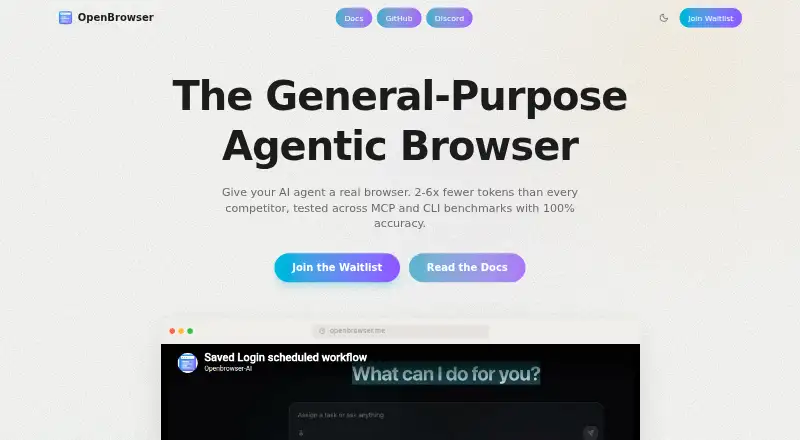
OpenBrowser is a free, MIT-licensed framework for browser automation in which an LLM writes Python code to navigate pages, interact with them, and extract information. It communicates with browsers through Chrome DevTools Protocol and can analyze screenshots. Its MCP server provides one execute_code tool that runs Python in a persistent namespace. The maker lists integrations with LLM providers and MCP clients, including Claude Code, Cursor, Windsurf, VS Code, and n8n. Browser sessions can be recorded and replayed, then exported to Jupyter notebooks or API crawler code. Listed uses include research, scraping, form filling, end-to-end testing, page analysis, accessibility audits, and file downloads. The project provides installation instructions for Windows, macOS, and Linux, and supports Docker, Kubernetes, and cloud deployment. A hosted version is offered through a waitlist; described features include a web interface, real-time VNC streaming, saved logins, scheduled workflows, and email notifications. The repository says hosted saved logins are KMS-encrypted.
Who it suits
OpenBrowser may suit developers and teams building browser automations with LLMs, MCP clients, or n8n. Its listed uses also include research, scraping, testing, and accessibility audits.
What it does well
- Free and MIT licensed.
- Records and replays browser sessions.
- Exports sessions to notebooks or crawler code.
- Offers Windows, macOS, and Linux installation instructions.
- Supports Docker, Kubernetes, and cloud deployment.
What to know first
- Hosted access is offered through a waitlist.
- The MCP server exposes one execute_code tool.
- The hosted version is not presented as generally available.
Getting started
- Visit the OpenBrowser website or repository
- Install it on Windows, macOS, or Linux
- Use an existing Chrome, Edge, Brave, or Chromium browser
- Allow automatic Chromium installation on first run when uvx is available
- Connect an MCP client or use the execute_code tool
- Deploy with Docker, Kubernetes, or cloud infrastructure if required
Verdict
OpenBrowser combines Python-based browser automation with MCP integrations and session exports. Consider whether its single-tool interface and waitlisted hosted option suit your workflow.
Questions
Does OpenBrowser cost anything?
The project is free and open source under the MIT license.
Which operating systems are supported?
Installation instructions are provided for Windows, macOS, and Linux. The listed platforms also include API and self-hosted use.
Which browsers can it use?
It detects installed Chromium-based browsers, including Chrome, Edge, Brave, and Chromium. It can install Chromium automatically on first run if uvx is available.
Is there a hosted version?
The homepage invites users to join a waitlist for early access. Described hosted features include a web UI, real-time VNC streaming, saved logins, scheduled workflows, and email notifications.
Which integrations are available?
The maker lists MCP clients and tools including Claude Desktop, Claude Code, Codex, Cursor, Windsurf, VS Code, Cline, Roo Code, OpenCode, and n8n, plus many LLM providers.
Facts from OpenBrowser's own pages
- Agent interface
- Its MCP server exposes one execute_code tool that runs Python in a persistent namespace for browser automation. · github.com, 8 Oct 2026
- Automation
- Its MCP server exposes browser automation through one execute_code tool that runs Python code in a persistent namespace. · docs.openbrowser.me, 9 Oct 2026
- Browser compatibility
- The quickstart says OpenBrowser detects installed Chromium-based browsers including Chrome, Edge, Brave, and Chromium, and can install Chromium automatically on first run if none is found and uvx is available. · docs.openbrowser.me, 9 Oct 2026
- Browser control
- It uses direct Chrome DevTools Protocol communication and supports screenshot analysis for visual understanding of pages. · github.com, 9 Oct 2026
- Deployment
- The production guide describes persistent browser profiles, headless production use, allowed-domain restrictions, proxies, and connecting to remote browsers through CDP. · docs.openbrowser.me, 9 Oct 2026
- Developer integrations
- The maker lists compatibility with Claude Desktop, Claude Code, Codex, OpenCode, other MCP clients, and n8n workflows. · openbrowser.me, 9 Oct 2026
- Hosted features
- The repository README says its hosted version includes a cloud dashboard for saved cookies and scheduled tasks; the homepage invites visitors to join a waitlist for hosted early access. · github.com, 9 Oct 2026
- Hosted security
- The repository README describes hosted saved logins as KMS-encrypted and scheduled workflows as using EventBridge and SQS. · github.com, 9 Oct 2026
- Hosted version
- The homepage invites users to join a waitlist for early access to the hosted version. · openbrowser.me, 8 Oct 2026
- Installation platforms
- The maker provides installation instructions for macOS, Linux, and Windows, including shell or PowerShell installers and Python package installation. · docs.openbrowser.me, 9 Oct 2026
- Integrations
- The maker lists compatibility with MCP clients and names Claude Code, Cursor, Windsurf, VS Code, n8n, Cline, and Roo Code. · openbrowser.me, 8 Oct 2026
- License
- The homepage states that OpenBrowser is open source under the MIT license. · openbrowser.me, 9 Oct 2026
- LLM integrations
- The documentation lists integrations including Google Gemini, OpenAI, Anthropic, Azure OpenAI, AWS Bedrock, Groq, OCI, Ollama, Qwen, DeepSeek, Novita, and OpenRouter, plus OpenAI-compatible models. · docs.openbrowser.me, 9 Oct 2026
- LLM providers
- The repository lists support for providers including OpenAI, Anthropic, Google, Groq, AWS Bedrock, Azure, Ollama, DeepSeek, Cerebras, OpenRouter, OCI, and Browser-Use. · github.com, 8 Oct 2026
- Product
- OpenBrowser describes itself as a framework for intelligent browser automation in which an LLM writes Python code in a persistent namespace to navigate, interact with, and extract information from web pages. · github.com, 9 Oct 2026
- Security
- The repository says hosted saved logins are KMS-encrypted. · github.com, 8 Oct 2026
- Security controls
- The MCP documentation lists an optional comma-separated allowed-domain whitelist, which is unset by default. · docs.openbrowser.me, 9 Oct 2026
- Support
- The documentation directs users to GitHub Issues and Discord, and lists an email address for enterprise support. · docs.openbrowser.me, 9 Oct 2026
- Use cases
- The maker presents examples including web research, scraping, form filling, end-to-end testing, page analysis, accessibility audits, and file downloads. · github.com, 8 Oct 2026
- Workflow tools
- The project describes recording and replaying browser sessions and exporting them to Jupyter notebooks or API crawler code. · github.com, 8 Oct 2026
Where OpenBrowser stands on Freedom251
- AI Browsers#22 of 23