Open Android Backup
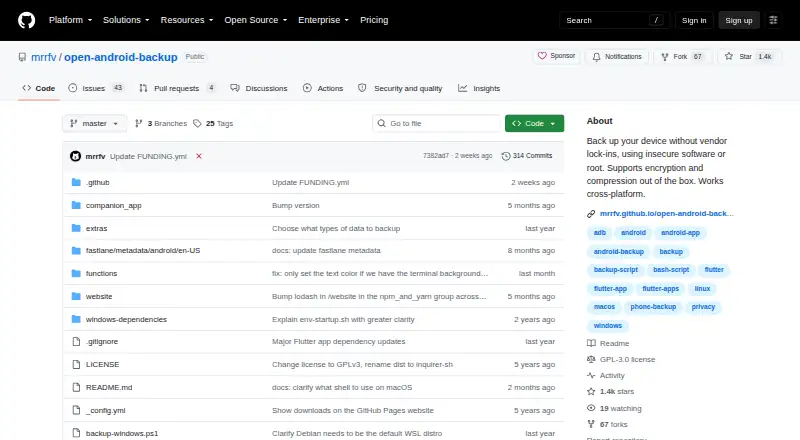
What Open Android Backup is
Open Android Backup is a free local script and Flutter app for backing up and restoring Android devices from Linux, macOS, or Windows. It copies internal storage, contacts, installed apps, SMS messages, and call logs into encrypted backups, including encrypted metadata such as file names. The data uses 7-Zip archives, so files can be opened without the script. Restoration is narrower: SMS messages and call logs cannot currently be restored, and Android restrictions prevent app data from being saved. A Flutter companion app accesses device data beyond ADB’s reach without root. Backups can run wirelessly after setup, although setup still needs a cable. Optional hooks add backup steps, while environment variables control settings. The project warns that untrusted hooks can access both devices. Automation is minimal, and unattended contact export still requires physical access. It is GPLv3-or-later software with no premium features behind a paywall.
Who it suits
It suits Android users who want local backups from Linux, macOS, or Windows. It is also useful for people comfortable reviewing hooks and managing limited restoration and automation.
What it does well
- Free plan with no premium paywall
- Encrypts backups and metadata by default
- 7-Zip archives open without the script
- Works wirelessly after cable setup
- Supports Linux, macOS, Windows, and Android
What to know first
- SMS and call logs cannot be restored
- Android restrictions block app-data backups
- Untrusted hooks can access phone and computer
- Automation support is minimal
Plans
| Plan | Billed and limits | Price |
|---|---|---|
| Free | No premium features behind a paywall · around 20 MB | Free |
As github.com lists them, read 11 Oct 2026. The maker's own page has the final word.
Verdict
Open Android Backup covers broad Android backup needs with encrypted, portable archives and several desktop operating systems. Its restore gaps, cable setup requirement, and limited automation should shape expectations.
Facts from Open Android Backup's own pages
- Archive format
- It uses 7-Zip archives so backed-up data can be opened without the script. · mrrfv.github.io, 11 Oct 2026
- Automation support
- The project says automation support is minimal and notes that unattended contact export still requires physical access to the device. · github.com, 11 Oct 2026
- Backup contents
- It backs up internal storage, contacts, installed apps, SMS messages and call logs. · github.com, 11 Oct 2026
- Backup scope
- file · github.com, 20 Sept 2026
- Computer backup
- No · github.com, 20 Sept 2026
- Customization
- Optional hooks let users add their own backup steps, and settings can be controlled through environment variables. · mrrfv.github.io, 11 Oct 2026
- Device access
- A Flutter-based Android companion app accesses device data beyond what ADB allows, without root. · mrrfv.github.io, 11 Oct 2026
- Encryption
- Backups and metadata such as file names are encrypted by default. · mrrfv.github.io, 11 Oct 2026
- Free plan
- Yes · github.com, 20 Sept 2026
- Hook security
- The project warns that untrusted hooks can access the phone and computer, and says users must inspect hooks before running them. · github.com, 11 Oct 2026
- License
- The software is licensed under the GNU General Public License version 3 or later. · github.com, 11 Oct 2026
- Mobile backup
- Yes · github.com, 20 Sept 2026
- Supported platforms
- windows,macos,linux,android · github.com, 20 Sept 2026
- Purpose
- Open Android Backup is a local script and Flutter app for backing up and restoring Android devices. · mrrfv.github.io, 11 Oct 2026
- Restoration limits
- SMS messages and call logs cannot currently be restored, and app data is not saved because of Android restrictions. · mrrfv.github.io, 11 Oct 2026
- Restore modes
- file · github.com, 20 Sept 2026
- Server backup
- No · github.com, 20 Sept 2026
- Supported systems
- The project supports backing up and restoring Android devices from Linux, macOS and Windows. · mrrfv.github.io, 11 Oct 2026
- Wireless use
- Backups can run wirelessly, but a cable is still needed for setup. · mrrfv.github.io, 11 Oct 2026
Where Open Android Backup stands on Freedom251
- Backup software#31 of 151