Freedom251 › Screen Recording Software
OmniRec
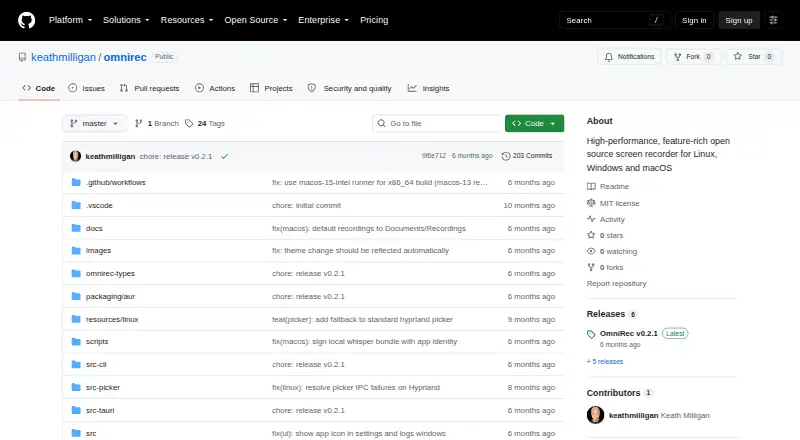
What OmniRec is
OmniRec is a free, MIT-licensed open-source screen recorder for Linux, Windows, and macOS. It captures a single window, an entire display, or a custom region, and records system audio, microphone audio, or both with dual-source mixing and echo cancellation. Automatic speech transcription creates a timestamped Markdown transcript beside the video. Transcription uses whisper.cpp through vtx-engine and downloads the default ggml-medium.en model, about 1.5 GB, on first use. Export formats include MP4, WebM, MKV, QuickTime, GIF, APNG, and WebP. The project describes local processing, with recordings staying on the user's machine. Its README covers recording Zoom, Teams, or Google Meet calls using system audio and a microphone. A command-line interface supports headless recording and automation. The free plan is listed as free, with no subscriptions, accounts, or limits. The project is in active development and not yet available for general use.
Who it suits
OmniRec suits users seeking local, open-source recording with video, audio, transcription, and command-line options. It covers Linux, Windows, and macOS, subject to stated platform limits.
What it does well
- Captures windows, displays, or custom regions
- Records system and microphone audio
- Creates timestamped Markdown transcripts
- Offers many export formats
- Processing stays on the machine
What to know first
- Not yet available for general use
- Transcription downloads about 1.5 GB initially
- macOS support starts at version 12.3
- GNOME picker lacks region recording
Plans
| Plan | Billed and limits | Price |
|---|---|---|
| Free & Open Source | No subscriptions · no accounts · no limits | Free |
As github.com lists them, read 12 Oct 2026. The maker's own page has the final word.
Verdict
OmniRec brings screen capture, mixed audio, local transcription, and broad export choices into one open-source project. Its active-development status means general availability is still a limitation.
Facts from OmniRec's own pages
- Audio
- It can capture system audio, microphone audio, or both, with dual-source mixing and echo cancellation. · github.com, 12 Oct 2026
- Availability
- The README says OmniRec is in active development and not yet available for general use. · github.com, 12 Oct 2026
- Capture
- It records a window, an entire display, or a custom screen region. · github.com, 12 Oct 2026
- CLI
- A command-line interface supports headless recording and automation. · github.com, 12 Oct 2026
- Formats
- Export formats listed are MP4, WebM, MKV, QuickTime, GIF, APNG, and WebP. · github.com, 12 Oct 2026
- Free plan
- Yes · github.com, 21 Sept 2026
- License
- The repository identifies the project as MIT licensed. · github.com, 12 Oct 2026
- Meeting apps
- The README describes recording calls from Zoom, Teams, or Google Meet using system audio and a microphone. · github.com, 12 Oct 2026
- Microphone recording
- Yes · github.com, 21 Sept 2026
- Platform limits
- The README says macOS 12.3 or later is supported; GNOME's system source picker does not support region selection or recording. · github.com, 12 Oct 2026
- Supported platforms
- windows,macos,linux · github.com, 21 Sept 2026
- Privacy
- The README says processing happens locally and recordings never leave the user's machine. · github.com, 12 Oct 2026
- Product
- OmniRec is an open-source screen recorder for Linux, Windows, and macOS. · github.com, 12 Oct 2026
- System audio
- Yes · github.com, 21 Sept 2026
- Transcription
- Automatic speech transcription creates a timestamped Markdown transcript alongside the video. · github.com, 12 Oct 2026
- Transcription engine
- Transcription uses whisper.cpp via vtx-engine and downloads the default ggml-medium.en model, about 1.5 GB, on first use. · github.com, 12 Oct 2026
Where OmniRec stands on Freedom251
- Screen Recording Software#58 of 131