Freedom251 › Interactive Game Maps
OGM
What OGM is
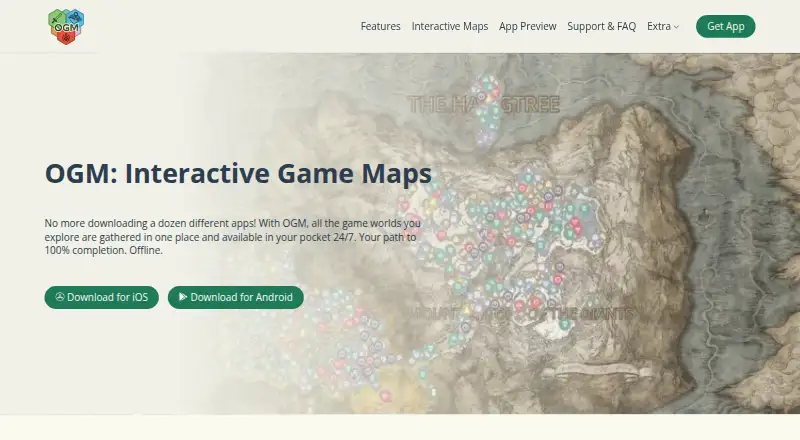
OGM is an unofficial, fan-made app for interactive maps of game worlds; it is a map tool rather than a game. Its library gathers dozens of game maps, with new worlds added regularly. After download, maps and core data work offline, although downloading new or updated maps and initially loading location screenshots require network access. Players can set up separate profiles for different playthroughs, follow progress across individual map regions, and create unlimited tracking categories. They can also add unlimited notes and markers with names, descriptions, icons, and colors, then save filter presets for quick switching. The interface is translated into 12 languages. An optional account syncs progress to Firebase; OGM Hub also supports offline export and import without registration. If there is no cloud sync or manual export file, uninstalling the app permanently deletes progress. The free plan includes offline maps, markers, and tracking with ads. Premium plans remove ads and cost $1.99 a month, $7.99 a year, or $29.99, paid once.
Who it suits
OGM suits players who want to explore game-world maps and track progress across several playthroughs. It may also suit users who need offline maps and prefer to transfer progress with an export rather than create an account.
What it does well
- Maps and core data work offline after download.
- Separate profiles support different playthroughs.
- Unlimited tracking categories, notes, and custom markers.
- Filter presets can be switched with one touch.
- Interface is translated into 12 languages.
What to know first
- New or updated maps require network access.
- Progress can be lost on uninstall without sync or export.
- Free plan is ad-supported.
Limits
The free plan includes offline maps, markers and tracking, but is ad-supported. Monthly Premium, Yearly Premium and Lifetime Access remove ads; the listed prices are $1.99 a month, $7.99 a year and $29.99, paid once.
Plans
| Plan | Billed and limits | Price |
|---|---|---|
| Free | offline maps · markers · progress tracking · ad-supported | Free |
| Monthly Premium | monthly · removes ads | $1.99 a month |
| Lifetime Access | one-time purchase · removes ads | $29.99, paid once |
| Yearly Premium | yearly · removes ads | $7.99 a year |
As ogm.sefir.dev lists them, read 15 Oct 2026. The maker's own page has the final word.
Getting started
- Visit the OGM website.
- Install OGM on Android, iOS or macOS.
- Download the maps you want to use offline.
- Create profiles and tracking categories for your playthroughs.
- Optionally register for automatic synchronization or use OGM Hub to export and import progress.
Overview
OGM is an unofficial companion app for interactive maps of game worlds, not a game. It is best for players who want to keep regional progress and custom map notes organized across separate playthroughs. Its main strength is that downloaded maps and core data work offline, while route planning is not part of the package.
Key features
The library brings together dozens of game maps, with new worlds added regularly. Download maps and core data before going offline; network access is required for new or updated maps, and location screenshots need a connection the first time they load. That makes OGM useful away from reliable connectivity, provided players prepare first.
Separate profiles keep playthroughs distinct. Players can create unlimited tracking categories and follow progress by map region, then add unlimited notes and markers with names, descriptions, icons and colors. Saved filter presets switch with one touch. These tools offer more than a basic map viewer, though players looking for route planning should choose another tool.
The interface is translated into 12 languages. Account-based automatic sync sends progress to Firebase servers; OGM says that data is private to the linked account. Registration is optional: OGM Hub can export and import progress offline. Still, players who do not use sync need to preserve an export file, because uninstalling without either backup permanently deletes progress.
The privacy policy names Google Play Services, AdMob, Google Analytics for Firebase, Firebase Crashlytics and Unity as third-party services. It says commercially acceptable protections are used but cannot guarantee absolute security. Players should weigh that caveat when deciding whether to sync progress.
Pricing
The free plan costs nothing and includes offline maps, markers and tracking, but is ad-supported. It suits players who can tolerate ads and want the core map and progress tools without paying.
All three paid plans remove ads. Monthly Premium costs $1.99 a month, billed monthly; it fits someone who wants an ad-free option without a longer commitment. Yearly Premium costs $7.99 a year, billed yearly, for players who expect to use OGM over time. Lifetime Access costs $29.99, paid once, billed as a one-time purchase, for users who prefer not to renew. The free tier gives up ad removal, while the paid tiers are differentiated by payment term rather than additional features in the plan descriptions.
Platforms
OGM is available on Android, iOS and macOS. The App Store listing requires iOS 15 or later and supports macOS 12 or later on Macs with an Apple M1 chip or later. It is a mobile-oriented choice; players seeking a web app or desktop access beyond supported Macs should consider another option.
Who it's for
OGM is a good fit for players managing multiple game playthroughs who want regional checklists, flexible markers and offline map access in one library. Its unlimited categories and markers are useful for detailed personal tracking. It is less suitable for anyone who needs route planning, or who wants progress to survive an uninstall without enabling sync or making an export.
Pros and cons
- Pro: Downloaded maps and core data work offline, making the app practical where connectivity is limited.
- Pro: Unlimited categories, markers and notes support detailed region-by-region tracking across separate profiles.
- Pro: Offline export and import let users transfer progress without creating an account.
- Con: New and updated maps need a connection, and location screenshots need one on first load.
- Con: Uninstalling without cloud sync or a manual export permanently deletes progress.
- Con: OGM does not plan routes, and the free plan includes ads.
Alternatives
For a wider set of interactive-map options, browse Interactive Game Maps.
- LootAtlas is a free option for players who want Android, iOS or web access.
- Gamer Guides Interactive Maps suits iOS and web users who want maps, guides and databases, with the free plan capped at 50 markers per map.
- TH.GL is worth considering for web, Windows or browser-extension access, with interactive maps, filters and live tracking on its free plan.
- The Forest Map Companion is a focused alternative for The Forest players who want Android, iOS or web access.
- ClearedMap is a web option whose free plan includes every map and marker, unlimited checklists, notes and drawings, with no account required.
- IMapp is a web-based free choice for users who want no paywall or mandatory registration.
- Tarkov Navigator is a web alternative for Tarkov players; its free plan includes all 13 maps, with limits on active quests for some maps.
- MapGenie is another freemium option on Android, iOS and the web.
Verdict
Choose OGM if you want offline game maps with detailed regional tracking, custom markers and distinct profiles for different playthroughs. Its free plan covers those core tools, and paid plans offer a straightforward way to remove ads. Look elsewhere if route planning is essential, or if you are not willing to sync or export progress before uninstalling.
Verdict
OGM brings offline game maps together with tools for tracking regional progress and adding custom markers. Keep in mind that unexported progress is permanently lost if the app is uninstalled without cloud sync.
Questions
Is OGM free?
Yes. The Free plan costs nothing and includes offline maps, markers and tracking with ads.
How much do the paid plans cost?
Monthly Premium costs $1.99 a month, Yearly Premium costs $7.99 a year, and Lifetime Access costs $29.99, paid once. Each removes ads.
Which platforms does OGM support?
OGM is available on Android, iOS and macOS. The App Store listing requires iOS 15 or later and supports macOS 12 or later on Macs with an Apple M1 chip or later.
Can I use OGM offline?
Downloaded maps and core data work offline. Network access is needed for new or updated maps and for initially loading location screenshots.
Do I need an account?
No. An account is optional; OGM Hub supports offline export and import to transfer progress without registering.
What happens to my progress if I uninstall the app?
Without cloud synchronization or a manual export file, progress is permanently deleted when the app is uninstalled.
Facts from OGM's own pages
- Account optional
- An account is optional, and OGM Hub supports offline Export/Import to transfer progress without registering. · ogm.sefir.dev, 1 Oct 2026
- API and SDK documentation
- The opened official pages describe the mobile apps and user features but provide no public API or SDK documentation. · ogm.sefir.dev, 15 Oct 2026
- Apple compatibility
- The App Store listing requires iOS 15 or later and supports macOS 12 or later on Macs with an Apple M1 chip or later. · apps.apple.com, 1 Oct 2026
- Cloud sync
- Account holders can synchronize progress through Firebase servers, while account use is optional. · ogm.sefir.dev, 15 Oct 2026
- Community suggestions
- Each map includes a form for suggesting missing locations for later verification. · ogm.sefir.dev, 15 Oct 2026
- Complaint: premium restoration
- An Apple reviewer said previously purchased premium content did not restore after moving from an older standalone app to the new app. · apps.apple.com, 15 Oct 2026
- Custom markers
- Users can add unlimited markers with titles, descriptions, icons, colors and notes. · ogm.sefir.dev, 15 Oct 2026
- Data-loss limit
- Progress is permanently lost after uninstalling if the user has neither cloud sync nor an export file. · ogm.sefir.dev, 15 Oct 2026
- Filter presets
- Custom combinations of map filters can be saved and switched with one touch. · ogm.sefir.dev, 15 Oct 2026
- Filters
- The app supports saved filter presets that can be switched with one touch. · play.google.com, 1 Oct 2026
- Google Play availability
- Google Play lists OGM as containing ads and in-app purchases with 1K+ downloads. · play.google.com, 15 Oct 2026
- Headquarters
- Kyiv, Ukraine · ogm.sefir.dev, 28 Sept 2026
- Hosting location
- The terms state that the services are hosted in Ukraine. · ogm.sefir.dev, 15 Oct 2026
- Independent Android listing
- AppBrain classified OGM as a free Books & Reference app by sefir.den and reported no ratings on the page it opened. · appbrain.com, 15 Oct 2026
- Independent Android size
- AppBrain listed the APK size as 107.51 MB for version 0.9.99. · appbrain.com, 15 Oct 2026
- Independent developer history
- AppBrain says the sefir.den Android developer has been active since 2019 and has published multiple apps. · appbrain.com, 15 Oct 2026
- Languages
- The interface is advertised as supporting 12 languages. · ogm.sefir.dev, 15 Oct 2026
- Licence terms
- The terms grant a revocable, non-exclusive, non-transferable personal-use licence and prohibit copying, reverse engineering and derivative works. · ogm.sefir.dev, 15 Oct 2026
- Limit: icon size
- An Apple reviewer complained that map icons were too small. · apps.apple.com, 15 Oct 2026
- Limit: map coverage
- An Apple reviewer reported missing special-edition content, unique weapons and armor in a map. · apps.apple.com, 15 Oct 2026
- Manual transfer
- OGM Hub supports offline export and import of progress through a text file without registration. · ogm.sefir.dev, 15 Oct 2026
- Map library
- The app provides a unified library where users can switch among dozens of game worlds. · ogm.sefir.dev, 15 Oct 2026
- Notable update
- The Apple version history records version 1.0.103 with faster loading, screen-sleep fixes, ad-layout fixes, region and heatmap search, and heatmap performance improvements. · apps.apple.com, 15 Oct 2026
- Offline maps
- Downloaded maps and core data remain usable without a network connection. · ogm.sefir.dev, 15 Oct 2026
Where OGM stands on Freedom251
- Interactive Game Maps#6 of 21