Freedom251 › Interactive Game Maps
GameMaps
What GameMaps is
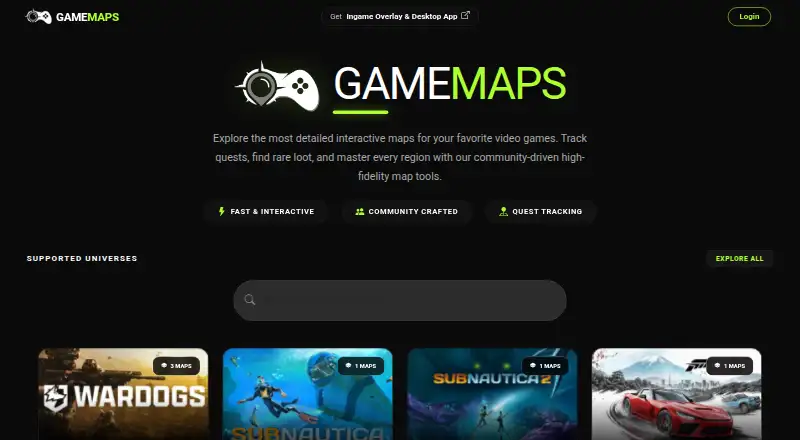
GameMaps provides interactive maps and related tools for video games through its website and Windows access. Its map collection includes Escape from Tarkov, Valorant, Counter-Strike 2, and Overwatch. For Tarkov, players can use 2D maps, 3D renders, stash and key maps, and quest maps. Markers identify extracts, spawns, bosses, keys, locked doors, loot, and quest objectives. Logged-in Tarkov users can mark quests complete and enter their player level to see relevant quests. GameMaps also offers Tarkov tools for tracking items to keep, checking ammunition information, and viewing quests. The browser maps are free, at no cost. The GameMaps overlay is available through Overwolf for desktop gaming, and it can also appear in a secondary desktop window; paid subscriptions are available through the Overwolf app. Some features require an account, and features may differ between the website and Overwolf app. Users can suggest maps through game pages and submit game suggestions or bug reports through the feedback page. Third-party advertising supports the service, and privacy settings let users reject non-essential cookies and adjust advertising preferences. Oakcode Ltd acts as data controller under UK GDPR and GDPR, and account passwords are stored in hashed form. Use is for personal, non-commercial purposes, and users must be at least 13 years old.
Who it suits
GameMaps suits players who want interactive maps and game-specific tools, especially Tarkov players looking for quest tracking and map markers. It is intended for personal, non-commercial use by people aged 13 or older.
What it does well
- Free browser maps cover the listed games.
- Tarkov maps include 2D and 3D formats.
- Markers identify loot, extracts, bosses, and quest objectives.
- Logged-in users can track Tarkov quests by level.
- Overwolf provides an in-game overlay and secondary-window option.
What to know first
- Some features require an account.
- Website and Overwolf features may differ.
- Paid Overwolf subscriptions are available, with price unstated.
- Use is limited to personal, non-commercial purposes.
Limits
Browser maps are free. Some features require an account, and features may vary between the website and Overwolf app; paid Overwolf subscriptions are available, but their price is unstated.
Plans
| Plan | Billed and limits | Price |
|---|---|---|
| Browser maps | All maps are free and run in browser | Free |
| GameMaps Overwolf app | Paid subscriptions are available through the Overwolf app; price not stated on the pages reviewed | On request |
As gamemaps.net lists them, read 8 Oct 2026. The maker's own page has the final word.
Getting started
- Open the GameMaps website in a browser.
- Choose a game and open one of its available maps.
- Create or log in to an account for features that require one.
- For in-game access, get the GameMaps overlay through Overwolf.
- Use the feedback page to suggest a game or report a bug.
GameMaps is an interactive map service for video games, combining free browser maps with a Windows overlay delivered through Overwolf. It suits players who rely on location references and quest planning, especially Escape from Tarkov. The free web tier is compelling for map research, while in-game viewing depends on a separate subscription and may not mirror the website.
Overview
The service brings game maps and supporting tools into one reference point. Its catalogue includes Escape from Tarkov, Valorant, Counter-Strike 2 and Overwatch, so it can serve players across several competitive and cooperative games. Tarkov is the clear centre of gravity: the range of map views and tracking tools is substantially broader than the general description for other titles.
A browser-first setup works well for planning before a session or checking a location on another screen. The Windows Overwolf app instead puts maps into the desktop gaming environment and can also run in a secondary desktop window. That convenience is useful when repeatedly switching between a game and a browser, but users should expect that website and app features can differ.
Key features
Tarkov maps are offered as 2D maps, 3D renders, stash maps, key maps and quest maps. Markers identify extracts, spawns, bosses, keys, locked doors, loot and quest objectives. This combination supports both broad route planning and quick, targeted lookups: a player can study a map layout, then narrow attention to a key, locked door or extraction point.
Signed-in Tarkov players can mark quests complete and enter their player level so the service can show relevant quests. That turns a static map into a progression reference, although the account requirement adds a step for anyone who only wants anonymous map viewing. GameMaps also integrates an Items To Keep tool, an Ammo Chart and quest resources, extending its use from navigation to preparation.
Each game page includes a Suggest Map option for community contributions. It gives players a way to request or propose coverage, but it does not change the core experience: the strongest documented feature set remains Tarkov-focused.
Pricing
Browser maps: free. Every map runs in the browser, making this the straightforward choice for players who want map access without a subscription. It is particularly suitable for occasional lookups and users who do not need an overlay.
GameMaps Overwolf app: custom pricing. Overwolf and its authorised payment providers handle subscriptions and billing; GameMaps says it does not process payments or retain billing information. Choose this route only when in-game or secondary-window access justifies confirming the subscription cost, and check that the features you need exist in the app as well as the site.
Some features require an account. The service is intended for personal, non-commercial use, and its terms require users to be at least 13 years old. Third-party advertising supports GameMaps; non-essential cookies can be rejected and advertising preferences changed in the privacy settings.
Platforms
GameMaps runs on the web and Windows. The web version provides the free browser maps. The Windows option is the Overwolf desktop app, designed for use during gaming or in a separate desktop window. Mobile platforms are not part of the stated support, so phone and tablet users should plan around browser access where compatible.
Who it's for
Choose GameMaps if you play Tarkov and want detailed map variants, objective markers and progress tracking in one service. It also fits players of the other listed games who need a browser map reference, particularly when free access matters more than an integrated overlay.
It is less suitable for commercial use, for users who require identical functionality across web and app, or for anyone unwilling to create an account for quest-progress features. Players seeking a mobile-first map tool should consider a platform with explicit Android or iOS support instead.
Pros and cons
Pros
- Free browser access: all browser maps cost 0.00 USD, so basic map use has no subscription barrier.
- Strong Tarkov coverage: 2D, 3D, stash, key and quest maps plus markers for major objectives support both planning and quick checks.
- Progress tools: quest completion and level-based relevance make the maps useful beyond navigation for signed-in players.
- Desktop overlay: Overwolf can display maps while gaming or in a secondary window.
Cons
- Unstated app price: the Overwolf subscription cost is custom pricing, making the paid option harder to assess upfront.
- Feature differences: website and app capabilities may vary, so an app subscriber may not receive the same toolkit everywhere.
- Account dependency: quest tracking requires sign-in, adding friction for players who want a private, quick reference.
- Personal use only: the terms exclude commercial use and set a minimum age of 13.
Alternatives
Interactive Game Maps is the broader directory starting point when you want to compare map-focused software across categories.
LootAtlas is a free alternative on Android, iOS and the web, making it a better fit when mobile access is central.
OGM offers offline maps, markers and tracking on Android, iOS and macOS, with a 1.99 USD monthly or 7.99 USD yearly premium tier that removes ads.
Gamer Guides Interactive Maps suits iOS and web users who want guides, discussions and up to 50 markers per map on its free plan.
TH.GL is a browser, Windows and extension option with interactive maps, filters and live tracking; cloud-synced filters and comments require sign-in.
The Forest Map Companion is aimed at The Forest players, with free maps and guides plus paid monthly or yearly full access.
ClearedMap provides web-only maps with every marker, checklists, notes and drawings free forever without an account.
IMapp is a web-only free option with no paywall or mandatory registration.
Tarkov Navigator is a web alternative offering 13 maps and limited active quests on its free, registration-free plan.
Verdict
GameMaps is the right choice for Tarkov players who want unusually detailed map views, objective markers and quest progress in a free browser service, with an optional desktop overlay. Look elsewhere if you need a clearly priced app subscription, consistent web-and-app features, mobile support or permission for commercial use.
Verdict
Choose GameMaps if you want free browser maps or Tarkov maps with quest tracking and detailed markers. Look elsewhere if you need identical features across the website and Overwolf app, or commercial use.
Questions
Is GameMaps free?
Its browser maps are free. Paid subscriptions are available through the Overwolf app.
Which platforms does GameMaps support?
The listed platforms are web and Windows. The Overwolf app provides desktop access, including an in-game overlay or a secondary desktop window.
Which games have maps?
The collection includes Escape from Tarkov, Valorant, Counter-Strike 2, and Overwatch.
Can I track Tarkov quests?
Yes. Logged-in users can mark quests complete and enter their player level to see relevant quests.
Can I use GameMaps commercially?
The terms permit personal, non-commercial use. Users must be at least 13 years old.
Facts from GameMaps's own pages
- Advertising and consent
- GameMaps is supported by third-party advertising, and users can reject non-essential cookies and change advertising preferences through available privacy settings. · gamemaps.net, 8 Oct 2026
- Audience
- The terms say users must be at least 13 years old and permit personal, non-commercial use. · gamemaps.net, 8 Oct 2026
- Community contributions
- Game pages provide a Suggest Map option for community contributions. · gamemaps.net, 8 Oct 2026
- Desktop support
- The Overwolf app is for desktop gaming and can also be used in a secondary desktop window. · overwolf.com, 8 Oct 2026
- Headquarters
- Belmont Suite, Paragon Business Park, Chorley New Road, Horwich, Bolton, England, BL6 6HG, United Kingdom · gamemaps.net, 28 Sept 2026
- In-game app
- The GameMaps overlay app makes the maps available in-game through Overwolf. · gamemaps.net, 8 Oct 2026
- Integrations
- GameMaps integrates map tools and locations for Tarkov, including an Items To Keep tool, an Ammo Chart, and Quests. · gamemaps.net, 8 Oct 2026
- Limits
- Some features require an account, and features may vary between the website and Overwolf app. · gamemaps.net, 8 Oct 2026
- Map collection
- Its site lists interactive maps for many games, including Escape from Tarkov, Valorant, Counter-Strike 2, and Overwatch. · gamemaps.net, 8 Oct 2026
- Map markers
- Tarkov maps show extracts, spawns, bosses, keys, locked doors, loot, and quest objectives. · gamemaps.net, 8 Oct 2026
- Map types
- Tarkov maps include 2D maps, 3D renders, stash and key maps, and quest maps. · gamemaps.net, 8 Oct 2026
- Payments
- Overwolf and its authorized payment providers handle subscriptions and billing; GameMaps says it does not process payments or store billing information. · gamemaps.net, 8 Oct 2026
- Quest tracking
- Logged-in Tarkov users can mark quests complete and enter their player level to see relevant quests. · gamemaps.net, 8 Oct 2026
- Security and privacy
- The privacy policy says account passwords are stored only in hashed form and Oakcode Ltd acts as data controller under UK GDPR and GDPR. · gamemaps.net, 8 Oct 2026
- Support
- Users can contact support by email for account issues and password resets, and submit game suggestions or bug reports through the feedback page. · gamemaps.net, 8 Oct 2026
- What it does
- GameMaps provides interactive maps and related tools for video games. · gamemaps.net, 8 Oct 2026
Where GameMaps stands on Freedom251
- Interactive Game Maps#2 of 21