Freedom251 › PC benchmark tools

NVIDIA FrameView
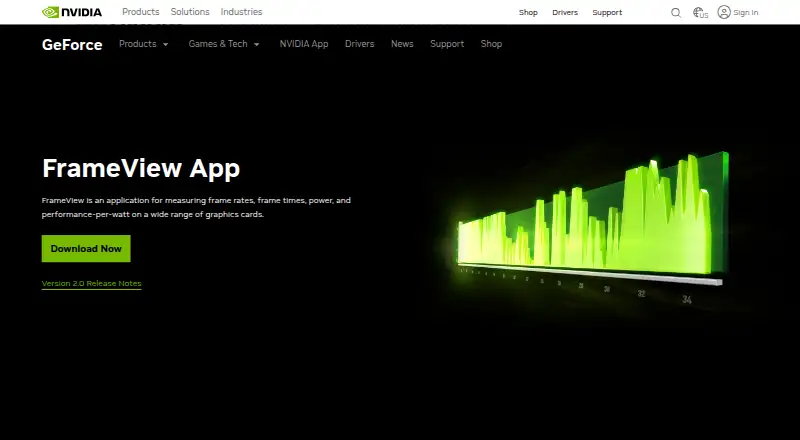
What NVIDIA FrameView is
NVIDIA FrameView is a free Windows utility for measuring graphics-card performance, power use, and performance per watt. It records frame rates and frame times, and can capture PC latency alongside FPS without additional hardware. A configurable overlay displays metrics in real time, with benchmark results also saved to log files. FrameView uses PresentMon for analytics and supports single-GPU configurations from NVIDIA, AMD, and Intel. It works with major graphics APIs including DirectX 9–12, OpenGL, and Vulkan, as well as Universal Windows Platform apps and applications running in full-screen or windowed modes. Power reporting varies by GPU: FrameView measures chip and board power for NVIDIA GPUs, while AMD measurements cover chip power only. Correct AMD power measurement requires PCAT or another interposer setup. Windows 10 and above are supported. Data capture is logged for DX9 and DX10 games, although the overlay does not appear in those titles. The overlay is also unavailable with Battlefield 6 anticheat. NVIDIA says the redesigned overlay requires Multi-Plane Overlay support; if MPO is unavailable or disabled, presentation latency can increase.
Who it suits
FrameView suits Windows users who want to monitor frame rates, frame times, latency, and GPU power across supported single-GPU setups. It is also useful for comparing performance-per-watt and saving benchmark data for later review.
What it does well
- Free Windows download for Windows 10 and above.
- Captures PC latency alongside FPS without extra hardware.
- Shows real-time metrics and saves benchmark logs.
- Supports NVIDIA, AMD, and Intel single-GPU configurations.
- Works across DirectX 9–12, OpenGL, and Vulkan.
What to know first
- Correct AMD power readings require PCAT or another interposer setup.
- The overlay does not display in DX9 or DX10 games.
- Battlefield 6 anticheat prevents overlay availability.
- The redesigned overlay can increase presentation latency without MPO.
Limits
The free plan is for Windows 10 and above. AMD power measurement covers chip power only, and correct readings require PCAT or another interposer setup; DX9 and DX10 captures are logged without an overlay.
Plans
| Plan | Billed and limits | Price |
|---|---|---|
| FrameView | Free download · Windows 10 and above · NVIDIA chip and board power; AMD chip power only | Free |
As nvidia.com lists them, read 11 Oct 2026. The maker's own page has the final word.
Getting started
- Open the NVIDIA FrameView website.
- Download the free Windows version.
- Install it on Windows 10 or above.
- Configure the overlay to display real-time metrics.
- Use the logs to review benchmark results.
Verdict
Choose NVIDIA FrameView if you need a free Windows tool for tracking graphics performance, power, and latency across supported APIs. Look elsewhere if your workflow depends on an overlay in DX9 or DX10 games, with Battlefield 6 anticheat, or on AMD power readings without an interposer setup.
Questions
How much does NVIDIA FrameView cost?
The FrameView plan is free.
Which operating systems does FrameView support?
FrameView supports Windows 10 and above.
Which graphics cards and APIs are supported?
It supports NVIDIA, AMD, and Intel single-GPU configurations, plus DirectX 9–12, OpenGL, and Vulkan.
Does FrameView capture PC latency?
Yes. Its user guide says it can capture PC latency alongside FPS without additional hardware.
How do power measurements differ between NVIDIA and AMD GPUs?
FrameView measures chip and board power for NVIDIA GPUs, and chip power only for AMD GPUs. Correct AMD power measurement requires PCAT or another interposer setup.
Who makes FrameView?
The maker is NVIDIA FrameView, headquartered in Santa Clara, California, United States, and founded in 1993.
Facts from NVIDIA FrameView's own pages
- AMD power limit
- The user guide says measuring correct AMD power requires PCAT or another interposer setup. · images.nvidia.com, 11 Oct 2026
- Analytics
- The product page says FrameView leverages PresentMon for analytics. · nvidia.com, 11 Oct 2026
- Apps
- FrameView supports Universal Windows Platform apps as well as full-screen and windowed modes. · images.nvidia.com, 11 Oct 2026
- Founded
- 1993 · nvidia.com, 23 Sept 2026
- Free plan
- Yes · nvidia.com, 20 Sept 2026
- Game compatibility
- NVIDIA lists FrameView's overlay as unavailable with Battlefield 6 anticheat. · nvidia.com, 11 Oct 2026
- Graphics compatibility
- FrameView supports NVIDIA, AMD, and Intel single-GPU configurations and major graphics APIs including DirectX 9–12, OpenGL, and Vulkan. · images.nvidia.com, 11 Oct 2026
- Headquarters
- Santa Clara, California, United States · nvidia.com, 23 Sept 2026
- Latency
- The user guide says FrameView can capture PC latency alongside FPS without additional hardware. · images.nvidia.com, 11 Oct 2026
- Live overlay
- The configurable overlay presents real-time metrics, and benchmark results are also saved to log files. · nvidia.com, 11 Oct 2026
- MPO requirement
- NVIDIA says the redesigned overlay requires Multi-Plane Overlay support and can increase presentation latency when MPO is unavailable or disabled. · nvidia.com, 11 Oct 2026
- Operating system
- The user guide lists Windows 10 and above as supported. · images.nvidia.com, 11 Oct 2026
- Overlay limits
- The user guide says DX9 and DX10 games do not display the overlay, though data capture is supported and logged. · images.nvidia.com, 11 Oct 2026
- Power measurement
- The product page specifies chip and board power measurement for NVIDIA GPUs and chip power only for AMD GPUs. · nvidia.com, 11 Oct 2026
- Purpose
- FrameView measures frame rates, frame times, power, and performance-per-watt on graphics cards. · nvidia.com, 11 Oct 2026
- Security
- NVIDIA says it evaluates reported security concerns and provides corrective actions, and publishes product security bulletins. · nvidia.com, 11 Oct 2026
- Support
- NVIDIA directs product users to its support page or a Customer Care agent. · nvidia.com, 11 Oct 2026
Where NVIDIA FrameView stands on Freedom251
- PC benchmark tools#15 of 70
- Game Overlay Software#14 of 25
- PC Benchmark Software#42 of 73
- Game Benchmark Software#13 of 22