
Novlr
What Novlr is
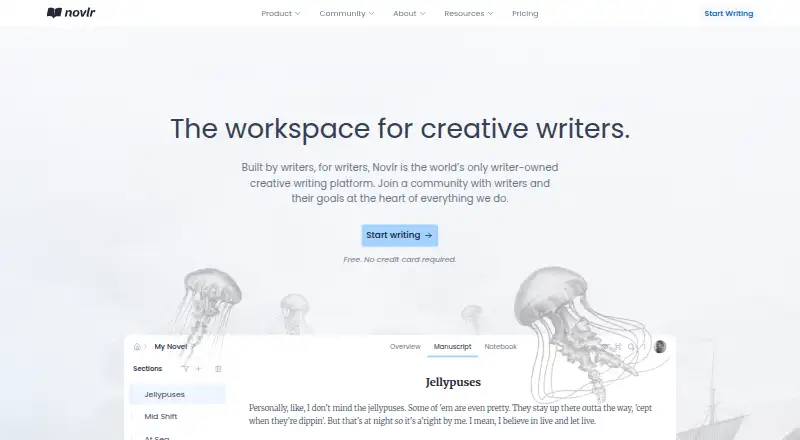
Novlr is a creative writing workspace for planning, drafting, and publishing. Its planning grid helps writers follow story arcs and plot threads, with notes alongside the manuscript. Writing tools include focus and typewriter modes, timed sprints, goals, streaks, and analytics. Publishing tools are included, and writing and notes can be exported in DOCX, PDF, ODT, EPUB, or RTF. The free plan allows two projects and includes syncing, planning notes, focus mode, writing sprints, and analytics. Starter costs $8/mo (annual) and includes up to 10 projects and 30-day version history. Studio costs $16/mo (annual) and adds unlimited projects and version history, Novlr Sites with themes and a custom domain, proofing tools, and backups to Google Drive or Dropbox. Novlr is accessed in a browser on supported devices, including phones and tablets, but an active internet connection is required. Novlr says it does not use AI to process or train on users’ writing, and its self-hosted grammar checker does not send text to a third party.
Who it suits
Novlr suits writers who want one workspace for planning, drafting, and publishing, whether they write for themselves, share fanfiction, or pursue traditional or self-publishing. Writers seeking author websites or cloud backups can consider the Studio plan.
What it does well
- Planning grid tracks story arcs and plot threads.
- Exports include DOCX, PDF, ODT, EPUB, and RTF.
- Free plan supports two projects.
- Studio includes author websites and cloud backups.
- Novlr says writing is not used for AI processing or training.
What to know first
- Requires an active internet connection.
- No mobile apps are listed.
- Starter and Studio are billed yearly.
Limits
The Free plan allows two projects. Starter is limited to 10 projects and 30-day version history; Studio includes unlimited projects and version history. Novlr requires an active internet connection, even when opened from a phone or tablet home screen.
Plans
| Plan | Billed and limits | Price |
|---|---|---|
| Free | Free for everyone · 2 projects · Online syncing · Notes and planning grid · Focus mode · Writing sprints · Analytics | Free |
| Starter | Billed yearly; Save 20% · 10 projects · 30-day version history · Goals, streaks, Academy courses and community access | $8 a month |
| Studio | Billed yearly; Save 20% · Unlimited projects and version history · Novlr Sites included · Proofreader and advanced grammar/style checker · Google Drive or Dropbox backups · Priority support | $16 a month |
| Lifetime Studio Member | Pay once. No subscription. · Everything in Studio, forever · Co-ownership · Exclusive Discord channels | $499, paid once |
As novlr.org lists them, read 2 Oct 2026. The maker's own page has the final word.
Getting started
- Visit https://www.novlr.org/ in a current major browser.
- Choose the Free plan or a paid plan.
- Use Safari on iOS or Chrome or Firefox on Android if accessing from a phone or tablet.
- Keep an active internet connection while using Novlr.
Novlr is a browser-based workspace for drafting and organizing creative writing. It is best for writers who want story planning, writing routines, and export tools alongside a manuscript. Its breadth is useful, but needing an internet connection at all times is a real drawback.
Overview
Novlr brings manuscript work together with a planning grid for tracking story arcs and plot threads, with notes kept alongside the draft. Focus and typewriter modes, writing sprints, goals, streaks, and analytics give writers ways to shape sessions and track progress. This is a better fit for writers who value structure and motivation in the same workspace than for those seeking only a straightforward text editor.
Publishing tools, real-time collaboration, and version history extend Novlr beyond drafting. Writers can export their work and notes as DOCX, PDF, ODT, EPUB, or RTF, which makes it practical to move a project into different document and ebook formats. Novlr says it encrypts data in transit and at rest, uses database row-level security and secure session management, and does not use users’ writing for AI processing, analysis, or training. Its self-hosted grammar checker does not send text to a third party. User data is stored in the United States, with Supabase and Google Cloud Platform hosting services.
Key features
Planning and writing tools
The planning grid helps writers keep track of story arcs and plot threads without separating planning notes from the manuscript. Focus and typewriter modes support distraction-reduced drafting, while sprints, goals, streaks, and analytics help writers build and monitor a routine. These tools suit writers who want help organizing both a story and the work of writing it; they may be unnecessary overhead for someone who simply wants to draft.
Export, publishing, and sites
Novlr’s five export formats cover common document, ebook, and rich-text needs, and the platform also offers publishing tools. Studio adds Novlr Sites, which lets writers create an author website with themes and a custom domain. That is a useful extra for writers building an author presence, but it is not part of the lower-cost plans.
Access and support
Novlr supports current major browsers, including Safari on iOS and Chrome or Firefox on Android. It offers in-app support chat, email support, and a writer community on Discord. Despite its mobile browser support, Novlr is not an offline writing tool: it requires an active internet connection even when saved to a phone or tablet home screen. The platform lists Android and iOS support, but does not offer mobile apps.
Pricing
The Free plan costs nothing and includes two projects, online syncing, notes and the planning grid, focus mode, writing sprints, and analytics. It is a substantial starting point for writers with a small number of active projects, but it lacks the paid plans’ goals and streaks, and caps project count at two.
Starter costs $8 a month, billed yearly, with a 20% saving. It raises the limit to 10 projects and adds 30-day version history, goals, streaks, Academy courses, and community access. This is the best fit for writers who want progress tracking and a way to revisit recent work without needing unlimited projects, a website, or cloud backups.
Studio costs $16 a month, billed yearly, with a 20% saving. It includes unlimited projects and version history, Novlr Sites, a proofreader and advanced grammar and style checker, Google Drive or Dropbox backups, and priority support. The extra cost makes sense for prolific writers who need longer-term revision history, external backups, or an author website; those features are absent from Free and Starter.
Lifetime Studio Member is priced at $499 a month and includes Studio features forever, no subscription, Novlr co-ownership, and exclusive Discord channels. Its stated price and terms make it a distinct commitment from the yearly subscriptions rather than a simple monthly upgrade.
Platforms
Novlr runs on the web and supports Android and iOS browsers, but it requires an active internet connection. Writers who need to work offline should look elsewhere, even if they plan to use it from a mobile device’s home screen.
Who it's for
Novlr says it serves writers working on personal projects, fanfiction, or manuscripts for traditional or self-publishing. Its planning tools and writing routines particularly suit writers who want to manage plot and progress together. Novlr also says it became partially writer-owned in 2023, with writer-owners having a say in its development.
Pros and cons
- Pros: A planning grid, notes, drafting modes, and motivation tools keep story organization and writing routines in one workspace.
- Pros: DOCX, PDF, ODT, EPUB, and RTF exports provide flexible ways to move manuscripts and notes out of Novlr.
- Pros: Studio adds unlimited projects and version history, cloud backups, and an author website with a custom domain.
- Cons: An active internet connection is required, including on mobile browsers, so Novlr does not suit offline writing.
- Cons: Free is capped at two projects, while Studio-only features such as Novlr Sites and cloud backups require the higher-priced plan.
- Cons: There are no mobile apps, despite support for mobile browsers.
Alternatives
For a broader set of book-writing choices, see Book Writing Software; for more general writing tools, browse Writing Apps.
Choose Campfire if you want a freemium writing and worldbuilding option with Android, iOS, macOS, web, and Windows support; its free tier offers limited access to writing and worldbuilding modules without requiring a credit card.
Wavemaker Cards is a free alternative available on Android, iOS, Linux, macOS, web, and Windows.
LivingWriter offers a free plan for one manuscript, capped at 25,000 words, with a full editor for chapters and subchapters and PDF export. It may suit writers focused on a single manuscript who want those specific editor and export features.
Plot Factory is worth considering for writers who want a freemium story-planning option with a free trial; its Basic plan allows one story, one universe, and 250-word narrations per day, while Hobbyist costs $9 a month.
Author's Forge offers a free plan and free trial for writers using Linux, macOS, or Windows.
oStorybook is a free desktop application for Linux, macOS, and Windows, and requires Java 8 or higher.
DragonWriter is a free, online-only option for Android and web, with no ads or paywall.
Novellum has a free beta plan with all features, unlimited books, scenes, and Nexus entries; after beta, its stated price is $15/month or $162/year, and its AI uses your own provider key.
Verdict
Novlr is a strong choice for writers who want planning, drafting routines, and flexible exports in one workspace, with Studio adding useful backup and author-site options. Its always-online requirement is the clearest reason to choose another tool, and writers who need more than two projects or Studio features should weigh the yearly plan costs before settling in.
Verdict
Novlr combines manuscript work, planning, publishing tools, and multiple export formats. Its browser-based access requires internet, and some features such as Novlr Sites and cloud backups are limited to Studio.
Questions
Is Novlr free?
Yes. Its Free plan costs $0.00 and supports two projects, online syncing, notes and planning, focus mode, writing sprints and analytics.
How much do the paid plans cost?
Starter costs $8.00 per month billed yearly. Studio costs $16.00 per month billed yearly. Lifetime Studio Member is listed at $499.00 per month, with Studio features forever and no subscription.
What devices can I use Novlr on?
Novlr is a web app for current major browsers, including Safari on iOS and Chrome or Firefox on Android. It has no mobile apps and requires an active internet connection.
What can I export from Novlr?
Writing and notes can be exported as DOCX, PDF, ODT, EPUB and RTF.
Does Novlr use AI on my writing?
Novlr says it does not use AI to process, analyze or train on users’ writing. It says its self-hosted grammar checker does not send text to a third party.
What does Studio add?
Studio includes unlimited projects and version history, Novlr Sites, proofing tools, Google Drive or Dropbox backups and priority support. Novlr Sites supports themes and custom domains.
Facts from Novlr's own pages
- Author websites
- Novlr Sites lets writers create an author website with themes and a custom domain, and it is included with Studio plans. · novlr.org, 2 Oct 2026
- Real-time collaboration
- Yes · novlr.org, 19 Sept 2026
- Data location
- The policy says user data is stored in the United States, with Supabase and Google Cloud Platform hosting services. · novlr.org, 2 Oct 2026
- Device support
- Novlr supports current major browsers, including Safari on iOS and Chrome or Firefox on Android. · help.novlr.org, 2 Oct 2026
- Export formats
- extensive · novlr.org, 19 Sept 2026
- Exports
- Writing and notes can be exported in DOCX, PDF, ODT, EPUB, and RTF formats. · novlr.org, 2 Oct 2026
- Free plan
- Yes · novlr.org, 19 Sept 2026
- Integrations
- Studio offers additional backups to Google Drive or Dropbox. · novlr.org, 2 Oct 2026
- Intended users
- Novlr says it serves writers who write for themselves, share fanfiction, or aim for traditional or self-publishing. · novlr.org, 2 Oct 2026
- Mobile apps
- No · novlr.org, 19 Sept 2026
- Offline limitation
- Novlr is a web app and requires an active internet connection, including when saved to a phone or tablet home screen. · help.novlr.org, 2 Oct 2026
- Offline mode
- Yes · novlr.org, 19 Sept 2026
- Ownership
- Novlr says it became partially writer-owned in 2023 and that writer-owners have a say in its development. · novlr.org, 2 Oct 2026
- Publishing tools
- Yes · novlr.org, 19 Sept 2026
- Purpose
- Novlr is a creative writing workspace designed to help writers plan, write, stay motivated, and publish. · novlr.org, 2 Oct 2026
- Security
- The privacy policy says data is encrypted in transit and at rest, with database row-level security and secure session management. · novlr.org, 2 Oct 2026
- Story planning
- Its planning grid helps writers track story arcs and plot threads across a project, with planning notes alongside the manuscript. · novlr.org, 2 Oct 2026
- Support
- Novlr offers in-app support chat, email support, and a writer community on Discord. · novlr.org, 2 Oct 2026
- Version history
- Yes · novlr.org, 19 Sept 2026
- Writing privacy
- Novlr says it does not use AI to process, analyze, or train on users’ writing, and its self-hosted grammar checker does not send text to a third party. · novlr.org, 2 Oct 2026
- Writing tools
- Features include focus mode, typewriter mode, writing sprints, goals, streaks, analytics, notes, and a planning grid. · novlr.org, 2 Oct 2026
Where Novlr stands on Freedom251
- Writing Apps#26 of 135
- Book Writing Software#10 of 34
- Text App#9 of 24
- Note And Writing Apps#18 of 32