Notion Calendar
What Notion Calendar is
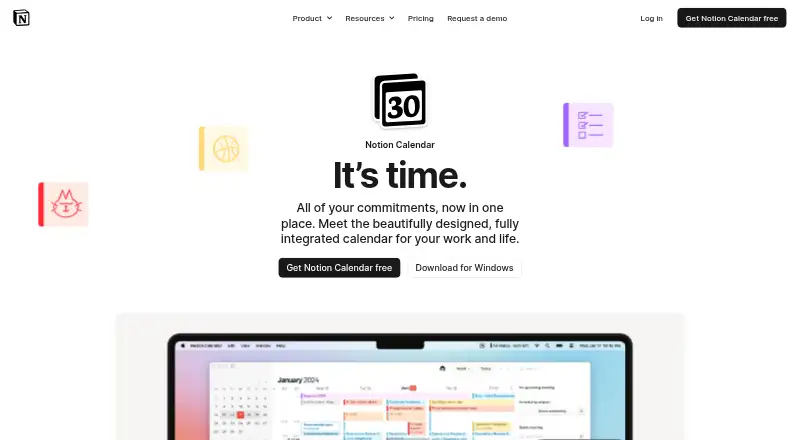
Notion Calendar is a calendar service with a free plan that costs nothing, billed monthly. The plan includes Notion Calendar and lets users connect multiple calendars. Calendar sync works in both directions, and shared calendars are supported. Users can block time, create scheduling links, and use video meeting support. Mobile apps are available for iOS and Android. The listed tools also extend to work planning: task dependencies, a Gantt timeline, Kanban boards, resource planning, and custom fields. These capabilities put calendar coordination and structured project planning together in one product offering. The maker is Notion Calendar, headquartered in San Francisco, California, United States. Its product website is notion.com/product/calendar. The stated plan information specifically includes the calendar service and multiple calendar connections; the listed capabilities also include the scheduling and work-planning functions described above.
Who it suits
It suits people who want to coordinate multiple calendars, share availability, and schedule meetings from iOS or Android. Its listed task dependencies, Gantt timeline, Kanban boards, resource planning, and custom fields may also suit users organizing project work alongside their calendar.
What it does well
- Free plan includes Notion Calendar and multiple calendar connections.
- Supports two-way calendar sync and shared calendars.
- Includes time blocking and scheduling links.
- Video meeting support is listed.
- Mobile apps are available for iOS and Android.
- Lists task dependencies, Gantt timelines, Kanban boards, resource planning, and custom fields.
What to know first
- The listed mobile platforms are iOS and Android.
- The plan is billed monthly.
Limits
The Free plan includes Notion Calendar and multiple calendar connections. The listed plan information does not give other plan limits.
Plans
| Plan | Billed and limits | Price |
|---|---|---|
| Free | billed monthly · Notion Calendar included · Connect multiple calendars | Free |
As notion.com lists them, read 20 Sept 2026. The maker's own page has the final word.
Getting started
- Open the Notion Calendar website.
- Choose the Free plan at no cost, billed monthly.
- Install the iOS or Android app.
- Connect multiple calendars to the service.
Verdict
Choose Notion Calendar if you want a free calendar plan with multiple calendar connections, two-way sync, and scheduling tools on mobile. Its listed project-planning features may also suit work organization, while buyers who need platforms beyond iOS and Android should look elsewhere.
Questions
Is Notion Calendar free?
Yes. Its Free plan is listed as free, billed monthly.
What does the Free plan include?
It includes Notion Calendar and the ability to connect multiple calendars.
Which mobile platforms are available?
Mobile apps are listed for iOS and Android.
Does it support calendar sharing and sync?
Yes. Shared calendars and two-way calendar sync are listed.
Does it support scheduling and video meetings?
Yes. Scheduling links and video meeting support are listed.
Who makes Notion Calendar?
The maker is listed as Notion Calendar, headquartered in San Francisco, California, United States.
Facts from Notion Calendar's own pages
- Calendar sync
- two_way · notion.com, 20 Sept 2026
- Free plan
- Yes · notion.com, 20 Sept 2026
- Headquarters
- San Francisco, California, United States · notion.com, 28 Sept 2026
- Mobile apps
- ios and android · notion.com, 20 Sept 2026
- Scheduling links
- Yes · notion.com, 20 Sept 2026
- Shared calendars
- Yes · notion.com, 20 Sept 2026
- Time blocking
- Yes · notion.com, 20 Sept 2026
- Video meeting support
- Yes · notion.com, 20 Sept 2026
Where Notion Calendar stands on Freedom251
- Calendar apps#28 of 194
- Cloud Content Collaboration Software#17 of 30
- Collaborative Document Software#25 of 33