Freedom251 › Barcode Generators
NitroLabel
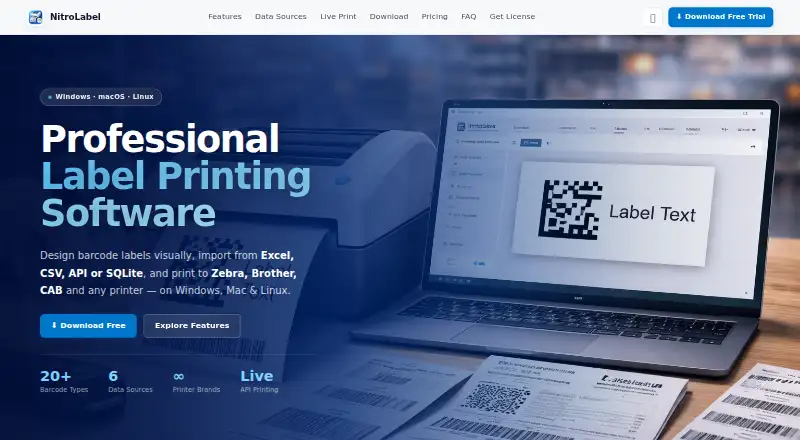
What NitroLabel is
NitroLabel is desktop software for designing barcode labels and printing them from imported or live data. Its drag-and-drop designer handles text, barcodes, shapes, and images, with grid snapping, keyboard shortcuts, and undo and redo. Users can map data columns to label variables, preview records, and print batches of unique labels. Imports support Excel, CSV, JSON, XML, and SQLite, including custom SQL queries for SQLite databases. More than 20 barcode types are available, including QR Code, CODE 128, Data Matrix, EAN-13, PDF417, and GS1-128. Printing works through driver-based printers or native ZPL on compatible devices. Live Print checks REST APIs every 3 seconds to 1 minute, then prints new records or queues them for review. NitroLabel runs on Windows, macOS, and Linux, keeps data on the machine, and offers lifetime or yearly licenses.
Who it suits
The software suits warehouses, e-commerce fulfillment, and manufacturing lines needing variable-data or automated label printing. It also fits users with compatible driver-based or ZPL printers.
What it does well
- Imports Excel, CSV, JSON, XML, and SQLite
- Supports more than 20 barcode types
- Automates printing through REST APIs
- Works offline after initial license verification
- Supports Windows, macOS, and Linux
What to know first
- Three-day trial only
- Each license covers one device
- First activation needs internet
Limits
NitroLabel has no free plan and its free trial lasts three days from the first launch. Paid licenses are locked to one device, so every additional computer requires another license.
Plans
| Plan | Billed and limits | Price |
|---|---|---|
| Lifetime license | One device per license | On request |
| Yearly license | One device per license | On request |
As nitrolabel.com lists them, read 7 Oct 2026. The maker's own page has the final word.
Getting started
- Open the NitroLabel website and download the build for Windows, macOS, or Linux
- Install and launch the desktop application
- Use the automatic three-day trial, which requires no signup, card, or license key
- Import Excel, CSV, JSON, XML, or SQLite data, or connect a REST API for Live Print
- Design a label, map columns to variables, preview rows, and print through a supported driver or compatible ZPL printer
- Request a lifetime or yearly license by email if continuing after the trial
Verdict
NitroLabel combines visual label design, batch printing, broad data imports, and REST-based automation in a desktop application. Its device-locked licensing and short trial are important considerations before deployment.
Questions
Which operating systems does NitroLabel support?
The download options cover Windows 10/11 64-bit, macOS 11 or later on Intel and Apple Silicon, and Linux AppImage for most distributions.
Does NitroLabel offer a free trial?
Yes. The trial lasts three days, starts when the app is first opened, and needs no signup, credit card, or license key.
What data can NitroLabel import?
It imports Excel, CSV, JSON, XML, and SQLite data, and supports custom SQL queries on SQLite databases.
Can NitroLabel print from an API?
Live Print polls REST endpoints every 3 seconds to 1 minute and can print new records automatically or place them in a review queue. GET and POST requests support custom authentication headers.
How are NitroLabel licenses assigned?
Lifetime and yearly licenses are available, and each license is locked to one device. The maker offers volume pricing on request.
Facts from NitroLabel's own pages
- API authentication
- Live Print supports GET or POST requests and custom authentication headers, including API keys, Bearer tokens, and Basic auth. · nitrolabel.com, 7 Oct 2026
- Barcode support
- It supports more than 20 barcode types, including CODE 128, QR Code, Data Matrix, EAN-13, PDF417, and GS1-128. · nitrolabel.com, 7 Oct 2026
- Bulk printing
- Users can map data columns to label variables, preview rows, and print batches of unique labels. · nitrolabel.com, 7 Oct 2026
- Data sources
- It imports Excel, CSV, JSON, XML, and SQLite data, and can run custom SQL queries on SQLite databases. · nitrolabel.com, 7 Oct 2026
- Integrations
- The maker says Live Print can connect to any system exposing a REST API, including ERP and WMS systems, using GET or POST and custom authentication headers. · nitrolabel.com, 7 Oct 2026
- Intended users
- The maker describes Live Print as suited to warehouses, e-commerce fulfillment, and manufacturing production lines. · nitrolabel.com, 7 Oct 2026
- Label design
- Its drag-and-drop designer supports text, barcodes, shapes, and images, with undo/redo, grid snapping, and keyboard shortcuts. · nitrolabel.com, 7 Oct 2026
- Label designer
- Its drag-and-drop designer supports text, barcodes, shapes, images, undo and redo, grid snapping, and keyboard shortcuts. · nitrolabel.com, 7 Oct 2026
- License
- Licenses are locked to one device, and the maker says each additional computer needs a separate license; it offers volume pricing on request. · nitrolabel.com, 7 Oct 2026
- License limit
- Each paid license is locked to one device; a separate license is required for each machine, and volume pricing is available by contacting the maker. · nitrolabel.com, 7 Oct 2026
- License security
- The maker says licenses are HMAC-signed and locked to a device, with no cloud account required. · nitrolabel.com, 7 Oct 2026
- License support
- The maker says it sends requested license keys by email within 1 business day. · nitrolabel.com, 7 Oct 2026
- Live API
- Live Print polls REST API endpoints every 3 seconds to 1 minute and can automatically print new records or place them in a review queue. · nitrolabel.com, 7 Oct 2026
- Live API printing
- Live Print polls REST API endpoints every 3 seconds to 1 minute and can automatically print new records or place them in a review queue. · nitrolabel.com, 7 Oct 2026
- Offline and data handling
- The maker says the app works offline and user data stays on the machine; internet is needed to verify a license on first activation. · nitrolabel.com, 7 Oct 2026
- Printer compatibility
- It prints to driver-supported printers and offers native ZPL printing for compatible printers. · nitrolabel.com, 7 Oct 2026
- Printers
- NitroLabel supports driver-based printers and native ZPL printing for compatible printers; named brands include Zebra, Brother, CAB, Honeywell, TSC, and Dymo. · nitrolabel.com, 7 Oct 2026
- Product
- NitroLabel is desktop software for visually designing barcode labels and printing them from imported data. · nitrolabel.com, 7 Oct 2026
- Security and connectivity
- The maker describes NitroLabel as fully offline, says user data stays on the machine, and states that internet is needed to verify a license on first activation. · nitrolabel.com, 7 Oct 2026
- Support and licensing
- The maker says requested paid license keys are sent by email within 1 business day and that lifetime and yearly plans are available. · nitrolabel.com, 7 Oct 2026
- Supported systems
- The download section lists Windows 10/11 64-bit, macOS 11 or later for Intel and Apple Silicon, and Linux AppImage for most distributions. · nitrolabel.com, 7 Oct 2026
- Trial
- The free 3-day trial starts automatically the first time the app is opened and requires no signup, credit card, or license key. · nitrolabel.com, 7 Oct 2026
Where NitroLabel stands on Freedom251
- Barcode Generators#12 of 21
- Barcoding Software#14 of 18
- Label Design Software#27 of 32