Nintendulator
What Nintendulator is
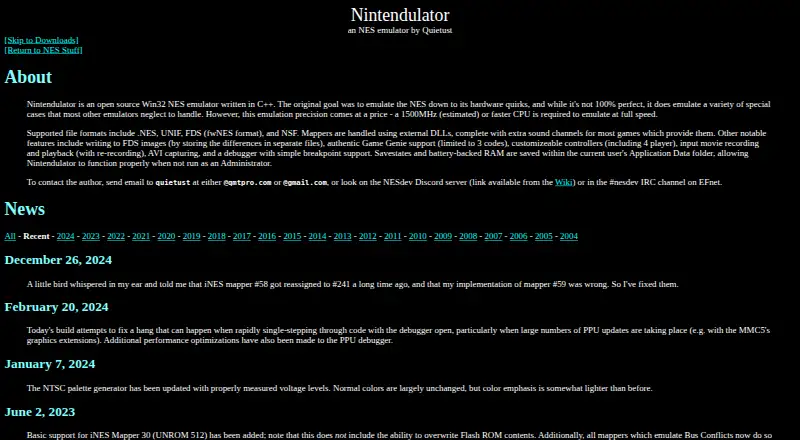
Nintendulator is a free, open-source Win32 emulator for Nintendo Entertainment System games, written in C++. It aims to reproduce NES hardware behavior, including special cases and quirks. It supports .NES and UNIF files, FDS images in fwNES format, and NSF files. Mapper support comes through external DLLs, with extra sound channels available for most games that provide them. Features include FDS image writing, Game Genie support for up to three codes, customizable controllers with four-player setups, input movie recording and playback, AVI capture, and a debugger with simple breakpoint support. Savestates and battery-backed RAM are stored in the current user's Application Data folder, so the emulator can run without administrator privileges. Nintendulator runs on Windows; versions 0.985 and later are officially supported on Windows 10 and later, and older Windows versions may work. Recent builds are tested with Wine. The site lists version 0.980, dated January 1, 2019, as the latest official release, and version 0.985 Beta as an unstable build that may have significant bugs. Full-speed emulation is estimated to require a 1500MHz or faster CPU.
Who it suits
Nintendulator suits Windows users who want an open-source NES emulator with controller customization, movie recording, capture, and debugging features. It may also suit users who need FDS or NSF support, provided their system meets the stated performance estimate for full-speed emulation.
What it does well
- Open-source and free to use.
- Supports .NES, UNIF, fwNES FDS, and NSF formats.
- Offers customizable controllers, including four-player setups.
- Includes Game Genie support for up to three codes.
- Stores savestates and battery-backed RAM in Application Data.
What to know first
- Full-speed emulation is estimated to require a 1500MHz or faster CPU.
- The listed official release is version 0.980, dated January 1, 2019.
- Version 0.985 Beta is labeled unstable and may have significant bugs.
- There is no rewind, netplay, or shader support.
Limits
Full-speed emulation is estimated to require a 1500MHz or faster CPU. The 0.985 Beta build may have significant bugs; the listed latest official release is version 0.980.
Plans
| Plan | Billed and limits | Price |
|---|---|---|
| Nintendulator | Open source Win32 NES emulator · full speed estimated to require a 1500MHz or faster CPU | Free |
As qmtpro.com lists them, read 7 Oct 2026. The maker's own page has the final word.
Getting started
- Open the Nintendulator website.
- Choose the official release or, if appropriate, the unstable 0.985 Beta build.
- For versions 0.985 and later, select the 32-bit or 64-bit edition.
- Run it on Windows 10 or later; older Windows versions may work.
- Use a recent build with Wine if running it through Wine.
Verdict
Choose Nintendulator if you want a free, open-source Windows NES emulator with broad file-format support, controller options, and debugging tools. Look elsewhere if rewind, netplay, or shader support is essential; the newer 0.985 Beta build is also identified as unstable.
Questions
Is Nintendulator free and open source?
Yes. It is listed as free and open source.
Which operating systems does it support?
It runs on Windows. Versions 0.985 and later are officially supported on Windows 10 and later; older Windows versions may work. Recent builds are tested with Wine.
Which file formats can it use?
Supported formats include .NES, UNIF, FDS in fwNES format, and NSF.
What is the latest official release listed?
The site lists version 0.980, dated January 1, 2019, as the latest official release. Version 0.985 Beta is an unstable build that may have significant bugs.
Does it support save states, rewind, or netplay?
It supports savestates. Rewind and netplay are not supported.
What processor speed is estimated for full-speed emulation?
The site estimates that a 1500MHz or faster CPU is required for full-speed emulation.
Facts from Nintendulator's own pages
- Architecture
- Versions 0.985 and later are available in 32-bit and 64-bit editions. · qmtpro.com, 7 Oct 2026
- Contact
- The author can be contacted by email at [email protected] or [email protected], or through the NESdev Discord or #nesdev IRC channel on EFnet. · qmtpro.com, 7 Oct 2026
- Current release
- The page lists version 0.980, dated January 1, 2019, as the latest official release. · qmtpro.com, 7 Oct 2026
- Emulation
- It aims to emulate the NES down to its hardware quirks, including special cases that other emulators may neglect. · qmtpro.com, 7 Oct 2026
- Features
- Features include FDS image writing, Game Genie support for up to 3 codes, customizable controllers including 4-player setups, input movie recording and playback, AVI capture, and a debugger with simple breakpoint support. · qmtpro.com, 7 Oct 2026
- File formats
- Supported formats include .NES, UNIF, FDS in fwNES format, and NSF. · qmtpro.com, 7 Oct 2026
- Mapper support
- Mappers are handled through external DLLs, with extra sound channels for most games that provide them. · qmtpro.com, 7 Oct 2026
- Operating system
- Versions 0.985 and later are officially supported on Windows 10 and later; the maker says they should also work as far back as Windows XP. · qmtpro.com, 7 Oct 2026
- Performance requirement
- The site estimates that a 1500MHz or faster CPU is required to emulate at full speed. · qmtpro.com, 7 Oct 2026
- Platforms
- Versions 0.985 and later have 32-bit and 64-bit editions; Windows 10 and later are officially supported, with older Windows versions back to XP expected to work. · qmtpro.com, 7 Oct 2026
- Purpose
- Nintendulator is an open-source Win32 NES emulator written in C++. · qmtpro.com, 7 Oct 2026
- Related software
- The download page offers an NSF Player Winamp plugin in addition to the emulator and mapper DLLs. · qmtpro.com, 7 Oct 2026
- Release status
- The page lists version 0.980, dated January 1, 2019, as the current official release and labels version 0.985 Beta an unstable development build. · qmtpro.com, 7 Oct 2026
- Save data
- Savestates and battery-backed RAM are saved in the current user's Application Data folder so the emulator can run without administrator privileges. · qmtpro.com, 7 Oct 2026
- Support
- The maker invites users to contact the author by email at [email protected] or [email protected], or via the NESdev Discord or EFnet #nesdev IRC channel. · qmtpro.com, 7 Oct 2026
- Unstable build
- The page lists Nintendulator 0.985 Beta, last updated August 22, 2026, as an unstable build and warns that it may have significant bugs. · qmtpro.com, 7 Oct 2026
- Wine
- Builds made since January 2023 are tested with the latest version of Wine. · qmtpro.com, 7 Oct 2026
Where Nintendulator stands on Freedom251
- NES Emulators#18 of 26