Freedom251 › Data Version Control Tools
Nile
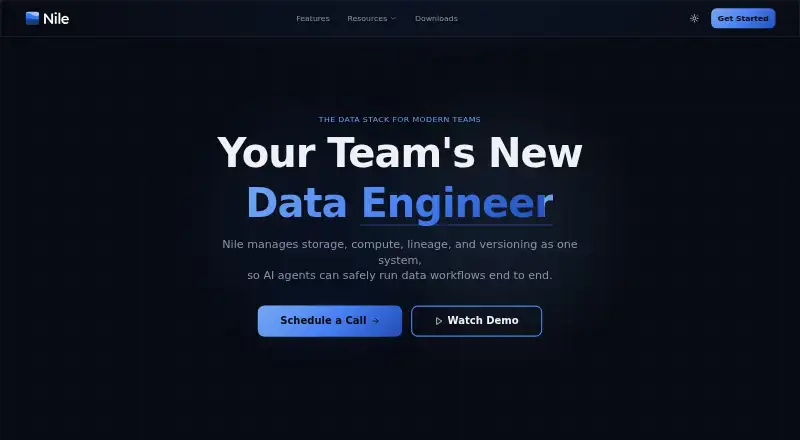
What Nile is
Nile is a data lake management platform for building and managing pipelines with branching, versioning, and rollback controls. Teams can save SQL or Python queries as scheduled pipelines with versioning and dependency tracking. Nile lets teams ask questions about their data and use AI to query it, generate reports, and manage workflows. Changes can run on isolated branches for review before they affect production data. Nile describes automatic dependency tracking and point-in-time rollbacks that cascade across tables. Integrations include Amazon S3, Azure Blob, GCS, MinIO, Airflow, dbt, Fivetran, Databricks, Snowflake, Redshift, and BigQuery. The free Nile Local edition runs on a machine without a cloud account and includes local storage, Spark compute, ingestion, lineage, versioning, and AI-assisted analytics. It supports 16 GB of RAM and recommends 32 GB for local AI. Desktop downloads are listed for macOS 10.15 or later and Windows 10 or later; Linux is marked coming soon. Cloud deployment requires an AWS account with admin permissions, AWS CLI credentials, and Node.js 18 or later. Nile is freemium, with a free plan and cloud pricing on request.
Who it suits
Nile suits teams managing data pipelines that want branching, scheduled SQL or Python queries, dependency tracking, and rollback options. Nile Local is aimed at users who want local storage and analytics without a cloud account.
What it does well
- Isolated branches allow workflow review
- Scheduled SQL and Python pipelines
- Point-in-time rollback across tables
- Nile Local runs without a cloud account
What to know first
- Cloud setup requires AWS admin permissions
- Linux desktop download is marked coming soon
- Local AI recommends 32 GB of RAM
- Cloud pricing is on request
Limits
The listed free Nile Local plan costs nothing and runs on your machine. It supports 16 GB of RAM and recommends 32 GB for local AI; cloud pricing is on request.
Plans
| Plan | Billed and limits | Price |
|---|---|---|
| Nile Local | Free to use · Runs entirely on your machine · no cloud account required | Free |
As getnile.ai lists them, read 2 Oct 2026. The maker's own page has the final word.
Getting started
- Visit getnile.ai.
- For Nile Local, choose the macOS 10.15 or later or Windows 10 or later download.
- Run Nile Local on your machine without a cloud account, or follow the AWS deployment route for the desktop app.
- For AWS deployment, prepare an AWS account with admin permissions, AWS CLI credentials, and Node.js 18 or later.
- For local AI, use a machine with 32 GB RAM recommended; 16 GB is supported.
- Use Nile Local’s Discord to send questions or feedback.
Verdict
Nile combines pipeline versioning and rollback with AI-assisted data workflows, and offers a local edition that does not need a cloud account. Check the AWS prerequisites for cloud setup and Nile Local’s memory guidance before choosing a deployment.
Questions
Is Nile free?
Nile has a free plan. Nile Local is listed as free, and cloud pricing is on request.
What does Nile Local include?
It includes local storage, Spark compute, ingestion, lineage, versioning, and AI-assisted analytics, and runs without a cloud account.
Which desktop systems can run Nile Local?
Downloads are listed for macOS 10.15 or later and Windows 10 or later. Linux is marked coming soon.
What integrations are listed?
The integrations page lists Amazon S3, Azure Blob, GCS, MinIO, Airflow, dbt, Fivetran, Databricks, Snowflake, Redshift, BigQuery, and other tools.
What does Nile do with data pipelines?
It supports branching, versioning, and rollbacks. SQL or Python queries can be saved as scheduled, versioned pipelines with tracked dependencies.
What does AWS deployment require?
The desktop app’s AWS deployment requires an AWS account with admin permissions, AWS CLI credentials, and Node.js 18 or later.
Facts from Nile's own pages
- AI workflows
- Nile lets teams ask questions about their data and use AI to query, generate reports, and manage workflows. · getnile.ai, 2 Oct 2026
- Cloud setup
- The desktop app’s AWS deployment requires an AWS account with admin permissions, AWS CLI credentials, and Node.js 18 or later. · getnile.ai, 2 Oct 2026
- Data safety
- Workflow changes can run on isolated branches for review before they affect production data. · getnile.ai, 2 Oct 2026
- Desktop platforms
- Downloads are listed for macOS 10.15 or later and Windows 10 or later; Linux is marked coming soon. · getnile.ai, 2 Oct 2026
- Integrations
- The integrations page lists Amazon S3, Azure Blob, GCS, MinIO, Airflow, dbt, Fivetran, Databricks, Snowflake, Redshift, BigQuery, and other tools. · getnile.ai, 2 Oct 2026
- Lineage and recovery
- Nile describes automatic dependency tracking and point-in-time rollbacks that cascade across tables. · getnile.ai, 2 Oct 2026
- Local edition
- Nile Local includes local storage, Spark compute, ingestion, lineage, versioning, and AI-assisted analytics without a cloud account. · getnile.ai, 2 Oct 2026
- Local edition limits
- Nile Local recommends 32 GB of RAM for local AI and supports 16 GB of RAM. · getnile.ai, 2 Oct 2026
- Pipelines
- Users can save SQL or Python queries as scheduled, versioned, dependency-tracked pipelines. · getnile.ai, 2 Oct 2026
- Support
- Nile Local’s maker invites questions and feedback on Discord. · getnile.ai, 2 Oct 2026
- What it does
- Nile is a data lake management platform with Git-like version control for data pipelines, including branching, versioning, and rollbacks. · getnile.ai, 2 Oct 2026
Where Nile stands on Freedom251
- Data Version Control Tools#17 of 36