Freedom251 › Network Diagnostic Software

NETworkManager
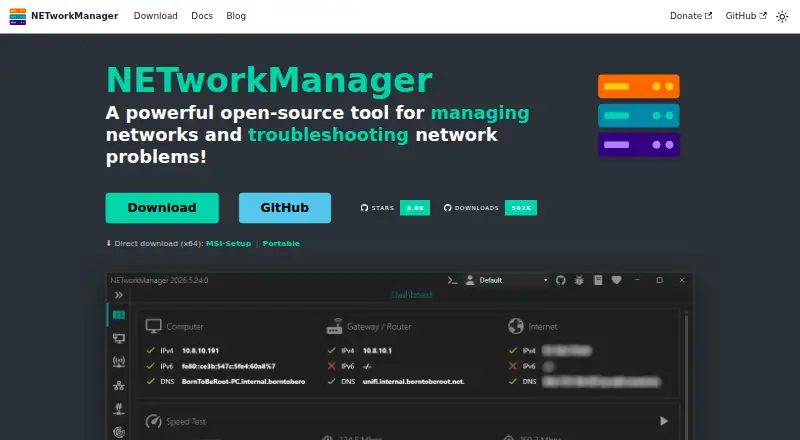
What NETworkManager is
NETworkManager is a free, open-source Windows application for managing networks and investigating network problems. It brings 27 tools into one app, including IP and port scanners, a ping monitor, traceroute, DNS lookup, SNMP, firewall tools, and Wake on LAN. Remote access options include remote desktop, PowerShell, PuTTY, TigerVNC, and Web Console.
Hosts and networks can be grouped into profiles whose settings are shared across features. Profile files can be encrypted, and computer accounts can be queried over LDAP to import profiles from Active Directory into a group. Administrators can use config.json to set system-wide policies that override user settings. The MSI installer supports system-wide installation and centralized deployment through tools such as Intune, SCCM, and Group Policy; a portable ZIP runs without installation or administrator rights and keeps settings and profiles beside the executable.
The stated requirements are Windows 10 or Windows Server, x64 or ARM64, version 22H2 or later, and .NET Desktop Runtime 10.0. NETworkManager says it does not transfer information to other networked systems unless a user or operator specifically requests it. Optional integrations include GitHub API, ipify, ip-api.com, and Cloudflare speed test services. It has dark and light themes, custom theme support, multiple accent colors, and more than 16 languages. Official installers and binaries are code-signed, with SHA-256 checksums provided for downloads.
Who it suits
NETworkManager suits Windows administrators and IT professionals who want network diagnostics, remote access, and host profiles in one application. Its LDAP import, policy controls, and centralized MSI deployment also suit teams managing Windows environments.
What it does well
- Combines 27 network tools in one application.
- Profiles can be encrypted and imported from Active Directory.
- MSI deployment supports Intune, SCCM, and Group Policy.
- Portable ZIP runs without installation or administrator rights.
- Licensed under GNU GPL v3.
What to know first
- Available for Windows 10 or Windows Server only.
- Requires .NET Desktop Runtime 10.0.
- Supported Windows versions must be 22H2 or later.
Limits
The free plan is listed as free, with no license or subscription stated. The stated system requirements limit use to Windows 10 or Windows Server x64 or ARM64, version 22H2 or later, with .NET Desktop Runtime 10.0.
Plans
| Plan | Billed and limits | Price |
|---|---|---|
| NETworkManager | No license or subscription stated | Free |
As borntoberoot.net lists them, read 2 Oct 2026. The maker's own page has the final word.
Getting started
- Open the NETworkManager website.
- Choose the MSI installer for system-wide installation or the portable ZIP to run without installation.
- On a supported system, ensure .NET Desktop Runtime 10.0 is available.
- Launch the application and organize hosts or networks into profiles as needed.
Verdict
Choose NETworkManager if you need a free Windows toolkit for network troubleshooting, remote access, and profile management. Its administrative controls and deployment options make it useful in managed environments. Look elsewhere if you need support for a non-Windows platform.
Questions
How much does NETworkManager cost?
The NETworkManager plan is free, with no license or subscription stated.
Is NETworkManager open source?
Yes. It is licensed under the GNU General Public License v3.
Which platforms does it support?
It supports Windows 10 or Windows Server on x64 or ARM64, version 22H2 or later. .NET Desktop Runtime 10.0 is also required.
What network and remote access tools does it include?
Its 27 tools include IP and port scanners, ping monitoring, traceroute, DNS lookup, SNMP, firewall, and Wake on LAN. Remote access tools include remote desktop, PowerShell, PuTTY, TigerVNC, and Web Console.
Can administrators deploy and configure it centrally?
Administrators can define system-wide policies in config.json. The MSI installer supports centralized deployment through tools such as Intune, SCCM, and Group Policy.
Does it offer a portable version?
Yes. The portable ZIP runs without installation or administrator rights, with settings and profiles stored beside the executable.
Facts from NETworkManager's own pages
- Active Directory
- Profiles can be imported from Active Directory by querying computer accounts over LDAP and bulk-importing results into a group. · borntoberoot.net, 2 Oct 2026
- Administration
- Administrators can define system-wide policies in config.json to override user settings and centrally control the app. · borntoberoot.net, 2 Oct 2026
- Built-in tools
- The app includes 27 tools, including IP and port scanners, ping monitor, traceroute, DNS lookup, remote desktop, SNMP, firewall, and Wake on LAN. · borntoberoot.net, 2 Oct 2026
- Deployment
- The MSI installer supports system-wide installation and centralized deployment through tools such as Intune, SCCM, and Group Policy. · borntoberoot.net, 2 Oct 2026
- Download integrity
- Official binaries and installers are code-signed, and downloads include SHA-256 checksums for verification. · borntoberoot.net, 2 Oct 2026
- License
- NETworkManager is licensed under the GNU General Public License v3. · borntoberoot.net, 2 Oct 2026
- Optional services
- Optional integrations include GitHub API for update checks, ipify for public IP, ip-api.com for network information, and Cloudflare speed test services. · borntoberoot.net, 2 Oct 2026
- Portable option
- The portable ZIP runs without installation or administrator rights, with settings and profiles stored beside the executable. · borntoberoot.net, 2 Oct 2026
- Privacy
- The app says it does not transfer information to other networked systems unless specifically requested by the user or operator. · borntoberoot.net, 2 Oct 2026
- Profiles
- Users can organize hosts and networks into profiles with settings shared across features, and profile files can be encrypted. · borntoberoot.net, 2 Oct 2026
- Purpose
- NETworkManager is an open-source tool for managing networks and troubleshooting network problems. · borntoberoot.net, 2 Oct 2026
- Remote access
- It provides remote desktop, PowerShell, PuTTY, TigerVNC, and Web Console tools in the app. · borntoberoot.net, 2 Oct 2026
- Supported platform
- The stated system requirements are Windows 10 or Windows Server x64/ARM64, version 22H2 or later, plus .NET Desktop Runtime 10.0. · borntoberoot.net, 2 Oct 2026
- Themes and languages
- The app includes dark and light themes, multiple accent colors, custom theme support, and more than 16 languages. · borntoberoot.net, 2 Oct 2026
Where NETworkManager stands on Freedom251
- Network Diagnostic Software#21 of 37