
NeoMutt
What NeoMutt is
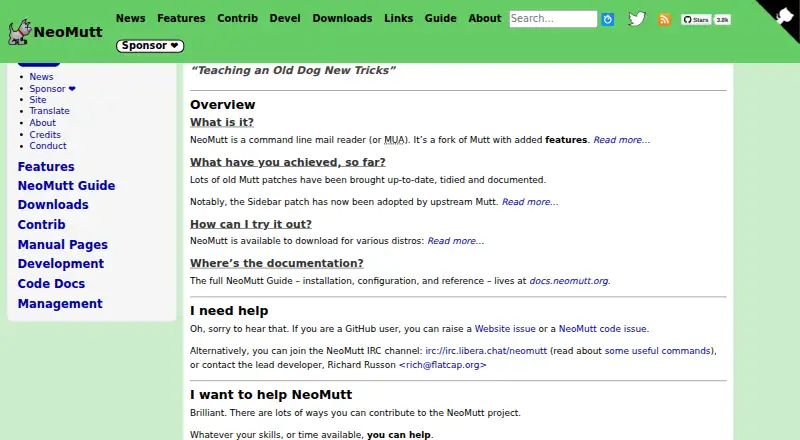
NeoMutt is a free, open-source desktop mail client for Linux, macOS, and Windows. It is a small, text-based MIME client based on Mutt, with offline access and keyboard-oriented controls. You can configure key bindings and keyboard macros, search with regular expressions, thread messages, and use pattern matching to select mail. A configurable sidebar shows folders, with adjustable layout, colors, size, visibility, and content. The stable Notmuch feature provides an email search engine, while NNTP support communicates with Usenet news servers. Documentation covers optional SSL/TLS, POP3, IMAP, SMTP, and OAUTHBEARER/XOAUTH2 support. Encryption features include saving an encrypted copy of outgoing mail to yourself and displaying message encryption information. Packages are listed for many Linux distributions and Unix-like systems, with Homebrew and MacPorts options; source builds are also possible. NeoMutt has no scheduled sending or calendar tools, and some functions depend on external applications.
Who it suits
NeoMutt suits desktop users who prefer text-based, keyboard-driven email and offline access. It is also aimed at people comfortable configuring mail protocols, external applications, and security settings.
What it does well
- Free, open-source desktop mail client
- Works offline on three desktop platforms
- Configurable keyboard, sidebar, and searches
- Notmuch email search is stable
- Supports multiple mail protocols and NNTP
What to know first
- No scheduled sending
- No calendar tools
- Lua scripting support is limited
- Some functions require external applications
Plans
| Plan | Billed and limits | Price |
|---|---|---|
| NeoMutt | GNU General Public License version 2 or later · No warranty | Free |
As neomutt.org lists them, read 12 Oct 2026. The maker's own page has the final word.
Verdict
NeoMutt provides extensive text-based mail controls, protocol options, and customization without a license fee. Its command-line style and configuration requirements make it better suited to technical desktop users than people seeking a visual, guided mail app.
Facts from NeoMutt's own pages
- App coverage
- desktop · neomutt.org, 21 Sept 2026
- Availability
- The project lists packages for multiple Linux distributions, FreeBSD, NetBSD, OpenBSD, Cygwin, Homebrew, and MacPorts, and says users can build from source if their distribution is not listed. · neomutt.org, 12 Oct 2026
- Calendar tools
- No · neomutt.org, 21 Sept 2026
- Customization
- It supports configurable key bindings, keyboard macros, regular-expression searches, mail threading, and pattern matching to select messages. · neomutt.org, 12 Oct 2026
- Encryption
- Features include encrypting a saved copy of outgoing email to yourself and displaying encryption information about a message. · neomutt.org, 12 Oct 2026
- External dependencies
- NeoMutt relies on external applications for some functions, including crypto support and mailcap handling. · neomutt.org, 12 Oct 2026
- Limits
- The project says its Lua scripting support is limited and cannot directly interact with mailboxes or emails. · neomutt.org, 12 Oct 2026
- Mail protocols
- The guide has sections for optional SSL/TLS, POP3, IMAP, SMTP, and OAUTHBEARER/XOAUTH2 support. · neomutt.org, 12 Oct 2026
- News support
- The stable NNTP feature lets NeoMutt communicate with a Usenet news server. · neomutt.org, 12 Oct 2026
- Offline access
- Yes · neomutt.org, 21 Sept 2026
- Product
- NeoMutt is a small, text-based MIME mail client based on Mutt. · neomutt.org, 12 Oct 2026
- Search
- The stable Notmuch feature provides an email search engine. · neomutt.org, 12 Oct 2026
- Security guidance
- The security guide warns that NeoMutt may contain unknown security holes and recommends running it with minimal permissions, never as root. · neomutt.org, 12 Oct 2026
- Security limitation
- The guide warns that temporary files used for viewing messages and verifying signatures may be visible or readable by other users if misconfigured. · neomutt.org, 12 Oct 2026
- Scheduled sending
- No · neomutt.org, 21 Sept 2026
- Sidebar
- The sidebar displays mail folders, and the layout, colors, size, visibility, and content of the display can be configured. · neomutt.org, 12 Oct 2026
- Support
- Users can seek help through the users mailing list, IRC, or GitHub issues; the site notes the IRC group is small, so responses may take time. · neomutt.org, 12 Oct 2026
Where NeoMutt stands on Freedom251
- Email clients#68 of 142