Freedom251 › Digital Transaction Management Software

Namirial eSignAnyWhere
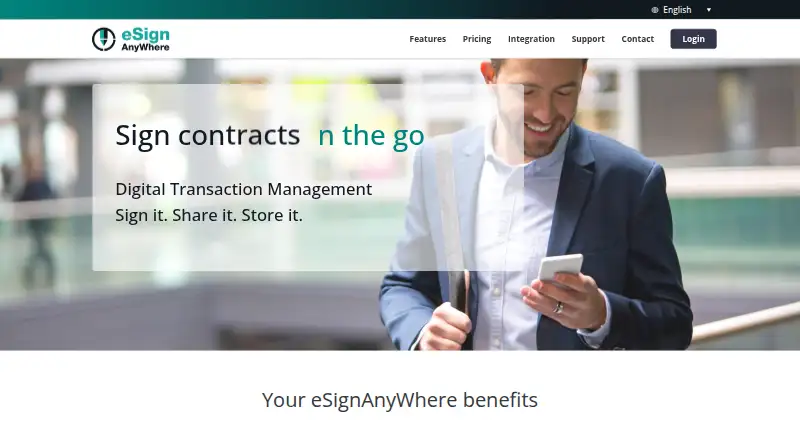
What Namirial eSignAnyWhere is
Namirial eSignAnyWhere is a paid digital transaction management platform for preparing, sending, signing, and managing documents. It supports both in-person and remote signing, including qualified electronic signatures. Signers can use click, drawn, typed, biometric, or remote certificate signatures. Workflows can handle batch signing, delegated tasks, parallel signing, and signature types selected by the sender. Documents can be prepared in a web interface, a WYSIWYG designer, or a Microsoft Office plugin. Connectors cover Salesforce, Microsoft Dynamics, SharePoint, Word, Outlook, Box, OneDrive, and Google Drive, while SOAP and REST APIs support developer integrations. Deployment is available as shared cloud, private cloud, or on-premise. Native iOS, Android, and Windows apps support offline use in the private SaaS feature list. Communications use encrypted HTTPS channels, and multi-factor signer authentication is supported. Namirial operates as a qualified trust service provider under EU Regulation 910/2014 (eIDAS) and issues advanced and qualified signature certificates. The platform also offers embedded signing, identity verification, signed-file retrieval, workflow status APIs, 35 webhook event types, and a sandbox. Namirial was founded in 2000 and is headquartered in Senigallia, Italy.
Who it suits
It suits organizations that need structured document-signing workflows across web, mobile, cloud, private-cloud, or on-premise deployments. Teams needing integrations, identity checks, qualified signatures, or developer APIs can use its broad workflow and integration options.
What it does well
- Supports in-person and remote signing scenarios
- Offers click, draw, type, biometric, and certificate signatures
- Includes batch, delegated, and parallel signing workflows
- Connects with major CRM, storage, and office tools
- Provides SOAP and REST APIs plus a sandbox
- Supports embedded signing and identity verification
What to know first
- No free plan is available
- Basic and Premium plans have document quotas
- Customer support requires a Jira Service Desk login
Limits
The Basic plan lists 1,000 documents and Premium lists 2,000 documents. Corporate document counts are customizable.
Plans
| Plan | Billed and limits | Price |
|---|---|---|
| Basic | 1,000 documents | On request |
| Premium | 2,000 documents · SMS OTP equal to the number of files included in the purchased plan | On request |
| Corporate | Customizable document count · remote signature · bulk sending · batch signing · long-term archiving · API integration · dedicated support | On request |
As esignanywhere.net lists them, read 19 Sept 2026. The maker's own page has the final word.
Getting started
- Open the eSignAnyWhere website
- Choose shared cloud, private cloud, or on-premise deployment
- Prepare documents in the web interface, WYSIWYG designer, or Microsoft Office plugin
- Connect required services such as Salesforce, SharePoint, or Google Drive
- Configure signing methods, authentication, and workflow tasks
- Use the sandbox or APIs for integration work
Verdict
Choose Namirial eSignAnyWhere when your organization needs configurable signing workflows, multiple signature methods, and flexible deployment. Its integrations, APIs, verification tools, and qualified trust services support complex document processes. Look elsewhere if you require a free plan or do not want support tied to a Jira Service Desk account.
Questions
Does eSignAnyWhere have a free plan?
No. The pricing model is paid.
Which platforms are supported?
It is available on Android, iOS, Windows, web, API, and self-hosted deployments.
Can it be deployed on-premise?
Yes. Deployment options include shared cloud, private cloud, and on-premise.
Which integrations are listed?
Connectors are listed for Salesforce, Microsoft Dynamics, SharePoint, Word, Outlook, Box, OneDrive, and Google Drive.
What signature methods are available?
Users can sign by clicking, drawing, typing, biometric methods, or remote certificates.
How is customer support accessed?
Support access requires a Jira Service Desk account created during onboarding.
Facts from Namirial eSignAnyWhere's own pages
- API
- The product provides SOAP and REST APIs for developer integrations. · esignanywhere.net, 7 Oct 2026
- Deployment
- The product is offered as a shared cloud service, a private cloud instance, or an on-premise deployment. · esignanywhere.net, 7 Oct 2026
- Document preparation
- The product has a web interface, a WYSIWYG document designer, and a Microsoft Office plugin for preparing documents. · esignanywhere.net, 7 Oct 2026
- Founded
- 2000 · esignanywhere.net, 28 Sept 2026
- Headquarters
- Senigallia, Italy · esignanywhere.net, 28 Sept 2026
- Integrations
- Connectors are listed for Salesforce, Microsoft Dynamics, SharePoint, Word, Outlook, Box, OneDrive, and Google Drive. · esignanywhere.net, 7 Oct 2026
- Mobile support
- The private SaaS feature list states support for native mobile apps on iOS, Android, and Windows, with offline capability. · esignanywhere.net, 7 Oct 2026
- Plan limits
- The pricing page lists 1.000 documents for Basic and 2.000 for Premium; Corporate document count is customizable. · esignanywhere.net, 7 Oct 2026
- Purpose
- eSignAnyWhere is a digital transaction management platform for preparing, sending, signing, and managing documents. · esignanywhere.net, 7 Oct 2026
- Security
- The product states that service communications use encrypted HTTPS channels and that it supports multi-factor signer authentication. · esignanywhere.net, 7 Oct 2026
- Signature methods
- Available signature types include click, draw, type, biometric, and remote certificate signatures. · esignanywhere.net, 7 Oct 2026
- Signing scenarios
- It supports in-person and remote signing scenarios, including qualified electronic signatures. · esignanywhere.net, 7 Oct 2026
- Support
- Customer support access requires logging in with a Jira Service Desk account created during onboarding. · esignanywhere.net, 7 Oct 2026
- Trust and compliance
- Namirial says it operates as a qualified trust service provider under EU Regulation 910/2014 (eIDAS) and issues certificates for advanced and qualified electronic signatures. · esignanywhere.net, 7 Oct 2026
- Workflow features
- Signing workflows can include batch signing, task delegation, parallel signing tasks, and sender-configured signature types. · esignanywhere.net, 7 Oct 2026
Where Namirial eSignAnyWhere stands on Freedom251
- Digital Transaction Management Software#40 of 58
- Digital Signature API Software#24 of 28