mycli
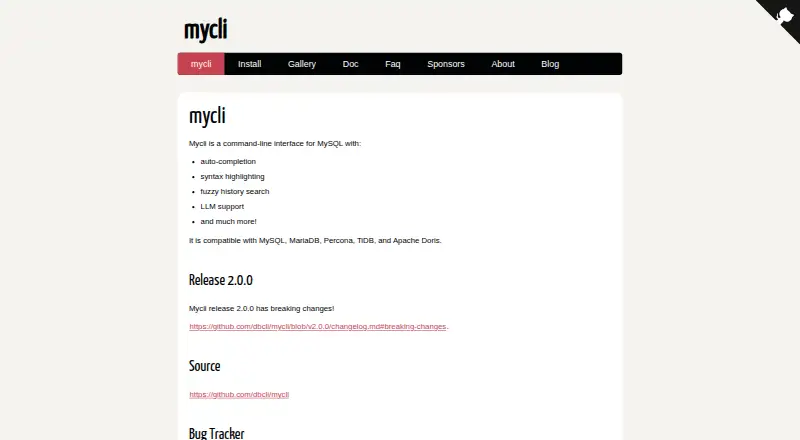
What mycli is
mycli is a free command-line interface for working with MySQL and compatible databases, including MariaDB, Percona, TiDB, and Apache Doris. It offers context-sensitive SQL completion, multi-line query input, and fuzzy search through query history; fzf is recommended for history search but is optional. Batch and executed query results can appear in the default format, CSV, TSV, or tables. Its default setup warns before potentially destructive statements such as DROP, DELETE, and TRUNCATE. For TCP/IP connections, the default SSL mode prefers encryption but can fall back to cleartext, and server certificates are not verified by default. Passwords can be stored and retrieved through the system keyring, though that support starts disabled. The project runs on Python 3.10 or later and is tested on macOS and Linux. Native Windows basics work, but the maker does not support Windows as software, and WSL has known limitations. A pager such as less is essentially required. Optional LLM support can be installed with the [all] package option.
Who it suits
mycli suits people who work with MySQL-compatible databases from a command line and want SQL completion, query history search, and several output formats. It is available for Linux, macOS, and Windows, with the maker testing on macOS and Linux.
What it does well
- Works with five listed database systems.
- Provides context-sensitive SQL completion.
- Searches query history fuzzily.
- Exports results as CSV, TSV, or tables.
- Warns before potentially destructive SQL by default.
What to know first
- Windows is not supported software.
- WSL has known limitations.
- A pager such as less is essentially required.
- SSL may fall back to cleartext by default.
Plans
| Plan | Billed and limits | Price |
|---|---|---|
| mycli | Open-source command-line MySQL client | Free |
As mycli.net lists them, read 8 Oct 2026. The maker's own page has the final word.
Getting started
- Install Python 3.10 or later.
- Install mycli with pip, or use Homebrew on macOS.
- Make a pager such as less available.
- Connect to a compatible database and enter SQL statements.
- Optionally install fzf for fuzzy history search or use the [all] package option for LLM support.
Verdict
mycli brings useful SQL editing, history, and output options to a free command-line client for several MySQL-compatible systems. Check its Windows limitations and default connection security settings against your environment.
Questions
Is mycli free?
Yes. The listed mycli plan is free, and the product has a free plan.
Which databases does mycli support?
It is compatible with MySQL, MariaDB, Percona, TiDB, and Apache Doris.
Which platforms does it support?
The project is tested on macOS and Linux. Basic native Windows use works, but the maker says Windows is not supported software; WSL has known limitations.
Does mycli include SQL autocomplete and history search?
Yes. It provides context-sensitive SQL autocomplete and fuzzy history search. fzf is recommended for history search but is optional.
What output formats can it use?
Batch and execute output can use the default format, CSV, TSV, or table format.
Does mycli have optional LLM support?
Yes. LLM support is available as an optional extra installed with the [all] package option.
Facts from mycli's own pages
- Autocomplete
- It provides context-sensitive auto-completion for SQL statements. · mycli.net, 8 Oct 2026
- Connection security
- The default SSL mode prefers SSL for TCP/IP connections but can fall back to cleartext; server certificate verification is disabled by default. · mycli.net, 8 Oct 2026
- Credential storage
- It can store and retrieve passwords using the system keyring, but keyring use is disabled by default. · mycli.net, 8 Oct 2026
- Database compatibility
- It is compatible with MySQL, MariaDB, Percona, TiDB, and Apache Doris. · mycli.net, 8 Oct 2026
- Dependencies
- A pager such as less is essentially required; fzf is optional and recommended for fuzzy history search. · mycli.net, 8 Oct 2026
- History search
- It supports fuzzy history search, for which fzf is recommended but not required. · mycli.net, 8 Oct 2026
- Installation
- The maker recommends installing with pip or, on macOS, Homebrew. · mycli.net, 8 Oct 2026
- LLM support
- LLM support is available as an optional extra installed with the [all] package option. · mycli.net, 8 Oct 2026
- Output
- Batch and execute output can use default, CSV, TSV, or table formats. · mycli.net, 8 Oct 2026
- Product
- mycli is a command-line interface for MySQL. · mycli.net, 8 Oct 2026
- Query editing
- It supports multi-line SQL input, with a semicolon required to end statements when multi-line mode is enabled. · mycli.net, 8 Oct 2026
- Safety
- The default configuration enables warnings before potentially destructive SQL statements such as DROP, DELETE, or TRUNCATE. · mycli.net, 8 Oct 2026
- Supported systems
- The project is tested on macOS and Linux, runs on Python 3.10 or later, and has known limitations on Windows and WSL. · mycli.net, 8 Oct 2026
- Windows limitation
- Native Windows basics work, but the maker says this configuration is not supported software at this time. · mycli.net, 8 Oct 2026
Where mycli stands on Freedom251
- SQL Query Tools#12 of 31
- Database Client Software#22 of 53