Freedom251 › Personal Finance Software
mybudgetpal
What mybudgetpal is
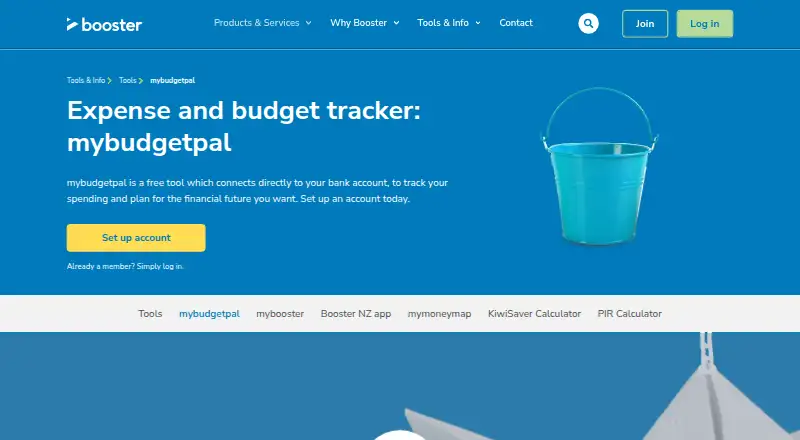
mybudgetpal is Booster’s free budgeting tool for tracking spending and planning a financial future. It connects bank accounts, imports transactions, and automatically sorts them into expense categories. Bank transaction data arrives through Yodlee and refreshes every 24 hours. Users can set spending limits by category, review spending habits over time, and use a calendar for bills, expenses, due dates, and event reminders. The service also supports bill and net-worth tracking. When an account cannot sync, users can add accounts or transactions manually or upload a CSV file; Savvy transactions require CSV upload because no direct bank feed is supported. Sign-up must happen on desktop. Afterward, access is available through the BoosterNZ app, although Booster recommends desktop because functionality is optimized there. Android, iOS, and web platforms are listed. The tool is designed for Kiwis and available to Booster members and non-members. Transactional data is stored separately without personally identifiable information and transferred over HTTPS.
Who it suits
It suits Kiwis who want free budgeting, bill, and net-worth tracking across web and mobile platforms. It is available to Booster members and non-members.
What it does well
- Free budgeting and financial planning tool
- Automatic transaction categorisation
- Category spending limits and budget calendar
- Bill and net-worth tracking
- Manual entry and CSV import options
What to know first
- Bank data refreshes every 24 hours
- Sign-up must be completed on desktop
- Savvy transactions require CSV upload
- Categories cannot be changed manually
Plans
| Plan | Billed and limits | Price |
|---|---|---|
| mybudgetpal | Free budgeting tool; bank transaction data refreshes every 24 hours | Free |
As booster.co.nz lists them, read 12 Oct 2026. The maker's own page has the final word.
Verdict
mybudgetpal offers broad budgeting and tracking tools without a listed charge. Desktop sign-up, fixed automatic categories, and account-sync limits are important considerations before choosing it.
Facts from mybudgetpal's own pages
- Account sync
- both · booster.co.nz, 23 Sept 2026
- Automatic categorisation
- It syncs bank accounts and automatically sorts transactions into expense categories. · booster.co.nz, 12 Oct 2026
- Bank connection
- Booster says bank transaction data is provided through Yodlee and refreshed in mybudgetpal every 24 hours. · booster.co.nz, 12 Oct 2026
- Bank credentials
- Booster says only Yodlee can access bank-linking credentials, which are encrypted and stored in Yodlee’s system. · booster.co.nz, 12 Oct 2026
- Bill tracking
- Yes · booster.co.nz, 23 Sept 2026
- Budget calendar
- The calendar lets users schedule bills and expenses and set due-date or event reminders. · booster.co.nz, 12 Oct 2026
- Budgeting
- Users can set spending limits by expense category and review spending habits over time. · booster.co.nz, 12 Oct 2026
- Budgeting tools
- Yes · booster.co.nz, 23 Sept 2026
- Category limit
- The FAQ says transaction categories are automatically assigned and cannot be changed manually, though users can add tags for reports. · booster.co.nz, 12 Oct 2026
- Company
- Booster is a New Zealand-owned and operated financial services company based in Wellington and says it has been looking after Kiwis’ money since 1998. · booster.co.nz, 12 Oct 2026
- Free plan
- Yes · booster.co.nz, 23 Sept 2026
- Intended users
- Booster says the tool was designed and built for Kiwis and is available to Booster members and non-members. · booster.co.nz, 12 Oct 2026
- Manual imports
- Users who cannot sync a bank account can add accounts or transactions manually or upload transaction data as a CSV file. · booster.co.nz, 12 Oct 2026
- Mobile apps
- both · booster.co.nz, 23 Sept 2026
- Net-worth tracking
- Yes · booster.co.nz, 23 Sept 2026
- Platform access
- Users must sign up on desktop; after sign-up they can access mybudgetpal through the BoosterNZ app, though Booster recommends desktop because functionality is optimised for it. · booster.co.nz, 12 Oct 2026
- Purpose
- mybudgetpal connects to bank accounts to track spending and help users plan their financial future. · booster.co.nz, 12 Oct 2026
- Savvy limitation
- Savvy does not support direct bank feeds into mybudgetpal, so Savvy transactions must be uploaded as a CSV. · booster.co.nz, 12 Oct 2026
- Security and storage
- Booster says transactional data is stored in a separate purpose-built database without personally identifiable information and is transferred over HTTPS. · booster.co.nz, 12 Oct 2026
- Support
- Booster offers phone support at 0800 336 338, Monday to Friday from 8am to 8pm. · booster.co.nz, 12 Oct 2026
Where mybudgetpal stands on Freedom251
- Personal Finance Software#56 of 181