Freedom251 › Video Editing Software
Multivio Studio
What Multivio Studio is
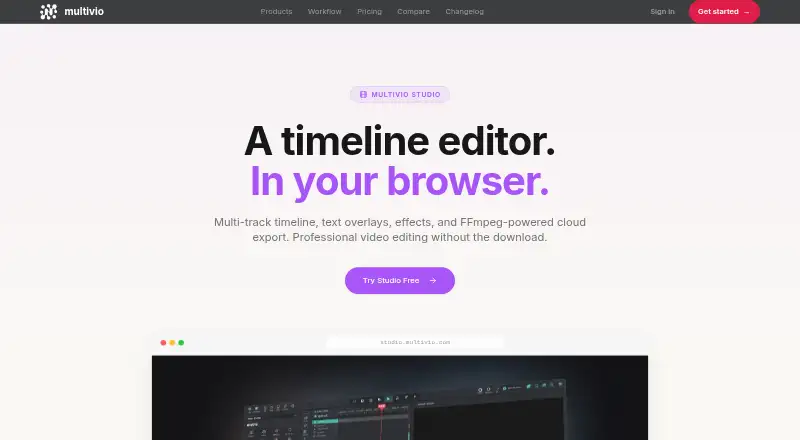
Multivio Studio is a browser-based video editor for creators publishing to social platforms. Its multi-track timeline layers video, audio, and image tracks, with tools to trim, split, reorder, and arrange them. Text tools add titles, lower thirds, and captions with custom fonts, colors, and animations. Through Multivio Ignite, users can generate images and video clips on the timeline. Cloud rendering exports MP4, MOV, WebM, and other formats, including 4K, without taxing the user's machine. One-click presets and automatic resizing prepare projects for Instagram Reels, TikTok, YouTube Shorts, and other platforms. Finished edits can be published through Compose with scheduling and caption customization. Studio requires no installation and includes no watermarks. Team collaboration is supported. It has a 14-day trial, no free plan, and an annual pricing note from $16/mo. Listed monthly plans include Pro at $20.00, Creator+ at $35.00, Max at $60.00, and Team at $30.00 per seat with a two-seat minimum.
Who it suits
It suits creators who publish regularly to social platforms and need browser editing, cloud export, resizing, or collaboration. Teams can use the Team workspace and seat-based plan.
What it does well
- Multi-track video, audio, and image editing
- 4K cloud export
- Social-format presets and resizing
- No-install editing without watermarks
- Team collaboration
What to know first
- No free plan
- 14-day trial only
- Browser-based with no desktop or mobile app
- Team plan requires two seats
Plans
| Plan | Billed and limits | Price |
|---|---|---|
| Pro | $20/month · 340 credits/month · unlimited channels · unlimited storage · credit top-ups available | $20 a month |
| Creator+ | $35/month · 600 credits/month · single workspace · no priority queue | $35 a month |
| Max | $60/month · 1,000 credits/month · 3 personal workspaces · priority generation queue | $60 a month |
| Team | $30/seat/month · 2-seat minimum · 500 credits/seat, pooled · team workspace | $30 a month |
As multivio.com lists them, read 11 Oct 2026. The maker's own page has the final word.
Verdict
Multivio Studio covers timeline editing, social formatting, cloud rendering, and publishing workflows in a browser. Its paid plans, monthly credits, and lack of desktop or mobile apps are central considerations.
Facts from Multivio Studio's own pages
- AI data use
- The pricing page says Multivio does not train AI models on users' content. · multivio.com, 11 Oct 2026
- AI generation
- Studio can generate images and video clips on the timeline through Multivio Ignite. · multivio.com, 11 Oct 2026
- Cloud export
- Its FFmpeg-powered cloud rendering exports MP4, MOV, WebM, or other formats without taxing the user's machine. · multivio.com, 11 Oct 2026
- Compliance
- Multivio describes itself as GDPR-ready and CCPA-compliant, and says SOC 2 Type II certification is planned. · multivio.com, 11 Oct 2026
- Desktop app
- No · multivio.com, 21 Sept 2026
- 4K export
- Yes · multivio.com, 21 Sept 2026
- Intended users
- The Studio page describes the editor as built for creators who publish to social platforms every day. · multivio.com, 11 Oct 2026
- Mobile app
- No · multivio.com, 21 Sept 2026
- No-install editing
- The Studio page says it requires no installs and includes no watermarks. · multivio.com, 11 Oct 2026
- Publishing integration
- Finished Studio edits can be published through Compose, which supports scheduling and caption customization. · multivio.com, 11 Oct 2026
- Security
- Multivio says it encrypts sensitive credentials with AES-256-GCM and uses TLS 1.3 for data in transit. · multivio.com, 11 Oct 2026
- Social formats
- Studio offers one-click presets and auto-resizing for Instagram Reels, TikTok, YouTube Shorts, and other platforms. · multivio.com, 11 Oct 2026
- Paid from
- 16 · multivio.com, 21 Sept 2026
- Support
- The contact page says Multivio typically responds to inquiries within one business day. · multivio.com, 11 Oct 2026
- Team collaboration
- Yes · multivio.com, 21 Sept 2026
- Text overlays
- Studio supports titles, lower thirds, and captions with custom fonts, colors, and animations. · multivio.com, 11 Oct 2026
- Timeline editing
- Users can layer video, audio, and image tracks, then trim, reorder, split, and arrange them. · multivio.com, 11 Oct 2026
- Web app
- Yes · multivio.com, 21 Sept 2026
- What it does
- Multivio Studio is a browser-based video editor with a multi-track timeline, text overlays, effects, and cloud export. · multivio.com, 11 Oct 2026
Where Multivio Studio stands on Freedom251
- Video Editing Software#132 of 153