
MSTest
What MSTest is
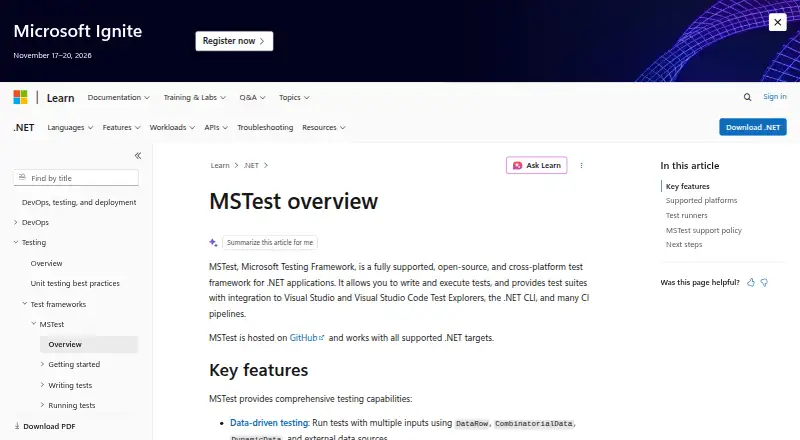
MSTest is a free, open-source framework for writing and running tests for .NET applications. It runs on Linux, macOS, and Windows, and supports C#, F#, and Visual Basic. Tests can be launched from Visual Studio, Visual Studio Code, JetBrains Rider, the .NET CLI, GitHub Actions, or Azure DevOps. For data-driven cases, it accepts inputs through DataRow, CombinatorialData, DynamicData, and external sources. Other capabilities include setup and cleanup hooks, parallel execution, categories, filters, analyzers, and assertion methods. MSTest works with VSTest and Microsoft.Testing.Platform, with the latter recommended for new projects; its NuGet meta-package simplifies referencing recommended packages. Documented targets include .NET 8 and later, .NET Framework 4.6.2 and later, UWP, WinUI 3, Native AOT, and .NET 10 browser and WASI WebAssembly hosts, though available features vary. Native AOT has a reduced feature set. Some UI and single-threaded WebAssembly scenarios have specific constraints. Microsoft supports only the latest released version. The listed plan is free.
Who it suits
MSTest suits .NET developers who want a test framework across supported operating systems and languages, with options for IDE, command-line, and CI use. It also fits projects needing parameterized tests or parallel execution.
What it does well
- Free and open source.
- Supports Linux, macOS, and Windows.
- Supports C#, F#, and Visual Basic.
- Offers data-driven inputs and parallel execution.
- Integrates with IDEs, CLI, and CI pipelines.
What to know first
- Features differ by target framework.
- Native AOT has a limited feature set.
- Microsoft supports only the latest released version.
- Single-threaded WebAssembly cannot forcibly interrupt timed-out tests.
Limits
Native AOT has a limited feature set because of reduced reflection capabilities. On single-threaded WebAssembly runtimes, MSTest cannot forcibly interrupt timed-out tests, and debugger wait is unsupported. UI testing also has target-specific constraints: Windows desktop UI automation is documented for .NET 8+ Windows targets, while UWP and WinUI 3 UI tests require UI-thread access.
Plans
| Plan | Billed and limits | Price |
|---|---|---|
| MSTest | Open-source .NET test framework · distributed as NuGet packages | Free |
As learn.microsoft.com lists them, read 4 Oct 2026. The maker's own page has the final word.
Getting started
- Open the MSTest documentation website.
- Choose a documented .NET target for your project.
- Reference the recommended MSTest packages using the NuGet meta-package.
- Select VSTest or Microsoft.Testing.Platform; Microsoft.Testing.Platform is recommended for new projects.
- Run tests from a supported IDE, the .NET CLI or a CI pipeline.
Verdict
MSTest covers common .NET testing workflows, from data-driven cases to CI execution. Check the target-specific feature limits and support policy before choosing it.
Questions
How much does MSTest cost?
MSTest is free and open source. Its listed plan is free.
Which languages does MSTest support?
It supports C#, F# and Visual Basic.
Where can I run MSTest?
It supports Linux, macOS and Windows. Documented targets include .NET 8 and later, .NET Framework 4.6.2 and later, UWP, WinUI 3, Native AOT, and .NET 10 browser and WASI WebAssembly hosts.
Which test engines can it use?
MSTest supports VSTest and Microsoft.Testing.Platform. Microsoft.Testing.Platform is recommended for new projects.
Is MSTest open source?
Yes. MSTest is open source and distributed as NuGet packages.
Which version does Microsoft support?
Microsoft supports the latest released MSTest version. Preview releases are offered for public testing but are not supported.
Facts from MSTest's own pages
- AOT limit
- Native AOT is supported with a limited feature set because of reduced reflection capabilities. · learn.microsoft.com, 4 Oct 2026
- Data-driven tests
- MSTest supports multiple test inputs through DataRow, CombinatorialData, DynamicData, and external data sources. · learn.microsoft.com, 4 Oct 2026
- Execution engines
- MSTest supports VSTest and Microsoft.Testing.Platform, with Microsoft.Testing.Platform recommended for new projects. · learn.microsoft.com, 4 Oct 2026
- IDE and CI options
- Tests can be run from Visual Studio, Visual Studio Code, JetBrains Rider, the command line, GitHub Actions, or Azure DevOps. · learn.microsoft.com, 4 Oct 2026
- Package setup
- The MSTest NuGet meta-package simplifies referencing the recommended MSTest packages. · nuget.org, 4 Oct 2026
- Purpose
- MSTest is a Microsoft-supported, open-source, cross-platform test framework for writing and running tests for .NET applications. · learn.microsoft.com, 4 Oct 2026
- Security and updates
- The MSTest team encourages users to update to the latest version for improvements and security patches. · learn.microsoft.com, 4 Oct 2026
- Supported targets
- Documented targets include .NET 8 and later, .NET Framework 4.6.2 and later, UWP, WinUI 3, Native AOT, and .NET 10 browser and WASI WebAssembly hosts, with feature differences by target. · learn.microsoft.com, 4 Oct 2026
- Support policy
- Microsoft supports only the latest released MSTest version; preview releases are offered for public testing but are not supported. · learn.microsoft.com, 4 Oct 2026
- Test controls
- Features include setup and cleanup lifecycle hooks, parallel execution, test categorization and filtering, analyzers, and assertion methods. · learn.microsoft.com, 4 Oct 2026
- Test integrations
- It integrates with Visual Studio and Visual Studio Code Test Explorers, the .NET CLI, and CI pipelines. · learn.microsoft.com, 4 Oct 2026
- UI testing limit
- Windows desktop UI automation is documented for .NET 8+ Windows targets, while UWP and WinUI 3 UI tests require UI-thread access. · learn.microsoft.com, 4 Oct 2026
- WebAssembly limit
- On single-threaded WebAssembly runtimes, MSTest cannot forcibly interrupt timed-out tests, and debugger wait is unsupported. · learn.microsoft.com, 4 Oct 2026
Where MSTest stands on Freedom251
- Unit Testing#12 of 32
- Unit Testing Frameworks#16 of 32