Freedom251 › Stop Motion Software
Moving Picture Studio
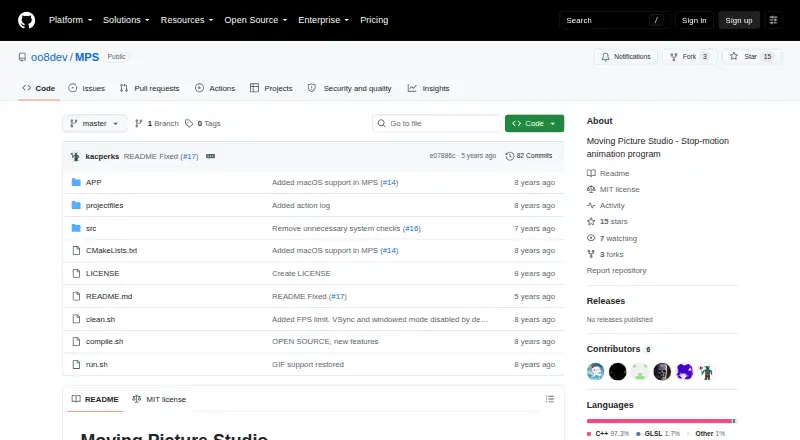
What Moving Picture Studio is
Moving Picture Studio is a free, open-source application for creating stop-motion animations. Built in C++ with OpenGL 2.1/ES 2.0 and SDL, it runs on Linux, macOS, and Windows, with Linux x64 and Windows x64 identified as supported and tested. The project also reports operation on ARM processors, including Raspberry Pi; macOS x64 works but is unstable. Users can open and save projects, add or remove frames, duplicate frames, and undo or redo edits. Drawing tools include pencil, line, spray, bucket fill, pipette, eraser, and rectangle, while resize remains in progress. Animation viewing includes ghosting visibility plus a viewport that zooms and rotates dynamically. GIF export is complete. Layer support, the toolbox, color selector, ghosting options, and menus are partly implemented. Planned work covers animation import, PNG strip export, playback, copy and paste, brush and selection tools, and configurable key bindings. Tablet pressure support is deferred pending the SDL library. The repository carries an MIT license, and the project welcomes bug reports, problem reports, and ideas.
Who it suits
Moving Picture Studio suits animators who want a free, open-source stop-motion tool with frame editing, drawing tools, ghosting, and GIF export. It also fits users on Linux or Windows, ARM devices such as Raspberry Pi, and macOS users willing to accept unstable support.
What it does well
- Free and open-source under an MIT license
- Supports Linux, Windows, macOS, and ARM processors
- Provides frame creation, duplication, removal, undo, and redo
- Includes ghosting and a zoomable, rotatable viewport
- Exports animations to GIF
- Offers multiple built-in drawing tools
What to know first
- macOS x64 support is unstable
- Resize remains a work-in-progress tool
- Layers, toolbox, color selector, ghosting options, and menu are partial
- Animation playback and import are planned rather than complete
Limits
macOS x64 works but is unstable. Resize and several interface areas are incomplete, while animation import, playback, PNG strip export, copy and paste, brush and selection tools, configurable key bindings, and tablet pressure support remain planned or deferred.
Getting started
- Open the Moving Picture Studio project website
- Use a supported Linux x64 or Windows x64 system, or an ARM processor
- Install or run the application for your platform
- Create or open a project and add frames
- Draw, preview with ghosting, and export the result as a GIF
Verdict
Pick Moving Picture Studio for a no-cost, open-source stop-motion workflow with frame editing, drawing, ghosting, and GIF output. Consider another application if you require stable macOS operation, completed layer and interface features, animation playback, or tablet pressure support.
Questions
What does Moving Picture Studio cost?
It is free and open source.
Which operating systems are supported?
Linux, macOS, and Windows are supported; Linux x64 and Windows x64 are supported and tested. macOS x64 is described as unstable.
Can it run on ARM devices?
The project says it works on ARM processors, including Raspberry Pi.
Can it export animation files?
GIF export is complete.
Is Moving Picture Studio open source?
Yes. The repository includes an MIT license.
Does it support onion skinning?
Yes. Ghosting visibility is available for animation previews.
Facts from Moving Picture Studio's own pages
- Animation preview
- The project lists ghosting visibility and a zoomable, dynamically rotatable viewport among completed features. · github.com, 4 Oct 2026
- ARM support
- The application also works on ARM processors, including Raspberry Pi. · github.com, 11 Oct 2026
- Drawing tools
- Completed tools include pencil, line, spray, bucket fill, pipette, eraser, and rectangle; resize is marked as still in progress. · github.com, 11 Oct 2026
- Export
- Export to GIF is listed as completed. · github.com, 4 Oct 2026
- GIF export
- Export to GIF is listed as completed. · github.com, 11 Oct 2026
- License
- The repository lists an MIT license. · github.com, 11 Oct 2026
- macOS status
- The project says macOS x64 works but is unstable. · github.com, 11 Oct 2026
- macOS support
- The project says macOS x64 works but is unstable. · github.com, 4 Oct 2026
- Partial features
- Layer support, toolbox, color selector, ghosting options, and menu are listed as partially done. · github.com, 11 Oct 2026
- Planned features
- Animation import, PNG strip export, animation playback, copy and paste, and configurable key bindings are listed as to do. · github.com, 11 Oct 2026
- Project workflow
- Completed features include opening and saving projects, creating and removing frames, duplicating frames, and undo and redo. · github.com, 11 Oct 2026
- Purpose
- Moving Picture Studio is a stop-motion animation program. · github.com, 11 Oct 2026
- Support
- The project asks users to report bugs and problems and says ideas are welcome. · github.com, 11 Oct 2026
- Support and feedback
- The project asks users to report bugs and problems and welcomes ideas. · github.com, 4 Oct 2026
- Supported platforms
- Linux x64 and Windows x64 are listed as supported and tested platforms. · github.com, 4 Oct 2026
- Tablet support
- Tablet pressure support is listed as a distant-future item, pending the SDL library. · github.com, 4 Oct 2026
- Technology
- The application is written in C++ and based on OpenGL 2.1/ES 2.0 and SDL. · github.com, 11 Oct 2026
- Tested platforms
- Linux x64 and Windows x64 are listed as supported and tested platforms. · github.com, 11 Oct 2026
- Viewport and ghosting
- The project lists zoomable and dynamically rotatable viewport features, and a shortcut to toggle ghosting visibility. · github.com, 11 Oct 2026
Where Moving Picture Studio stands on Freedom251
- Stop Motion Software#27 of 29