Freedom251 › Stop Motion Software
Frameworks Stop Motion
What Frameworks Stop Motion is
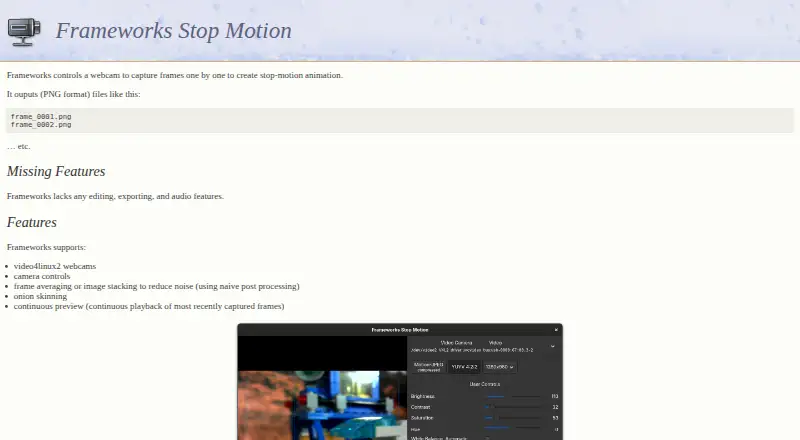
Frameworks Stop Motion is a free, open-source Linux program for capturing stop-motion animation with a webcam. It controls video4linux2 cameras and saves captured frames as PNG files. Onion skinning and continuous preview of recently captured frames help users follow a sequence, while frame averaging or image stacking can reduce noise through simple post-processing. Version 0.4.0, dated 27 April 2026, updates the interface to GTK 4 and adds an RGB histogram, dynamic camera controls, camera switching, and options to change image format and size. It can also load an existing animation on startup. Frameworks is for capture rather than completing an animation: it does not include editing, exporting, or audio features. The major build dependencies include GTK 4, Meson, and Linux kernel headers containing linux/videodev2.h. A build environment can be set up with nix develop or direnv, and the project provides Meson commands for compiling the program. Its history traces back to gqcam 0.9 by Cory Lueninghoener.
Who it suits
It suits Linux users who want webcam-based stop-motion frame capture with camera controls and preview aids. It is not suited to workflows that require editing, exporting, or audio features in the same program.
What it does well
- Captures video4linux2 webcam frames as PNG files.
- Includes onion skinning and continuous frame preview.
- Frame averaging or stacking can reduce image noise.
- Version 0.4.0 adds a histogram and camera switching.
What to know first
- No editing, exporting, or audio features.
- Linux kernel headers and GTK 4 are build dependencies.
Limits
Frameworks stops at capture and preview: it provides no editing, exporting, timeline editing, or audio support. It supports Linux rather than a listed cross-platform set.
Getting started
- Use a Linux system with a video4linux2 webcam
- Install GTK 4, Meson, and Linux kernel headers containing linux/videodev2.h
- Set up the build environment with nix develop or direnv
- Compile the program with the provided Meson commands
- Launch Frameworks and select a camera, format, and image size
- Capture frames for PNG output
Verdict
Frameworks Stop Motion focuses on capturing frames and offers useful camera and preview features for that task. Plan on using other tools for editing, export, or audio, and account for the listed Linux build dependencies.
Questions
What does Frameworks Stop Motion capture?
It controls video4linux2 webcams to capture frames one by one and saves them as PNG files.
Does it include editing or audio?
No. The project lists no editing, exporting, timeline editing, or audio support.
Which operating system does it support?
Linux is the listed supported platform.
What changed in version 0.4.0?
The release updates the interface to GTK 4 and adds an RGB histogram, dynamic camera controls, camera switching, and format and size switching.
What is required to build it?
The listed major dependencies are GTK 4, Meson, and Linux kernel headers containing linux/videodev2.h. The project describes nix develop or direnv build environments.
Facts from Frameworks Stop Motion's own pages
- 0.4.0 changes
- The changelog lists an RGB histogram view, dynamic camera controls, loading an existing animation on startup, camera switching, and format and size switching. · frameworks.polycrystal.org, 9 Oct 2026
- Build setup
- The site says a build environment can be set up with nix develop or direnv, and gives Meson commands to compile the program. · frameworks.polycrystal.org, 10 Oct 2026
- Camera support
- It supports video4linux2 webcams and camera controls. · frameworks.polycrystal.org, 10 Oct 2026
- Contact
- The site lists Pat Mahoney at [email protected] in its copyright notice. · frameworks.polycrystal.org, 10 Oct 2026
- Editing and audio
- The site says Frameworks lacks editing, exporting, and audio features. · frameworks.polycrystal.org, 9 Oct 2026
- History
- The project was originally based on gqcam 0.9 by Cory Lueninghoener. · frameworks.polycrystal.org, 10 Oct 2026
- Image features
- It supports frame averaging or image stacking to reduce noise, onion skinning, and continuous preview of recently captured frames. · frameworks.polycrystal.org, 9 Oct 2026
- Image tools
- It supports frame averaging or image stacking to reduce noise, using what the site calls naive post processing. · frameworks.polycrystal.org, 10 Oct 2026
- Latest release
- The download list shows Frameworks 0.4.0 dated 27 April 2026. · frameworks.polycrystal.org, 10 Oct 2026
- License
- The site says its text and images are under Creative Commons Attribution-ShareAlike or GNU GPL version 3 or later. · frameworks.polycrystal.org, 10 Oct 2026
- Limitations
- The site says Frameworks lacks editing, exporting, and audio features. · frameworks.polycrystal.org, 10 Oct 2026
- Linux dependencies
- The listed major build dependencies include GTK4 and Linux kernel headers containing linux/videodev2.h. · frameworks.polycrystal.org, 9 Oct 2026
- Output
- It saves captured frames as PNG files with sequential names such as frame_0001.png. · frameworks.polycrystal.org, 10 Oct 2026
- Preview
- It supports onion skinning and continuous playback of recently captured frames. · frameworks.polycrystal.org, 10 Oct 2026
- Purpose
- Frameworks controls a webcam to capture frames one by one for stop-motion animation. · frameworks.polycrystal.org, 10 Oct 2026
- Recent changes
- Version 0.4.0 updated the interface to GTK 4, added an RGB histogram view, and added camera switching and format and size switching. · frameworks.polycrystal.org, 10 Oct 2026
- Requirements
- The listed major build dependencies are GTK 4, Linux kernel headers with linux/videodev2.h, and Meson. · frameworks.polycrystal.org, 10 Oct 2026
Where Frameworks Stop Motion stands on Freedom251
- Stop Motion Software#28 of 29