Freedom251 › Pixel Art Software

Motestack
What Motestack is
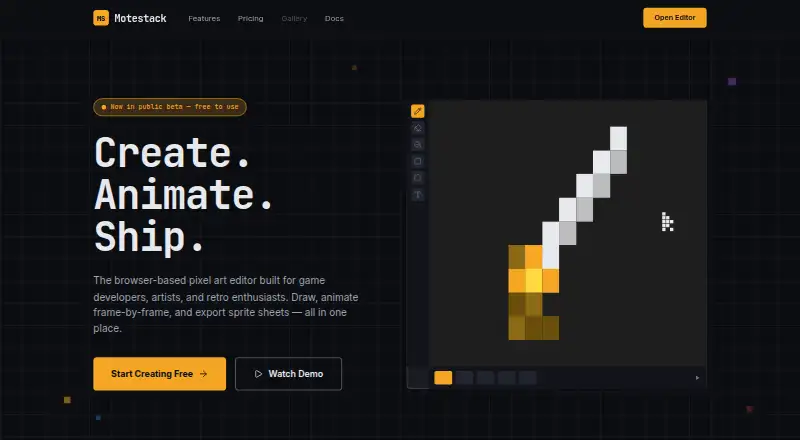
Motestack is a web-based editor for creating pixel art and 2D animations. It runs in a browser, with drawing tools for pencil work, erasing, filling, gradients with dithering, brush shapes, custom brushes, and pixel-perfect lines. Animation projects can include multiple frames and named animations, organized through a timeline and frame tags. Onion skinning and frame interpolation support work across frames. For color work, indexed color mode updates matching pixels when a palette slot changes, while color cycles rotate palette slots over time. Layers can sit inside nested groups with their own opacity and blend modes, and a layer can be linked across frames.
Motestack offers PNG, GIF, sprite-sheet, project JSON, and .mstack export formats. Game asset tools include Aseprite-compatible JSON sprite sheets with frame tags and slices, an auto-tile 47 generator, and smart upscale. The editor works client-side and stores projects in browser IndexedDB; its documentation says artwork remains on the user's machine unless exported. Self-contained .mstack files can be shared or kept as backups. Motestack is free to use and does not require an account. Its documentation describes the editor as beta v0.15.0, with schemas subject to change before version 1.0, and says the editor and documentation come with no warranty.
Who it suits
Motestack suits indie game developers and pixel-art enthusiasts who want to draw and animate in a browser. Its frame tools, indexed color features, tilemap tools, and game-focused export options also suit people preparing pixel-art assets for games.
What it does well
- Free to use with no account required.
- Works in a web browser and saves projects in IndexedDB.
- Animation timeline includes onion skinning and frame interpolation.
- Indexed color mode updates matching pixels after palette edits.
- Exports PNG, GIF, sprite sheets, project JSON, and .mstack files.
- Includes an auto-tile 47 generator and smart upscale.
What to know first
- The editor is identified as beta v0.15.0.
- Project schemas may change before version 1.0.
- The editor and documentation are provided with no warranty.
Plans
| Plan | Billed and limits | Price |
|---|---|---|
| Free | Free to use · No account required | Free |
As motestack.com lists them, read 7 Oct 2026. The maker's own page has the final word.
Getting started
- Open https://www.motestack.com/ in a web browser.
- Use the editor without creating an account.
- Create or edit artwork and save projects in the browser's IndexedDB.
- Export artwork in PNG, GIF, sprite-sheet, project JSON, or .mstack format as needed.
Verdict
Choose Motestack if you want a free browser editor with pixel-art drawing, animation, indexed color tools, and game asset exports. Its beta status and the possibility of schema changes before version 1.0 may matter when choosing a tool for projects that depend on a stable project format.
Questions
How much does Motestack cost?
Motestack is free to use. The listed plan is free, billed as free to use.
Do I need an account?
No. Motestack does not require an account.
Which platforms does it support?
Motestack supports the web and runs in a browser.
What file formats can I export?
Listed formats are PNG, GIF, sprite sheet, project JSON, and .mstack. Game-focused export also includes Aseprite-compatible JSON sprite sheets with frame tags and slices.
Does Motestack store artwork online?
The editor runs client-side and saves projects in browser IndexedDB. Its documentation says artwork stays on the user's machine unless exported.
Is Motestack out of beta?
No. Its documentation identifies the editor as beta v0.15.0 and says schemas may change before version 1.0.
Facts from Motestack's own pages
- Animation
- Its animation system includes multi-frame projects, a timeline, named animations, frame tags, onion skin, and frame interpolation. · motestack.com, 7 Oct 2026
- Color
- Indexed color mode can update matching pixels when a palette slot changes, and color cycles rotate palette slots over time. · motestack.com, 7 Oct 2026
- Drawing
- Drawing tools include pencil, eraser, fill, gradients with dithering, brush shapes, custom brushes, and a pixel-perfect line filter. · motestack.com, 7 Oct 2026
- Export
- Gamedev export includes Aseprite-compatible JSON sprite sheets with frame tags and slices, an auto-tile 47 generator, and smart upscale. · motestack.com, 7 Oct 2026
- Layers
- The editor supports nested groups with their own opacity and blend modes, plus linking a layer across frames. · motestack.com, 7 Oct 2026
- Project format
- Motestack writes projects as self-contained .mstack files that users can share or back up. · motestack.com, 7 Oct 2026
- Status and limitation
- The docs identify the editor as beta v0.15.0 and say its schemas may change before version 1.0. · motestack.com, 7 Oct 2026
- Storage and privacy
- The editor runs client-side, saves projects to browser IndexedDB, and says artwork stays on the user's machine unless exported. · motestack.com, 7 Oct 2026
- Support and warranty
- The docs describe Motestack as a personal hobby project and say the editor and docs are provided with no warranty. · motestack.com, 7 Oct 2026
- What it does
- Motestack is a browser-based pixel-art and 2D-animation editor for indie game developers and pixel-art enthusiasts. · motestack.com, 7 Oct 2026
Where Motestack stands on Freedom251
- Pixel Art Software#30 of 70