Momentum
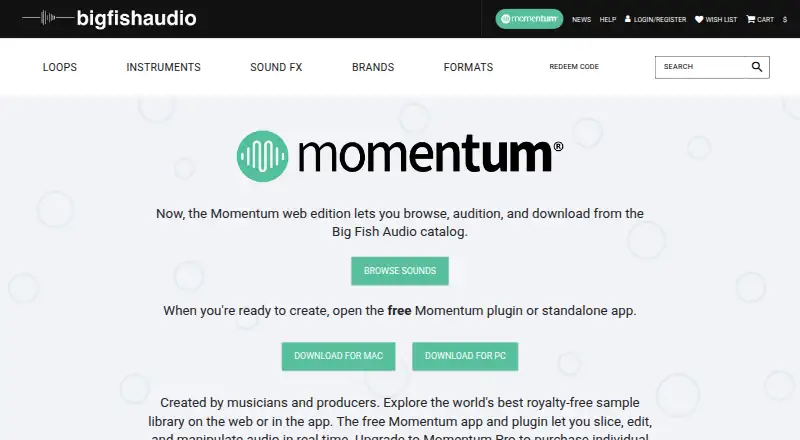
What Momentum is
Momentum is a free loop and sample plugin and application for editing loops and shaping sound. It works with leading DAWs and can also run as a standalone app on Mac and PC. Its web edition lets users browse, audition, and download from the Big Fish Audio catalog, with filters for attributes such as instrument, genre, key, and tempo. Users can apply 18 effects to individual loop sections, including pitch, stutter, delay, and reverse. Each slice is automatically assigned a MIDI note for rearranging and playing the loop sections. The free app supports WAV and AIFF files. Momentum Pro adds MP3 support, personal audio importing and organization, and individual loop purchases. Pro subscribers receive monthly or annual points to add samples, kits, or full products to their account; its price is not shown. The listed minimums are Windows 10 or later (64-bit) or macOS 12 Monterey or later, 8 GB RAM, 1440×900 resolution, and an internet connection. Big Fish Audio says legitimate purchases grant unlimited rights to use its license-free sounds in musical compositions without additional license fees.
Who it suits
Momentum may suit music makers who edit loop sections, use samples with a DAW, or want a standalone app. Pro may be relevant to users who need MP3 support or want to import and organize personal audio.
What it does well
- Free app and plugin supports WAV and AIFF.
- Works with leading DAWs and as a standalone app.
- Provides 18 effects for individual loop sections.
- Automatically assigns MIDI notes to slices.
- Web edition can browse and audition catalog sounds.
What to know first
- Free app does not support MP3.
- Pro pricing is not shown.
- Listed minimum RAM is 8 GB.
- Requires an internet connection.
Plans
| Plan | Billed and limits | Price |
|---|---|---|
| Momentum | Free app and plugin · slices, edits, and manipulates audio · WAV and AIFF support | Free |
| Momentum Free | Free download · Loop slicing and manipulation · WAV/AIFF import · free plugin and standalone app | Free |
| Momentum Pro Monthly | $9.95 per month · Individual loop purchases · personal audio import and organization · MP3 support · monthly points | $9.95 a month |
| Momentum Pro Annual | $99.95 per year · Individual loop purchases · personal audio import and organization · MP3 support · annual points | $99.95 a year |
| Momentum Pro | Monthly or annual billing; price not shown on the pages opened · Three subscription tiers · monthly or annual points allotment · individual loop purchases · personal audio import and organization · MP3 support | On request |
As bigfishaudio.com lists them, read 7 Oct 2026. The maker's own page has the final word.
Momentum is a loop-focused editor, plugin and standalone application for producers who want to reshape samples rather than simply play them back. It suits users working with WAV or AIFF material, especially those who want MIDI control over individual slices and a route into Big Fish Audio’s catalog. The free edition covers the central editing workflow; Pro is aimed at creators who also need MP3 files, personal-audio management or paid catalog access.
Overview
Momentum combines loop editing with a web catalog for browsing, auditioning and downloading Big Fish Audio material. Filters for instrument, genre, key, tempo and other attributes make it easier to narrow a large sample collection to a usable starting point. The product’s focus is deliberately specific: it is built around cutting loops into sections and reshaping those sections, not around being an all-purpose sampler.
Big Fish Audio says legitimate purchases provide unlimited rights to use its license-free sounds in musical compositions without additional license fees. That policy is useful when purchased material is moving into released music. Big Fish Audio has been producing sample libraries since 1986.
Key features
Slice effects and MIDI control
Momentum supplies 18 effects that can be applied to individual loop sections. The set includes pitch, stutter, delay and reverse, allowing a single loop to produce variations without processing the entire phrase uniformly. This slice-level approach is a strong fit for rhythmic edits and rearrangements, but it is narrower than a general sampler designed for broad instrument programming.
Every slice is assigned a MIDI note automatically. Users can therefore trigger sections, change their order and perform new patterns from MIDI rather than relying only on the original loop timing. Producers who already work in a MIDI-centered workflow get a clear advantage; users seeking extensive synthesis or instrument-sampler facilities will find the scope more limited.
Catalog and file workflow
The web edition handles catalog discovery, auditioning and downloads, with metadata filters that include instrument, genre, key and tempo. The free application accepts WAV and AIFF files. MP3 support is reserved for Momentum Pro, so projects built around compressed personal collections may need the upgrade.
Pro also enables importing and organizing personal audio files. Pro subscribers receive monthly or annual points that can be used to add samples, kits or full products to a Momentum account, and Pro supports individual loop purchases. Those additions make the paid tier a catalog and library-management option as well as a format upgrade.
Pricing
| Plan | Price | What you get |
|---|---|---|
| Momentum | free | Free app and plugin, slice editing and manipulation, WAV and AIFF support |
| Momentum Pro | Custom pricing; monthly or annual billing | Three subscription tiers, monthly or annual points allotment, individual loop purchases, personal-audio import and organization, and MP3 support |
The free plan is the sensible starting point for producers whose files are WAV or AIFF and who only need core slicing, effects and MIDI rearrangement. Pro is relevant when MP3 compatibility, personal-library organization or points for Big Fish Audio products justify an ongoing subscription. The Pro page offers monthly and annual billing, but no price is published, so prospective subscribers cannot compare the tiers by cost from the stated plans. A free trial is offered; its duration and any renewal terms are not given.
Platforms
Momentum runs as a plugin with leading DAWs and as a standalone application on Mac and PC. The web edition provides the catalog-browsing experience. Minimum requirements are Windows 10 or later (64-bit) or macOS 12 Monterey or later, 8 GB of RAM, a 1440×900 display and an internet connection. The Help Center provides tutorials, account guidance, general help and troubleshooting, with contact available for the Big Fish Audio team.
Who it's for
Choose Momentum if your production starts with loops and you want to re-sequence their slices, apply effects per section and perform the result through MIDI. It is also a good match for users who value direct access to Big Fish Audio’s searchable catalog. The free edition fits a WAV/AIFF-based setup; MP3-heavy workflows and producers who need to bring in and organize their own libraries should budget for Pro.
Pros and cons
- Pros: 18 slice-level effects provide targeted loop manipulation; automatic MIDI notes make rearrangement and performance straightforward; catalog filters cover practical discovery criteria; standalone and DAW plugin formats support different working styles; legitimate purchases carry unlimited composition-use rights without extra license fees.
- Cons: The free tier excludes MP3, personal-audio import and organization, and individual loop purchases; Pro pricing is custom and its subscription tiers cannot be cost-compared from the stated plans; the feature set is centered on loop editing rather than a broad sampler workflow; an internet connection is required.
Alternatives
For a wider sampler shortlist, browse Sampler Software. sfizz is a free option across API, Linux, macOS, web and Windows, with optional donations and no trial. Decent Sampler is free on iOS, Linux, macOS and Windows and plays libraries in its .dspreset and .dslibrary formats. TX16Wx Software Sampler offers a free sampler plugin plus an unrestricted professional licence. Vaporizer 2 is GPL-3.0 software available as standalone and plugin formats on Linux, macOS and Windows. Just a Sample is a free, MIT-licensed open-source sampler for Windows, macOS and Linux. LinuxSampler is GPL software across API, Linux, macOS, self-hosted and Windows, with prior permission required for commercial hardware or software use. Source-to-Image is a free open-source toolkit with no paid plans stated. Subsample is another free Linux, macOS and Windows option.
Verdict
Momentum is a strong choice for loop-based producers who want per-slice effects, automatic MIDI control and Big Fish Audio catalog access in one workflow. Its free core removes the main barrier to trying that approach. Look elsewhere if you need a broad sampler rather than loop manipulation, or choose Pro only when MP3 support, personal-audio organization and catalog points are worth an ongoing, custom-priced subscription.
Verdict
Momentum combines loop editing, slice effects, MIDI control, and catalog browsing, with basic WAV and AIFF support available for free. Consider Pro only if you need its additional import, MP3, or individual-purchase options.
Facts from Momentum's own pages
- API and SDKs
- The opened official product and help pages do not document a public API, SDK, or developer extension interface. · momentumhelp.bigfishaudio.com, 15 Oct 2026
- Audio import
- The free product accepts WAV and AIFF files by drag and drop, while Momentum Pro adds MP3 support. · bigfishaudio.com, 15 Oct 2026
- Browser
- Its browser filters loops and samples by instrument, genre, key, tempo, and other attributes. · bigfishaudio.com, 7 Oct 2026
- Company history
- LinkedIn says Big Fish Audio has produced sample libraries since 1986. · linkedin.com, 15 Oct 2026
- Company size
- LinkedIn lists Big Fish Audio as an entertainment company with 11–50 employees and headquarters in Santa Clarita, California. · linkedin.com, 15 Oct 2026
- Construction kit player
- A construction-kit layout exposes the component parts of Big Fish Audio kits for quick track building. · bigfishaudio.com, 15 Oct 2026
- DAW and standalone use
- The product is described as working with leading DAWs and also runs as a standalone app on Mac and PC. · bigfishaudio.com, 7 Oct 2026
- DAW compatibility
- The plugin is advertised as working with leading DAWs. · bigfishaudio.com, 15 Oct 2026
- Documentation
- The help center contains installation, tutorials, account, troubleshooting, and general articles, including articles for Studio One and Mixcraft issues. · momentumhelp.bigfishaudio.com, 15 Oct 2026
- Installation
- The Mac download contains separate plugin and standalone package installers, while Windows uses a Momentum_PC.exe installer. · momentumhelp.bigfishaudio.com, 15 Oct 2026
- Legal name
- Crunchbase identifies the legal entity as Big Fish Audio Inc. · crunchbase.com, 15 Oct 2026
- Licence
- The opened product and help pages describe downloadable proprietary installers and do not identify an open-source licence or public source repository. · bigfishaudio.com, 15 Oct 2026
- Licensing
- Big Fish Audio says legitimate purchases grant unlimited rights to use its license-free sounds in musical compositions without additional license fees. · bigfishaudio.com, 7 Oct 2026
- Limit: account and activation friction
- A KVR discussion includes a user reporting that Momentum demanded an account but would not let them log in. · kvraudio.com, 15 Oct 2026
- Limit: account requirement
- Independent reviews note that first use requires creating or entering a Big Fish Audio account, which some users may dislike. · soundonsound.com, 15 Oct 2026
- Limit: customer service complaints
- Trustpilot reviews repeatedly mention delayed or missing download links, refund refusals, and dissatisfaction with product quality or support. · trustpilot.com, 15 Oct 2026
- Limit: mode switching
- Sound On Sound reported that one Momentum instance cannot simultaneously provide Mixer mode for multiple loops and Slice mode for slices from a single loop. · soundonsound.com, 15 Oct 2026
- Loop browser
- The browser searches hundreds of thousands of loops and samples using filters such as instrument, genre, key, and tempo. · bigfishaudio.com, 15 Oct 2026
- MIDI editing
- Each slice receives an automatic MIDI note assignment for rearranging and triggering slices. · bigfishaudio.com, 15 Oct 2026
- News: browser launch
- Magnetic Magazine reported on 25 August 2026 that Momentum became available in a web browser, with online search, previewing, points, downloads, and beta AI search. · magneticmag.com, 15 Oct 2026
- News: version 2.0
- KVR Audio reported on 8 May 2025 that Momentum 2.0 added the browser, standalone app, personal collection organization, and Momentum Pro subscription. · kvraudio.com, 15 Oct 2026
- One-shot engine
- The one-shot engine lets users isolate and play individual hits from any section of a loop or sample. · bigfishaudio.com, 15 Oct 2026
- Personal library
- Momentum Pro can import and organize a user's personal audio collection. · momentumhelp.bigfishaudio.com, 15 Oct 2026
- Plugin formats
- Independent product records identify VST, VST3, Audio Units, and AAX formats for macOS and Windows. · kvraudio.com, 15 Oct 2026
Where Momentum stands on Freedom251
- Sampler Software#6 of 26