Freedom251 › Language learning apps
mLearn
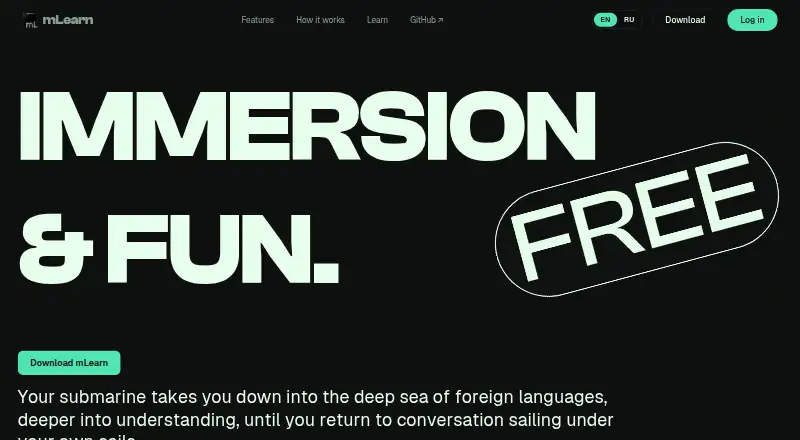
What mLearn is
mLearn is a free immersion language-learning app for studying with videos, books, and vocabulary. It supports Japanese, German, Spanish, Russian, Mandarin Chinese, and Church Slavonic. In videos, learners can select subtitle words for definitions and create flashcards that keep a screenshot for context. A reader uses real-time OCR on image folders and PDFs, and spaced repetition helps review cards made from video or manga; Anki sync is optional. The AI tutor explains grammar in context, while its text chat runs locally without sending data elsewhere. mLearn tracks words encountered across videos and books and can flag frequently seen words for review. The tutor, OCR, and dictionary work offline, but device sync, watch-together rooms, and optional cloud AI require internet. The free plan is listed as free, with usage limits on optional cloud features. It is available for Android, iOS, Windows, macOS, Linux, and as an extension. Desktop minimums are 6 GB RAM and a GPU capable of playing 1080p video; 16 GB RAM is recommended for AI features.
Who it suits
mLearn may suit learners who want to study vocabulary through video and reading, with offline tools and optional Anki sync. Desktop users should check the memory and graphics requirements, especially for AI features.
What it does well
- Supports six listed languages.
- OCR works with image folders and PDFs.
- Text chat runs locally without sending data elsewhere.
- Anki flashcard sync is optional.
What to know first
- Optional cloud features have usage limits.
- Some features require an internet connection.
- Desktop use requires 6 GB RAM and 1080p-capable GPU.
- 16 GB RAM is recommended for AI features.
Limits
The free plan has usage limits for optional cloud features. Voice mode with character cloning requires cloud quota.
Plans
| Plan | Billed and limits | Price |
|---|---|---|
| Free | Optional cloud features have usage limits; voice mode with character cloning requires cloud quota, and the free tier may end unexpectedly. | Free |
As mlearn.kikan.net lists them, read 12 Oct 2026. The maker's own page has the final word.
Getting started
- Visit https://mlearn.kikan.net/
- Choose a version for Android, iOS, Windows, macOS, Linux, or the extension.
- Use the free plan, listed as free.
- Study with videos, books, or the reader; optional cloud AI and device sync need internet.
mLearn is an immersion-focused language-learning app that turns videos, books, and encountered vocabulary into study material. It suits independent learners of its six supported languages who want contextual flashcards and offline tools more than a preset course. The main decision is whether its media-first workflow and local processing outweigh desktop hardware requirements and cloud-feature quotas.
Overview
mLearn links practice to the content you already watch and read. Select a subtitle word in a video to see its definition and save a flashcard containing a screenshot of the moment. The reader applies real-time OCR to image folders and PDFs, making text lookup possible even when the source is not selectable.
Its spaced-repetition system can generate cards from video or manga, with optional synchronization to Anki. Passive tracking records words encountered across videos and books and can flag repeatedly seen words for review. A placement test, personalized review, and speech practice broaden the app beyond a simple media reader, but the design remains better suited to self-directed immersion than to learners wanting a fixed lesson sequence.
Key features
Context is mLearn's strongest feature. The tutor explains grammar in the material being studied, so an explanation can relate directly to a sentence rather than an isolated exercise. Text chat runs locally, and the AI tutor, OCR, and dictionary function offline. Users who need additional AI options can connect Ollama or a cloud API, but those integrations introduce internet and quota dependencies.
Flashcards and settings synchronize directly between devices by QR code, and mLearn says it does not retain copies of that data. That is a meaningful privacy advantage for learners wary of sending study history to a central service. Device synchronization itself requires internet, as do watch-together rooms and optional cloud AI.
The six supported languages are Japanese, German, Spanish, Russian, Mandarin Chinese, and Church Slavonic. This focused list is useful if your target is included, but it rules out learners seeking a broader catalog. Voice mode with character cloning consumes cloud quota, and the free tier may end unexpectedly when that quota is exhausted.
Pricing
mLearn's Free plan costs nothing and has no free trial because the product is already offered as a free plan. Core local functions are therefore accessible without a subscription. Optional cloud features have usage limits; voice mode with character cloning requires cloud quota, and the free tier may end unexpectedly. There are no paid tiers or seat charges described, so this is best for individuals willing to keep advanced cloud use occasional or configure their own provider through Ollama or a cloud API.
Platforms
mLearn provides Android and iOS apps, a browser extension, and desktop versions for Linux, macOS, and Windows. Offline lessons are supported. Desktop users need at least 6 GB of RAM and a GPU capable of playing 1080p video; 16 GB of RAM is recommended for AI features. Those requirements can make a lightweight or older computer a poor fit even though mobile apps are available.
Who it's for
Choose mLearn if you learn through foreign-language media, want vocabulary to retain its visual or textual context, and value offline dictionary, OCR, and tutoring. It is particularly compelling for the six supported languages and for privacy-conscious users who prefer QR-based direct sync. Look elsewhere if you need a broad language catalog, a tightly sequenced curriculum, or dependable high-volume cloud voice and AI without quota concerns.
Pros and cons
Pros
- Media-based flashcards: Subtitle and manga cards preserve screenshots, making review tied to the original context.
- Offline study stack: OCR, dictionary, tutor, and lessons continue working without an internet connection.
- Local text chat: The tutor can operate without sending chat data elsewhere.
- Direct private sync: QR transfer avoids keeping copies of flashcards and settings on the service.
- Immersion tracking: Repeatedly encountered words can be surfaced for targeted review.
Cons
- Limited language selection: Support is confined to Japanese, German, Spanish, Russian, Mandarin Chinese, and Church Slavonic.
- Desktop demands: 6 GB RAM and 1080p-capable graphics are minimums, with 16 GB recommended for AI.
- Cloud quotas: Optional AI and character-cloned voice require internet and can run out on the free tier.
- Less course structure: Its immersion workflow is not designed as a prescribed progression from lesson to lesson.
Alternatives
Browse Language learning apps for a wider set of choices. Pick Duolingo instead for a freemium course on Android, iOS, macOS, and web with a one-week trial. Busuu is the better option for structured premium learning features and an AI-focused Premium Plus tier.
Sotto suits users who want a free, self-hosted system across desktop, mobile, web, and API connections, paying providers directly. Choose Learning with Texts for a free local web server built on PHP and MySQL. LingQ offers browser-extension access and a free membership capped at 20 saved words, five imported lessons, and one audio playlist.
TextLingo 2 is preferable when explicit free quotas for articles, novels, credits, and flashcards fit your study plan. LearnEnglish Grammar is a narrower Android and iOS choice for grammar practice, with ads and an optional 1.99 USD one-time ad removal. Talkpal is the alternative for AI speaking practice, though its free Basic plan is limited to 10 minutes daily.
Verdict
mLearn is a strong choice for self-directed learners who want to mine videos and reading for contextual vocabulary, keep core tools offline, and sync privately. Its principal reasons to look elsewhere are equally clear: the six-language scope, demanding desktop hardware, and unpredictable limits on optional cloud features make it less suitable for broad-catalog learners or heavy AI and voice users.
Verdict
mLearn combines video and reading-based study with flashcards, OCR, and an in-context tutor. Its offline tools and desktop requirements are important considerations, as are the internet needs and limits of optional cloud features.
Questions
Is mLearn free?
Yes. The Free plan is listed as free.
Which languages does it support?
Japanese, German, Spanish, Russian, Mandarin Chinese, and Church Slavonic.
Which platforms are available?
Android, iOS, Windows, macOS, Linux, and an extension.
Can it be used offline?
The AI tutor, OCR, and dictionary work offline. Device sync, watch-together rooms, and optional cloud AI require internet.
Does it sync with Anki?
Yes. Flashcard syncing with Anki is optional.
What are the desktop requirements?
At least 6 GB RAM and a GPU capable of playing 1080p video are required. 16 GB RAM is recommended for AI features.
Facts from mLearn's own pages
- AI tutor
- The built-in AI tutor can explain grammar in context, and text chat runs locally without sending data elsewhere. · mlearn.kikan.net, 12 Oct 2026
- Flashcards
- The built-in spaced repetition system creates flashcards from video or manga, and Anki sync is optional. · mlearn.kikan.net, 12 Oct 2026
- Free plan
- Yes · mlearn.kikan.net, 23 Sept 2026
- Integrations
- mLearn can sync flashcards with Anki and connect to Ollama or a cloud API for AI. · mlearn.kikan.net, 12 Oct 2026
- Interactive video
- Users can click subtitle words for definitions and create flashcards with video screenshots as context. · mlearn.kikan.net, 12 Oct 2026
- Languages offered
- 6 · mlearn.kikan.net, 23 Sept 2026
- License
- The product is described as source-available under the Sustainable Use License 1.0. · mlearn.kikan.net, 12 Oct 2026
- Limits
- Desktop minimum requirements are 6 GB RAM and a GPU capable of playing 1080p video; 16 GB RAM is recommended for AI features. · mlearn.kikan.net, 12 Oct 2026
- Mobile apps
- Yes · mlearn.kikan.net, 23 Sept 2026
- Offline lessons
- Yes · mlearn.kikan.net, 23 Sept 2026
- Offline use
- The AI tutor, OCR, and dictionary work offline; device sync, watch-together rooms, and optional cloud AI require internet. · mlearn.kikan.net, 12 Oct 2026
- Passive tracking
- mLearn tracks words encountered across videos and books and can flag repeatedly encountered words for review. · mlearn.kikan.net, 12 Oct 2026
- Personalized review
- Yes · mlearn.kikan.net, 23 Sept 2026
- Placement test
- Yes · mlearn.kikan.net, 23 Sept 2026
- Platforms
- Desktop versions support Windows, macOS, and Linux; a PWA works on iOS and Android, and a Chrome/Firefox extension is available. · mlearn.kikan.net, 12 Oct 2026
- Privacy
- Flashcards and settings sync directly between devices via QR code, and the site says it does not keep copies of that data. · mlearn.kikan.net, 12 Oct 2026
- Purpose
- mLearn is an immersion language-learning app for studying with videos, books, and vocabulary. · mlearn.kikan.net, 12 Oct 2026
- Reader
- The reader performs real-time OCR on image folders and PDFs for text lookup. · mlearn.kikan.net, 12 Oct 2026
- Speech practice
- Yes · mlearn.kikan.net, 23 Sept 2026
- Support
- The FAQ directs users to open GitHub issues for bugs and email the developer for contact. · mlearn.kikan.net, 12 Oct 2026
- Supported languages
- Japanese, German, Spanish, Russian, Mandarin Chinese, and Church Slavonic are supported out of the box. · mlearn.kikan.net, 12 Oct 2026
Where mLearn stands on Freedom251
- Language learning apps#13 of 278