Freedom251 › Audio Analysis Software
MiniMeters
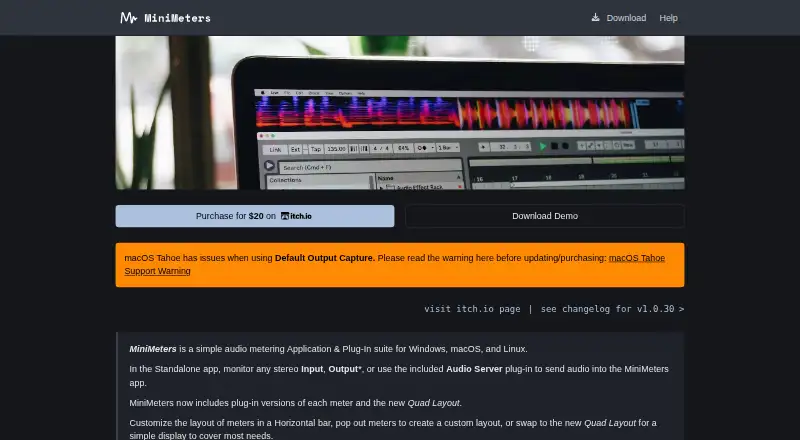
What MiniMeters is
MiniMeters is an audio metering application and plug-in suite for Windows, macOS, and Linux. It can monitor stereo input or supported system output, or receive audio through its Audio Server plug-in. Its modules show VU, waveform, spectrogram, spectrum, stereometer, loudness, and oscilloscope measurements. Users can arrange meters in a horizontal bar, open them in separate windows, or use Quad Layout. MiniMeters can record audio directly and clip the previous 10 or 60 seconds of received audio. Individual plug-ins are available in VST3, CLAP, and Audio Unit formats, with a compatible host required. The maker describes MiniMeters as a tool for displaying measurements, not changing audio. The no-time-limit demo includes only Waveform and Loudness modules and places demo text in the middle of the screen. The paid version costs 20.00 USD once, with a minimum price of $20 USD, and includes the standalone app, Audio Server plug-in, and meter plug-ins. Minimum requirements include Windows 10, macOS 10.15, or Linux kernel 5.4.0-174; audio output capture on macOS requires version 14.2.
Who it suits
MiniMeters suits audio users who want metering and recording across Windows, macOS, or Linux. It offers standalone and plug-in options, but it displays measurements rather than processing audio.
What it does well
- Includes seven named meter modules.
- Can capture stereo input or supported system output.
- Offers horizontal, separate-window, and Quad Layouts.
- Can clip the previous 10 or 60 seconds of audio.
- Plug-ins are available in VST3, CLAP, and Audio Unit formats.
What to know first
- Demo includes only Waveform and Loudness modules.
- Demo text appears in the middle of the screen.
- Audio output capture on macOS requires version 14.2.
- Plug-ins require a compatible host.
Limits
The free demo has no time limit, but is limited to Waveform and Loudness and displays demo text in the middle of the screen. The listed maximum is two channels.
Plans
| Plan | Billed and limits | Price |
|---|---|---|
| Demo | Waveform and Loudness modules only · on-screen demo text · no time limit | Free |
| MiniMeters | $20.00 USD or more; minimum $20 · Standalone app · Audio Server plug-in · VST3, Audio Unit and CLAP meter plug-ins · Windows, macOS and Linux | $20, paid once |
As minimeters.app lists them, read 15 Oct 2026. The maker's own page has the final word.
Getting started
- Visit https://minimeters.app/.
- Choose the free demo or the MiniMeters plan, priced at 20.00 USD once.
- Download and install the application; the maker says it has no copy protection.
- Use the standalone app to monitor stereo input or supported system output, or receive audio through the Audio Server plug-in.
- For a meter plug-in, use a compatible host and choose a VST3, CLAP, or Audio Unit format.
Verdict
MiniMeters offers multiple ways to view audio measurements, with standalone and plug-in use across three operating systems. Its demo is limited to two modules, and the product does not change audio.
Questions
Is there a free plan or trial?
There is a free demo with no time limit, and no free trial. The demo includes Waveform and Loudness and displays demo text.
How much does MiniMeters cost?
The MiniMeters plan is 20.00 USD once, with a minimum price of $20 USD.
Which operating systems does it support?
It supports Windows, macOS, and Linux. Listed minimums include Windows 10, macOS 10.15, or Linux kernel 5.4.0-174.
What plug-in formats are available?
Individual plug-ins are available in VST3, CLAP, and Audio Unit formats. A compatible host is required.
Can MiniMeters change the audio?
No. It displays audio measurements rather than processing or changing the audio.
How can I get support?
The product page offers support through Discord and email.
Facts from MiniMeters's own pages
- Audio capture
- The standalone app can capture default audio devices on Windows, macOS 14.2 or later and Linux, subject to system support. · directmusic.itch.io, 15 Oct 2026
- Audio monitoring
- The standalone app can monitor stereo input or supported system output, or receive audio from the Audio Server plug-in. · minimeters.app, 9 Oct 2026
- Audio routing integrations
- The help pages provide setup guides for Audio Hijack, SoundSource, Sound Siphon, and Sonarworks SoundID on macOS. · minimeters.app, 9 Oct 2026
- Company profile
- The maker describes himself as a Chicago-based independent software developer and electronic musician. · direct.wtf, 15 Oct 2026
- DAW routing
- The Audio Server plug-in sends audio from a DAW or plug-in host into MiniMeters. · minimeters.app, 15 Oct 2026
- Demo limits
- The no-time-limit demo provides only Waveform and Loudness modules and places demo text in the middle of the screen. · directmusic.itch.io, 9 Oct 2026
- Documentation
- The help center covers installation, audio routing, updates, window management, themes, troubleshooting, crash reports and known limitations. · minimeters.app, 15 Oct 2026
- Headquarters
- Joseph Lyncheski's GitHub profile lists Chicago, Illinois. · github.com, 15 Oct 2026
- Independent review
- Polarity describes MiniMeters as both a standalone visualizer and a DAW plug-in for real-time analysis and persistent meter visibility. · polarity.me, 15 Oct 2026
- Initial release
- The EULA states that MiniMeters version 1.0.0 was released on August 1, 2025. · minimeters.app, 15 Oct 2026
- Layouts
- Meters can be arranged in a horizontal bar, separate pop-out windows or a Quad layout. · minimeters.app, 15 Oct 2026
- Licence
- The EULA gives purchasers installation rights on personally owned computers, restricts redistribution and states that MiniMeters owns its software and intellectual property. · minimeters.app, 15 Oct 2026
- Limit: analyzer orientation
- The developer said changing the orientation of plug-in analyzers was not supported at the time of the discussion. · directmusic.itch.io, 15 Oct 2026
- Limit: input switching
- A user requested automatic switching between Audio Server and main outputs; the developer said a more convenient switch was planned for version 1.1. · directmusic.itch.io, 15 Oct 2026
- Limit: macOS Tahoe
- The official issue page reports unstable output capture on macOS Tahoe, especially with CPU-intensive Ableton Live projects, and says workarounds are incomplete. · minimeters.app, 15 Oct 2026
- Limit: missing mobile app
- An itch.io commenter requested an iPhone meter app, indicating that the published product is desktop-focused. · directmusic.itch.io, 15 Oct 2026
- Limit: no processing
- An itch.io user response explains that MiniMeters only measures audio and cannot limit or otherwise change a track. · directmusic.itch.io, 15 Oct 2026
- Limit: timeline API
- Waveform timeline bar numbers can be wrong after automated time-signature changes in VST3 and Audio Unit plug-ins because of host API limitations. · minimeters.app, 15 Oct 2026
- Linux requirements
- Linux requires kernel 5.4.0-174 or newer and x86_64 or arm64; the product is tested on Ubuntu 20.04 or newer. · minimeters.app, 15 Oct 2026
- macOS requirements
- macOS requires version 10.15 or newer on Intel or Apple Silicon; output capture requires macOS 14.2 or later. · minimeters.app, 15 Oct 2026
- macOS Tahoe issue
- The maker warns that macOS Tahoe has issues with Default Output Capture and advises users to read its support warning. · minimeters.app, 9 Oct 2026
- Maker
- The product is made by Direct, identified on the developer's site as Joseph Lyncheski. · direct.wtf, 15 Oct 2026
- Meter modules
- The product includes VU, Waveform, Spectrogram, Spectrum, Stereometer, Loudness and Oscilloscope modules. · minimeters.app, 15 Oct 2026
- Meters
- Its modules include VU, Waveform, Spectrogram, Spectrum, Stereometer, Loudness, and Oscilloscope. · minimeters.app, 9 Oct 2026
Where MiniMeters stands on Freedom251
- Audio Analysis Software#28 of 43