Freedom251 › Nonprofit Impact Measurement Software
Microsoft Outcome Management
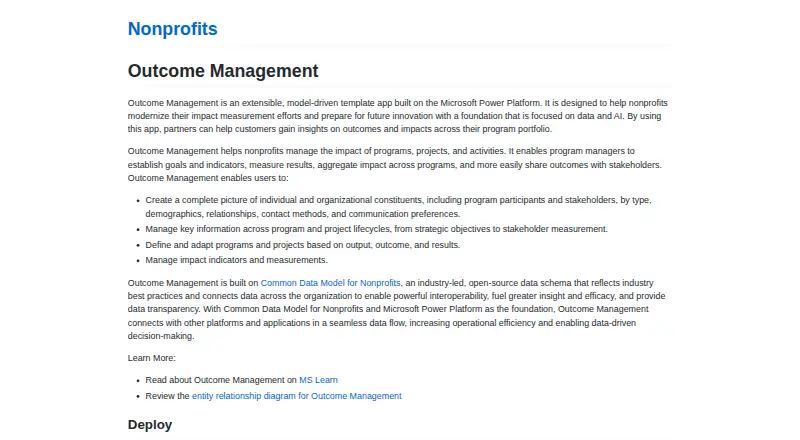
What Microsoft Outcome Management is
Microsoft Outcome Management is a free, open-source template app for nonprofits built on Microsoft Power Platform. It helps teams set goals and indicators for programs and projects, measure results, and combine impact across initiatives. Users can keep records for individual and organizational constituents, including participants and stakeholders, with demographic, relationship, contact, and communication preference details. The app covers program work from strategic objectives through stakeholder measurement, and supports defining or adapting initiatives around outputs, outcomes, and results. Indicator values can record baseline, actual, and target measurements over time; they can also link to participants through benefit recipient records. Its foundation is the open-source Common Data Model for Nonprofits, which is intended to support interoperability and data transparency. The maker says the model and Power Platform connect with other applications through data flow. Deployment requires installing the Common Data Model for Nonprofits first, then building and importing the solution into Dataverse. The build guide lists .NET SDK 4.6.2 or later, current .NET and Power Platform CLI, Node.js 18.18.0 or later, and a Dataverse environment with required permissions.
Who it suits
It suits nonprofit program managers and implementation partners building solutions to track goals, indicators, participants, and program impact. Teams need a Dataverse environment and the listed development tools to build and deploy it.
What it does well
- Tracks goals, indicators, and impact across programs.
- Records constituents, participants, and stakeholder details.
- Indicator values can capture baseline, actual, and target measures.
- Free and open source.
- Built on the Common Data Model for Nonprofits.
What to know first
- Requires the Common Data Model for Nonprofits to be installed first.
- Deployment requires Dataverse and specified development tools.
- GitHub build migration makes the customer responsible for future updates.
Getting started
- Install the Common Data Model for Nonprofits first.
- Prepare a Dataverse environment with the required permissions.
- Use .NET SDK 4.6.2 or later, the latest .NET and Power Platform CLI, and Node.js 18.18.0 or later.
- Build the solution and import it into the Power Platform environment using Power Platform CLI.
Verdict
Outcome Management provides a nonprofit-focused structure for recording program activity and measuring outcomes. Check the deployment requirements and update ownership before importing a GitHub build into an environment using the AppSource/PPAC build.
Questions
What does Microsoft Outcome Management cost?
The listed pricing model is free, and the pricing note says open source.
Which platforms are listed?
The listed platforms are web and API.
What is required before deployment?
The deployment guide says to install the Common Data Model for Nonprofits before Outcome Management. The solution is built and imported into a Dataverse environment using .NET and Power Platform CLI.
What technical requirements does the build guide list?
It lists .NET SDK 4.6.2 or later, the latest .NET and Power Platform CLI, Node.js 18.18.0 or later, and a Dataverse environment with required permissions.
What happens when a GitHub build is imported during migration?
It is an in-place managed upgrade because the GitHub build and AppSource/PPAC build share the same solution identity. The environment leaves the AppSource automatic update channel, and the customer owns future updates.
Can the app track indicator values over time?
Yes. Values can record baseline, actual, or target measurements over time and can link to program participants through benefit recipient records.
Facts from Microsoft Outcome Management's own pages
- Constituent records
- Users can track individual and organizational constituents, including participants and stakeholders, with demographics, relationships, contact methods, and communication preferences. · microsoft.github.io, 9 Oct 2026
- Customization
- The maker describes the app as an extensible template designed to help partners build program measurement solutions for nonprofit customers. · microsoft.github.io, 4 Oct 2026
- Data foundation
- Outcome Management is built on the open-source Common Data Model for Nonprofits, which Microsoft describes as supporting interoperability and data transparency. · microsoft.github.io, 9 Oct 2026
- Deployment
- The solution is built on Dataverse and can be imported into a Power Platform environment using Power Platform CLI. · microsoft.github.io, 9 Oct 2026
- Deployment environment
- The guide describes building and importing the solution into a Dataverse environment using .NET and Power Platform CLI. · microsoft.github.io, 4 Oct 2026
- Deployment prerequisite
- Microsoft instructs users to install Common Data Model for Nonprofits before installing Outcome Management. · microsoft.github.io, 9 Oct 2026
- Goals and indicators
- The app lets program managers establish goals and indicators, measure results, aggregate impact across programs, and share outcomes with stakeholders. · microsoft.github.io, 9 Oct 2026
- Indicator measurements
- Indicator values can record baseline, actual, or target measurements over time and can be linked to program participants through benefit recipient records. · learn.microsoft.com, 9 Oct 2026
- Integrations
- Microsoft says the Common Data Model and Power Platform foundation lets Outcome Management connect with other platforms and applications, but the page does not name specific integrations. · microsoft.github.io, 9 Oct 2026
- Migration constraint
- For migration from the managed AppSource or PPAC version, the guide requires a managed build at the same or higher version and warns that customers own future updates after importing their build. · microsoft.github.io, 9 Oct 2026
- Product type
- Outcome Management is an extensible, model-driven template app built on Microsoft Power Platform. · microsoft.github.io, 4 Oct 2026
- Program lifecycle
- The app manages key information across program and project lifecycles, from strategic objectives to stakeholder measurement. · microsoft.github.io, 4 Oct 2026
- Program lifecycles
- The app manages information across program and project lifecycles, from strategic objectives to stakeholder measurement. · microsoft.github.io, 9 Oct 2026
- Purpose
- Outcome Management is an extensible, model-driven template app on Microsoft Power Platform that helps nonprofits measure and understand program impact. · microsoft.github.io, 9 Oct 2026
- Results tracking
- Its Results page tracks outputs, outcomes, and impacts for delivery frameworks, with results configurable in a hierarchy. · learn.microsoft.com, 9 Oct 2026
- Technical requirements
- The build guide lists .NET SDK 4.6.2 or later, the latest .NET and Power Platform CLI, Node.js 18.18.0 or later, and a Dataverse environment with required permissions. · microsoft.github.io, 9 Oct 2026
- Update ownership
- After importing a GitHub build during migration, the environment leaves the AppSource automatic update channel and the customer owns future updates. · microsoft.github.io, 4 Oct 2026