Freedom251 › Video Editing Software

Microsoft Clipchamp
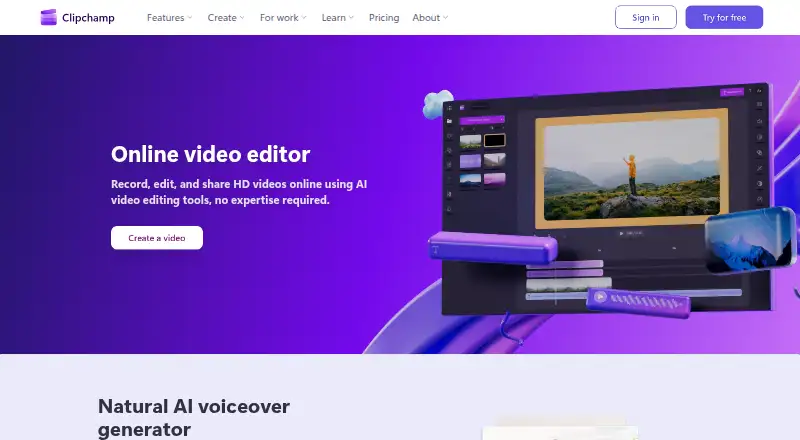
What Microsoft Clipchamp is
Microsoft Clipchamp is a video editor available in a web browser and as a desktop app for Windows and macOS. Its free plan includes basic editing tools, AI subtitles, voiceovers, and silence removal. Free users can export unlimited videos without watermarks at up to 1080p Full HD, and creating an account requires no payment or downloads. AI captions support over 80 languages, while audio tools can remove background noise, pauses, silences, and filler words. The online recorder supports audio, screen, and webcam recording on Windows and Mac. Premium access adds exports up to 4K UHD and premium stock videos, images, stickers, GIFs, music, and sound effects. Clipchamp also includes OneDrive content backup, team collaboration, and secure video sharing. Listed included cloud storage is 1000. Microsoft 365 Personal is billed at ₹6,899.00/year and Family at ₹8,199.00/year; Premium requires a Personal or Family subscription.
Who it suits
Clipchamp suits people who want browser or desktop video editing with a free 1080p export option. It also fits users seeking AI captioning, audio cleanup, recording, or premium stock assets.
What it does well
- Free unlimited exports up to 1080p without watermarks
- AI captions available in over 80 languages
- Records audio, screen, and webcam on Windows and Mac
- Includes OneDrive backup and team collaboration
What to know first
- No mobile app is listed
- 4K export requires premium access
- Premium requires a Microsoft 365 Personal or Family subscription
Limits
The free plan exports at up to 1080p Full HD. Premium access is required for exports up to 4K UHD and premium stock assets, and the Premium plan requires a Microsoft 365 Personal or Family subscription.
Plans
| Plan | Billed and limits | Price |
|---|---|---|
| Free | 1080p export | Free |
| Microsoft 365 Personal | ₹6,899.00/year · 1 person · 1 TB storage | On request |
| Microsoft 365 Family | ₹8,199.00/year · 1 to 6 people · Up to 6 TB storage | On request |
| Premium | — | On request |
| Microsoft 365 Premium | ₹19,999.00/year | On request |
As clipchamp.com lists them, read 28 Sept 2026. The maker's own page has the final word.
Getting started
- Open the Clipchamp website in a browser, or use the Windows or Mac desktop app
- Create a free Clipchamp account with a Personal Microsoft account; no payment or downloads are required for account creation
- Use the free plan for basic editing, AI subtitles, voiceovers, and silence removal
- Choose premium access for 4K UHD exports and premium stock assets; Premium requires Microsoft 365 Personal or Family
Verdict
Clipchamp offers a free browser and desktop editor with core editing, recording, and AI tools. The listed premium features include 4K exports and stock assets, while there is no mobile app listed.
Questions
Is Clipchamp free?
Yes. The Free plan costs nothing and includes unlimited exports up to 1080p Full HD without watermarks.
What platforms does Clipchamp support?
Clipchamp is available on the web, Windows, and macOS. It has no mobile app.
What does premium access add?
Premium access includes exports up to 4K UHD and premium stock videos, images, stickers, GIFs, music, and sound effects.
What do Microsoft 365 Personal and Family cost?
Microsoft 365 Personal is billed ₹6,899.00/year. Microsoft 365 Family is billed ₹8,199.00/year.
Does Clipchamp support captions and recording?
AI captions are available in over 80 languages. The online recorder supports audio, screen, and webcam recording on Windows and Mac.
Who makes Clipchamp?
The listed maker is Microsoft Clipchamp, founded in 2014 and headquartered in Brisbane, Australia.
Facts from Microsoft Clipchamp's own pages
- AI audio cleanup
- AI tools remove background noise, pauses, silences, and filler words. · clipchamp.com, 28 Sept 2026
- Subtitle languages
- AI captions are available in over 80 global languages. · clipchamp.com, 28 Sept 2026
- OneDrive backup
- The video editor includes content backup on OneDrive. · clipchamp.com, 28 Sept 2026
- Included cloud storage
- 1000 · clipchamp.com, 20 Sept 2026
- Desktop app
- Yes · clipchamp.com, 20 Sept 2026
- Founded
- 2014 · clipchamp.com, 28 Sept 2026
- 4K export
- Yes · clipchamp.com, 20 Sept 2026
- Free exports
- Free users can export unlimited videos in up to 1080p Full HD without watermarks. · clipchamp.com, 28 Sept 2026
- Free plan
- Yes · clipchamp.com, 20 Sept 2026
- Free editing tools
- The free plan includes basic editing tools and AI subtitles, voiceovers, and silence removal. · clipchamp.com, 28 Sept 2026
- Headquarters
- Brisbane, Australia · clipchamp.com, 28 Sept 2026
- Mobile app
- No · clipchamp.com, 20 Sept 2026
- No payment needed
- Creating a free Clipchamp account requires no payment and no downloads. · clipchamp.com, 28 Sept 2026
- Premium resolution
- Premium users can export videos in up to 4K UHD resolution. · clipchamp.com, 28 Sept 2026
- Premium stock assets
- Premium access includes premium stock videos, images, stickers, GIFs, music, and sound effects. · clipchamp.com, 28 Sept 2026
- Recording platforms
- The online recorder supports Windows and Mac devices for audio, screen, and webcam recording. · clipchamp.com, 28 Sept 2026
- Secure video sharing
- Clipchamp supports secure recording, editing, and sharing with privacy protection. · clipchamp.com, 28 Sept 2026
- Support channels
- Clipchamp provides Help and Contact support links. · clipchamp.com, 28 Sept 2026
- Team collaboration
- Yes · clipchamp.com, 20 Sept 2026
- Unlimited exports
- The page states that users can export an unlimited number of videos and audio files in HD quality. · clipchamp.com, 28 Sept 2026
- Review rating
- The page displays a 4.8 rating from more than 9,500 reviews. · clipchamp.com, 28 Sept 2026
- Web app
- Yes · clipchamp.com, 20 Sept 2026
- Browser-based editor
- Clipchamp works in a web browser without requiring software downloads. · clipchamp.com, 28 Sept 2026
Where Microsoft Clipchamp stands on Freedom251
- Video Editing Software#20 of 155
- Video editors#13 of 71
- AI Video Editors#25 of 81
- Video Creation And Editing Software#16 of 31
- Video Making Software#17 of 31