Freedom251 › Audio Analysis Software
Metering Cockpit
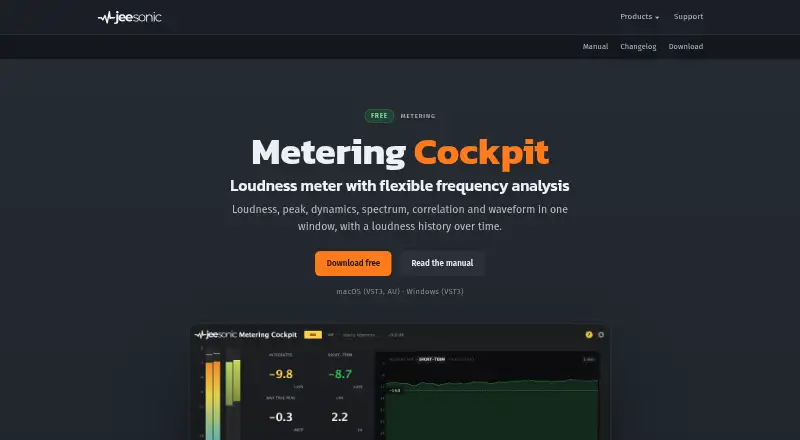
What Metering Cockpit is
Metering Cockpit is a loudness metering plug-in for mixing and mastering. It combines a frequency analyzer with monitoring aids, displaying loudness, peak level, dynamics, spectrum, stereo correlation, waveform, and loudness history. Loudness measurements use BS.1770-4, while loudness range measurements use EBU R128. The analyzer provides fractional-octave views from 1/1 to 1/24 octave and can also show raw FFT bins.
For reference listening, load a file, compare it with the mix, and set its listening level independently. The plug-in adds no latency and leaves audio unchanged except while a frequency band is soloed or a reference is playing. It works in hosts that load VST3 or AU. On macOS, it is available as VST3 and AU; on Windows, it is VST3. It requires macOS 11 or newer or 64-bit Windows 10 or newer. The free plug-in can be used privately and commercially without registration or a time limit. Reference files are limited to ten minutes because they are converted to the session rate and held in memory.
Who it suits
Metering Cockpit suits people mixing or mastering audio who want loudness, level, dynamics, and spectrum views in a VST3 or AU host. It also fits users who want to compare a mix against a reference file and independently adjust its listening level.
What it does well
- Displays loudness, peak level, dynamics, spectrum, and stereo correlation.
- Measures loudness to BS.1770-4 and loudness range to EBU R128.
- Analyzer spans fractional-octave views from 1/1 to 1/24 octave.
- Adds no latency and leaves audio unchanged in normal monitoring.
- Free for private and commercial use without registration or time limit.
What to know first
- Reference files are limited to ten minutes.
- Windows supports VST3; AU is available only on macOS.
- Requires macOS 11 or newer or 64-bit Windows 10 or newer.
Limits
The free plan has no registration or time limit and allows private and commercial use. Reference files are limited to ten minutes.
Plans
| Plan | Billed and limits | Price |
|---|---|---|
| Free | Free to use privately and commercially · no registration or time limit · macOS VST3/AU and Windows VST3 · reference files limited to 10 minutes | Free |
As jeesonic.de lists them, read 7 Oct 2026. The maker's own page has the final word.
Getting started
- Visit the Jeesonic Metering Cockpit website.
- Download the version for macOS 11 or newer or 64-bit Windows 10 or newer.
- Install the VST3 or AU plug-in supported by your system.
- Load it in a host that supports VST3 or AU.
- Load a reference file of up to ten minutes if you want to compare it with your mix.
Verdict
Choose Metering Cockpit if you need a free mixing or mastering meter with a detailed analyzer and reference monitoring. Look elsewhere if your reference files need to exceed ten minutes or your host does not load VST3 or AU.
Questions
How much does Metering Cockpit cost?
It is free to use privately and commercially, with no registration or time limit.
Which operating systems and plug-in formats does it support?
It requires macOS 11 or newer or 64-bit Windows 10 or newer. It is available as VST3 and AU on macOS, and VST3 on Windows.
Which hosts can load it?
It works in any host that loads VST3 or AU.
What does the analyzer measure or display?
It displays loudness, peak level, dynamics, spectrum, stereo correlation, waveform, and loudness history. Loudness measurement follows BS.1770-4 and loudness range measurement follows EBU R128.
Can I use a reference file?
Yes. You can compare a reference with your mix and adjust its listening level independently. Reference files are limited to ten minutes.
Who makes Metering Cockpit?
Jeesonic makes the plug-in. Its headquarters are in Ludwigshafen, Germany.
Facts from Metering Cockpit's own pages
- Analyzer
- The fractional-octave analyzer ranges from 1/1 to 1/24 octave and can show raw FFT bins. · jeesonic.de, 7 Oct 2026
- Audio processing
- The plug-in adds no latency and leaves audio unchanged unless a frequency band is soloed or the reference is playing. · jeesonic.de, 7 Oct 2026
- Displays
- It displays loudness, peak level, dynamics, spectrum, stereo correlation, waveform, and loudness history. · jeesonic.de, 7 Oct 2026
- Formats
- The plug-in is available as VST3 and AU on macOS and VST3 on Windows. · jeesonic.de, 7 Oct 2026
- Headquarters
- Ludwigshafen, Germany · jeesonic.de, 28 Sept 2026
- Host compatibility
- It works in any host that loads VST3 or AU. · jeesonic.de, 7 Oct 2026
- Installer security
- The macOS installer is signed and notarized. · jeesonic.de, 7 Oct 2026
- Intended users
- Jeesonic describes its plug-ins as tools for mixing and mastering. · jeesonic.de, 7 Oct 2026
- Loudness standards
- It measures loudness to BS.1770-4 and loudness range to EBU R128. · jeesonic.de, 7 Oct 2026
- Operating systems
- It requires macOS 11 or newer or 64-bit Windows 10 or newer. · jeesonic.de, 7 Oct 2026
- Purpose
- Metering Cockpit is a loudness metering plug-in with a flexible frequency analyzer and monitoring aids. · jeesonic.de, 7 Oct 2026
- Reference file limit
- Reference files are limited to ten minutes because they are converted to the session rate and held in memory. · jeesonic.de, 7 Oct 2026
- Reference monitoring
- Users can load a reference file, compare it with their mix, and adjust its listening level independently. · jeesonic.de, 7 Oct 2026
- Support
- Support is available by email at [email protected], and the maker asks users to include their DAW, operating system, and plug-in format. · jeesonic.de, 7 Oct 2026
Where Metering Cockpit stands on Freedom251
- Audio Analysis Software#9 of 43