Freedom251 › Game Memory Editors
memedit
What memedit is
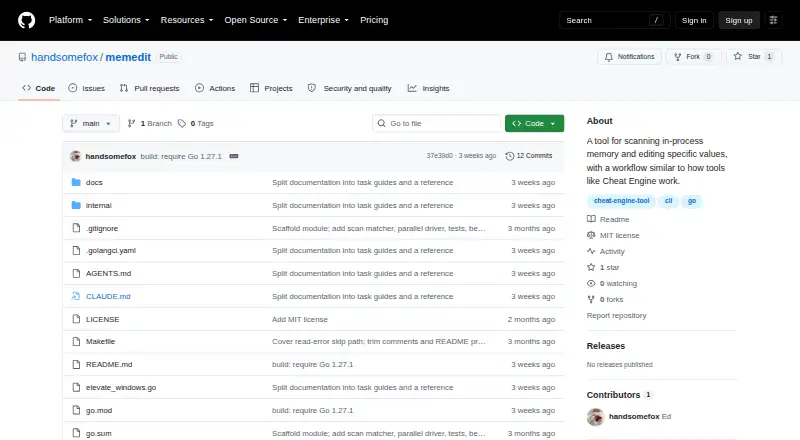
memedit is a free, open-source command-line memory scanner and editor for offline, single-player Windows games. It attaches to a running process, scans for a visible value, narrows candidate addresses as the value changes, and can write a new value. Supported scan types are int32, uint32, int64, float32, and float64, with int32 as the default. Interactive commands cover repeated scans, changed or unchanged comparisons, candidate listing, value writes, counting candidates, resetting, and quitting. Candidates and their previous values remain in memory during the session and are discarded when the program exits. The binary targets Windows/amd64 and attaches to 64-bit processes; opening most game processes requires Administrator rights unless --no-elevate is used. The project warns against use with multiplayer games protected by anti-cheat systems, because memory access can trigger bans. A write does not ask for confirmation and may change unrelated game state if the selected address is wrong. Building requires Go 1.27.1 or later.
Who it suits
memedit is intended for people working with offline, single-player Windows games and those learning how memory scanning works. It requires care with process permissions and selected addresses.
What it does well
- Free and open source under the MIT License
- Supports five scan value types
- Includes changed and unchanged comparisons
- Can configure alignment and parallel scan settings
What to know first
- Windows/amd64 binary attaches only to 64-bit processes
- Most game processes require Administrator rights
- Writes proceed without confirmation
- Candidates are discarded when the session ends
Limits
The binary targets Windows/amd64 and attaches to 64-bit processes. Most game processes require Administrator rights to open; writes do not ask for confirmation, and candidates are discarded when the session ends.
Getting started
- Visit https://github.com/handsomefox/memedit.
- Use the Windows/amd64 binary with a 64-bit process, or build with Go 1.27.1 or later.
- Run the tool and attach it to a running offline, single-player game process.
- Use the interactive scan commands to narrow candidate addresses and, if appropriate, write a value.
Verdict
memedit provides scanning and value-writing commands for offline, single-player Windows games. Avoid protected multiplayer games, and take care when choosing an address because writes are not confirmed and can affect unrelated game state.
Questions
Is memedit free and open source?
Yes. It is free and includes an MIT License permitting use, copying, modification, distribution, sublicensing, and sale subject to its stated conditions.
Which games is memedit intended for?
The maker describes it for offline, single-player games and learning how memory scanning works. The project warns against multiplayer games protected by VAC, EAC, or BattlEye because memory access can trigger bans.
Which Windows processes can it attach to?
Its binary targets Windows/amd64 and attaches to 64-bit processes.
Does memedit need Administrator rights?
Opening most game processes requires Administrator rights. The tool requests them through a UAC prompt unless --no-elevate is used.
What value types can it scan?
It supports int32, uint32, int64, float32, and float64; int32 is the default.
What is required to build memedit?
Building requires Go 1.27.1 or later. The README says make build can cross-compile the Windows binary from any platform.
Facts from memedit's own pages
- Anti-cheat warning
- The maker warns against using memedit on multiplayer games protected by VAC, EAC, or BattlEye because memory access can trigger bans. · github.com, 7 Oct 2026
- Build
- The project is written in Go without CGo and requires Go 1.27.1 or later to build. · github.com, 7 Oct 2026
- Build requirement
- Building memedit requires Go 1.27.1 or later; the README says make build can cross-compile the Windows binary from any platform. · github.com, 7 Oct 2026
- Candidate persistence
- Candidates and their previous values remain in memory during the interactive session and are discarded when the user quits. · github.com, 7 Oct 2026
- Commands
- Session commands include first and next scans, changed or unchanged comparisons, candidate listing, value writes, reset, help, and quit. · github.com, 7 Oct 2026
- Common-value safeguard
- Scans for common values such as integer 0 or 1 warn that they may match millions of addresses and use substantial memory, then prompt before proceeding unless --yes is set. · github.com, 7 Oct 2026
- Intended users
- The maker describes the tool as intended for offline single-player games and learning how memory scanning works. · github.com, 7 Oct 2026
- License
- The repository includes an MIT License that permits use, copying, modification, distribution, sublicensing, and sale subject to its stated conditions. · github.com, 7 Oct 2026
- Maker
- The license copyright notice names Eduard Diachenko. · github.com, 7 Oct 2026
- Memory handling
- Candidates and their previous values are kept in memory during the session and discarded when the program quits. · github.com, 7 Oct 2026
- Permissions
- Opening most game processes needs Administrator rights, which memedit requests through a UAC prompt unless --no-elevate is used. · github.com, 7 Oct 2026
- Platform requirement
- The binary targets windows/amd64 and attaches to 64-bit processes. · github.com, 7 Oct 2026
- Purpose
- memedit is a command-line memory scanner and editor for offline, single-player Windows games. · github.com, 7 Oct 2026
- Scan controls
- The CLI supports alignment, parallel worker and chunk settings, and an option to include file-mapped memory regions. · github.com, 7 Oct 2026
- Session commands
- Interactive commands include first and repeated scans, candidate listing, writing values, counting candidates, resetting, and quitting. · github.com, 7 Oct 2026
- Supported platform
- The binary targets windows/amd64 and attaches to 64-bit processes. · github.com, 7 Oct 2026
- Use warning
- The project says to use memedit only with offline, single-player games and warns against multiplayer games protected by anti-cheat systems. · github.com, 7 Oct 2026
- Value types
- Supported scan types are int32, uint32, int64, float32, and float64, with int32 as the default. · github.com, 7 Oct 2026
- Workflow
- It attaches to a running process, scans for a visible value, narrows candidate addresses as the value changes, and can write a new value. · github.com, 7 Oct 2026
- Write behavior
- Both set commands write without asking for confirmation, and a write can change unrelated game state if the chosen address is wrong. · github.com, 7 Oct 2026
Where memedit stands on Freedom251
- Game Memory Editors#22 of 23